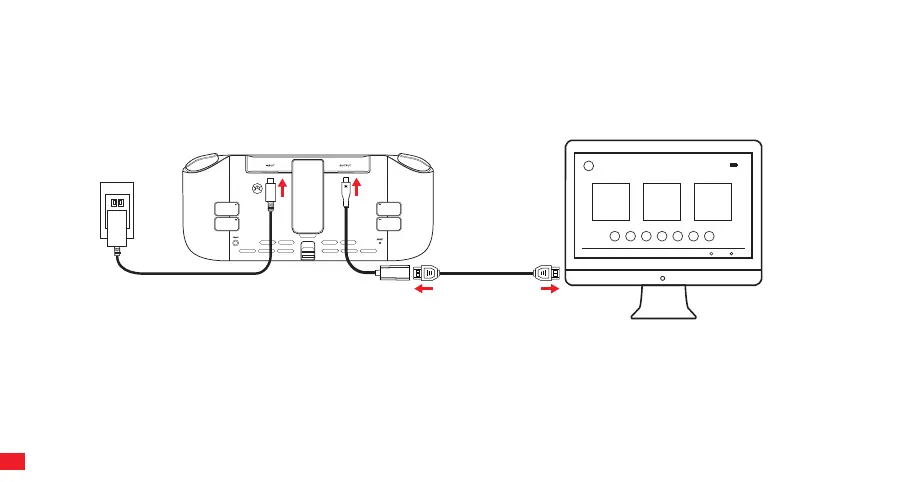
DOCKED MODE
The Nitro Deck+ has technology that supports HDMI OUTPUT.
When using the Nitro Deck+ in docked mode, you will need adequate power going to it. We recommend using a
power block / AC adapter that was included with your Switch.
HDMI
Options
Start
HDMI
PLAY & CHARGE
The Power Adapter supplied with the Switch can be connected to the USB INPUT on the back of the Nitro Deck+. The Power Adapter
supports playing game software while also charging the Switch. NOTE: The Nitro Deck+ does not include a battery.
NOTE: HDMI adapter is required for Docked Mode play. HDMI adapter is not included with Nitro Deck+. We recommend using the CRKD
HDMI Adapter.
HDMI Adapter
HDMI Cable
Power Block
10



 To Next Page