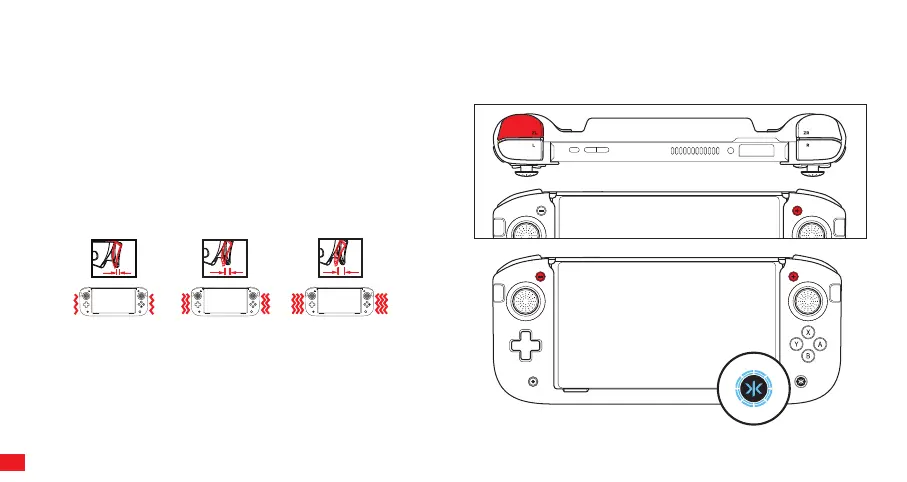
CONFIGURING TRIGGER BUTTON ACTUATION SETTING
The Nitro Deck+ trigger buttons can be adjusted to three dierent travel settings.
STEP 1
Press and hold “ZL” and Plus Button (+) for 3 seconds. When the
Home (CRKD) button LED starts flashing Cyan, you can begin
adjusting the trigger button actuation settings.
STEP 2
Use the plus (+) button to increase travel and minus (-) button to
decrease it.
After the trigger button actuation setting has been adjusted,
the Home (CRKD) button LED will turn back to white after 5
seconds if no further adjustments are made.
Note: Turn on rumble for haptic feedback during adjustment.
1 Rumble
25% Travel (Default)
2 Rumbles
50% Travel
3 Rumbles
75% Travel
25%
50%
75%
09



 To Next Page