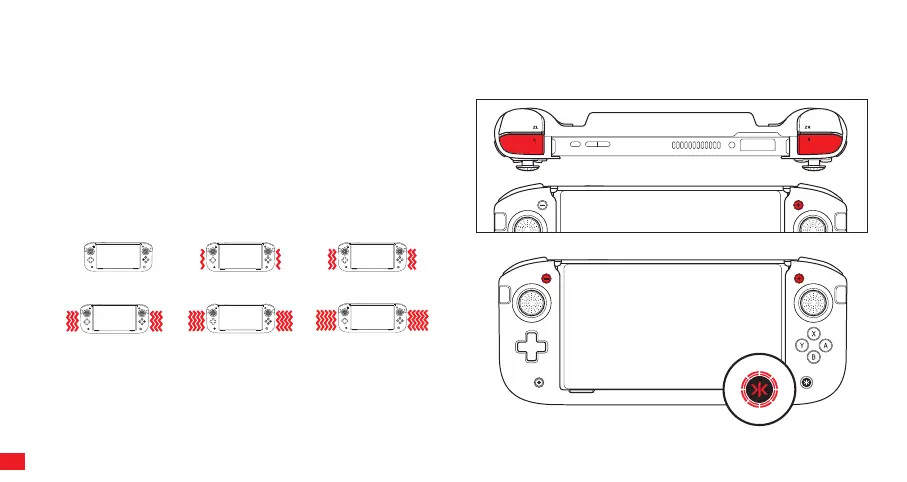
CONFIGURING RUMBLE SETTING
The Nitro Deck+ features two rumble motors, and each side can be adjusted individually to six dierent
settings.
STEP 1
To adjust the left rumble motor, press and hold “L” and Plus Button (+)
for 3 seconds. To adjust the right rumble motor, press and hold “R”
and Plus Button (+) for 3 seconds. When the Home (CRKD) LED starts
flashing RED, you can begin adjusting the rumble intensity.
STEP 2
Select the desired rumble setting by pressing the plus (+) button to
increase rumble intensity and minus (-) button to decrease it.
After the rumble setting has been adjusted, the Home (CRKD) button
LED will turn back to white after 5 seconds if no further adjustments
are made.
Note: Each level is a small incremental change and very subtle.
0 Rumble
Level 0 (OFF - Red LED will flash slowly)
3 Rumbles
Level 6 (Default)
1 Rumble
Level 2
4 Rumbles
Level 8
5 Rumbles
Level 10 (Max)
2 Rumbles
Level 4
08



 To Next Page