Locking/unlocking the APO-go PUMP
Switching between APo1 and APo3 modes
Setting bolus/priming dose and syringe volume
a. Bolus/priming conversion chart
Switching the APO-go PUMP on
Setting the flow rate in APo1 mode
a. Dosage to flow rate conversion table
Programming variable flow rate in APo3 mode
Priming the line in APo1 mode
Priming the line in APo3 mode
Administering the bolus dose
Pausing the infusion
Retracting the plunger to the start position
Error codes
Contents
apomorphine hydrochloride
PUMP
1
1
3
3
6
6
7
2
4
7
8
7
Introduction
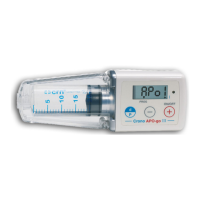
The following guide provides guidance to help you when programming the APO-go MARK III PUMP, including helpful
diagrams of what the screen should show at each step.
The APO-go MARK III PUMP has two available programming modes: APo1 and APo3. The APo1 mode is used for a single
flow rate, whereas APo3 allows the programming of four different flow rates, for variable flow rate. The different
functionalities and a brief explanation of these is included below.
APo1 mode APo3 mode
Locking/unlocking feature Locking/unlocking feature
10ml or 20ml volume setting 10ml or 20ml volume setting
Bolus dose function Bolus dose function
Stop/start/pause infusions on demand Stop/start/pause infusions on demand
Single flow rate Clock setting with variable flow rate
Bolus dose lockout time
Functionality
Locking/unlocking
The APO-go PUMP can be locked and unlocked by a healthcare professional (HCP) or carer, preventing a patient from
changing their dose, against their prescriber’s advice. Whilst locked the patient can start/stop/pause an infusion whenever
they need to and also administer the set bolus dose.
Bolus dose function
The APO-go PUMP has a bolus dose function, which allows HCPs to programme a dose for patients to administer whenever
they require.
Variable flow rate
The variable flow rate function on the APO-go PUMP allows four separate flow rates to be programmed and assigned to each
hour of the day. One of the four flow rates is 0.00 for times when a break in infusion is required.
Bolus dose lockout time
Once the bolus dose has been set, the HCP may specify a time limit between bolus doses, locking the bolus dose feature
during this timeframe and avoiding multiple bolus doses being administered in short periods of time.


 To Next Page