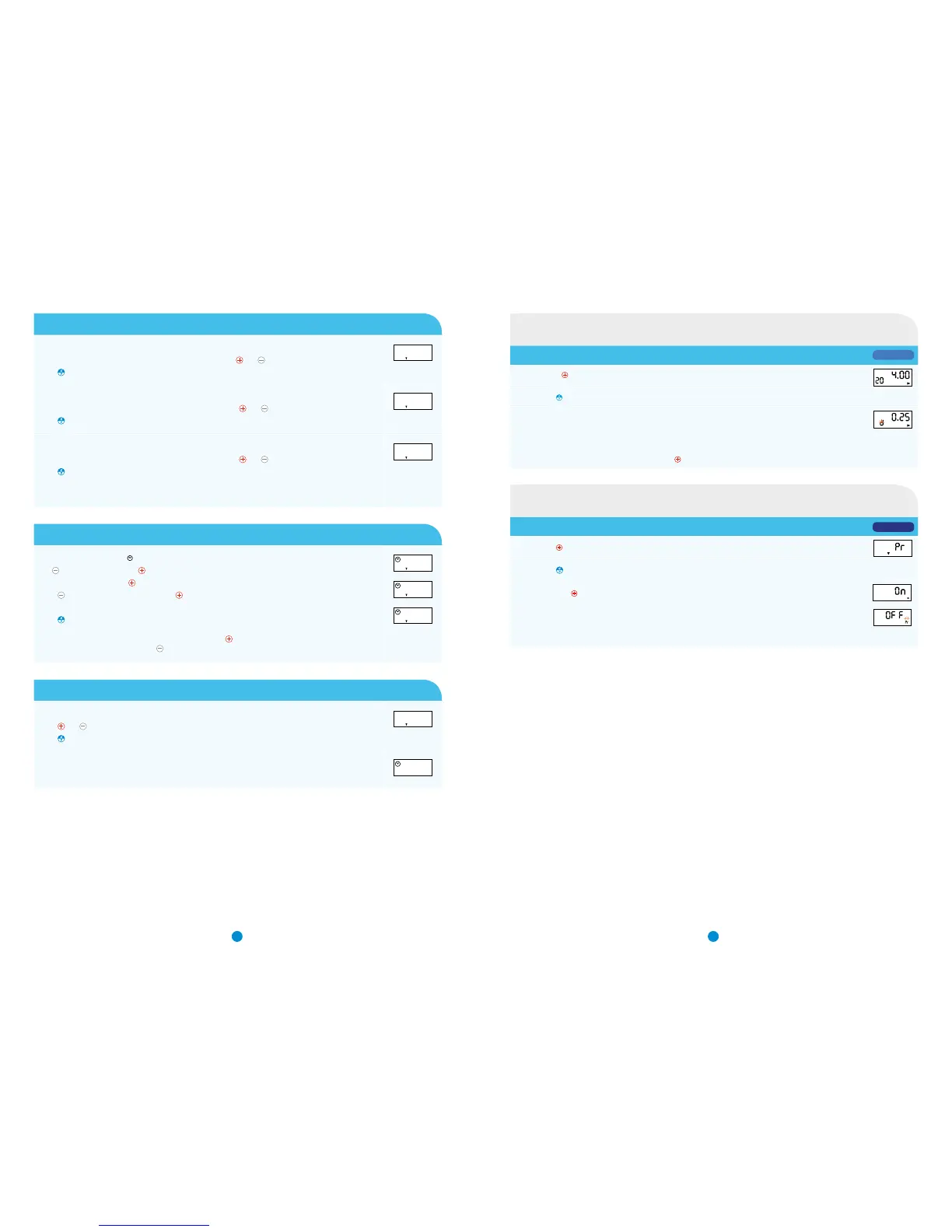
The screen will show F1 with a number next to it. This is your first flow rate.
Referring to your flow rate record set the flow rate for F1 using
and
buttons.
Press
to progress.
0.60
F1
The screen will show F2 with a number next to it. This is your second flow rate.
Referring to your flow rate record set the flow rate for F2 using
and
buttons.
Press
to progress.
0.75
F2
The screen will now show F3 with a number next to it. This is your third flow rate.
Referring to your flow rate record set the flow rate for F3 using
and
buttons.
Press
to progress.
Note: If a third flow rate is not required skip to the next step
Refer to Dosage to flow rate conversion table on page 3
0.80
F3
Step 6: Setting the flow rate per hour
The screen will now display , hF, 0.F
(
1, 2 or 3
).
Use
to control the hours and to select the flow rate.
Starting at 0
(
midnight
)
, use
to select the correct flow rate correlating to your flow rate record sheet.
Press
to change the hour to 1am and use to select the flow rate.
Repeat until all flow rates are set
(
e.g. 2am, 3am, 4am...
)
Press
when all hours and flow rates have been set.
Note: If you go past the correct flow rate continue pressing
until it appears again
If you miss a time then keep pressing
until the time appears again
0.F1
hF
1.F0
hF
2.F2
hF
Step 7: Altering the volume
The screen will say cc20, this is your ml setting.
Press
and
to adjust the pump to the 10ml setting (if required).
Press
to progress.
20
cc
The screen will display OFF and set up is complete.
OFF
13
Step 5: Setting the flow rate
65
Pump set to ‘ON’
Press and hold until you hear a long beep - then release
Display will show the bolus dose being infused into the line, with d flashing. Beeps will sound at every 0.11ml with a long
beep when the full dose had been administered. Display shows revised time of infusion remaining
NOTES:
- This function can also be used to deliver a bolus dose
- The priming/bolus dose can be stopped by pressing the button
Priming the line in APo1 mode
Press and hold to turn the PUMP ON the screen will display Pr
Press and hold
until the liquid has reached the needle tip
Then press and hold
, the PUMP will display On then show the remaining infusion time
Once the line is primed if the pump is left for a few seconds the
PUMP will switch to OFF with Pr flashing in the bottom right hand corner
Note: If this is the case, repeat steps 1 to 3
APo3 MODE
Priming the line in APo3 mode
20
APo1 MODE


 To Next Page