Need help?
Do you have a question about the Crosley Cathedral and is the answer not in the manual?
Provides step-by-step instructions for placing the unit, connecting the power adapter, and setting up the FM antenna.
Details the process of programming specific tracks for playback, including track selection and confirmation.
Addresses common problems related to the unit not receiving power, checking connections and power sources.
Guides users on troubleshooting sound output problems, checking function mode and volume settings.
Provides solutions for issues preventing CD playback, such as incorrect mode, CD condition, or format.
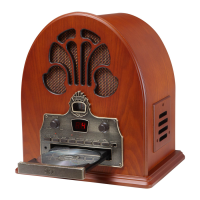
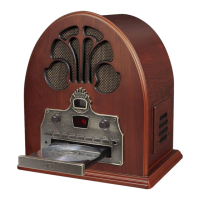
The Crosley CR32D Cathedral is a retro-styled radio and CD player with Bluetooth connectivity, designed to offer a blend of classic aesthetics and modern audio features. This instruction manual provides comprehensive details on its operation, specifications, and safety guidelines.
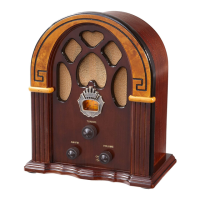
The CR32D serves as a multi-functional audio system, primarily featuring an AM/FM radio, a CD player, and Bluetooth connectivity for wireless audio streaming. It is designed for ease of use with clearly labeled controls and indicators. The unit's cathedral-style cabinet gives it a distinctive vintage appearance, making it a decorative as well as functional piece.
The unit is turned ON/OFF and its volume controlled by a single On-Off Switch/Volume Knob. The Function Switch allows users to select between Radio, CD, and Bluetooth modes. The Tuner Dial is used for selecting radio stations, and its light changes color to indicate the active mode (e.g., blue for Bluetooth).
To operate the radio, the user selects the "Radio" position with the Function Switch, then chooses either AM or FM band using the AM/FM Button. The Tuning Knob is used to precisely select the desired station, which is displayed on the Tuner Dial. Volume is adjusted via the On-Off Switch/Volume Control. For optimal FM reception, the unit is equipped with a wire antenna that should be untied and positioned straight. The AM antenna is internal, and rotating the unit may improve reception in areas with poor signal.
For Bluetooth streaming, the Function Switch is set to "Bluetooth" mode, which causes the Tuner Dial light to turn blue. Users then activate Bluetooth on their audio device, search for "Crosley CR32," and pair. Once connected, music can be streamed directly from the device to the unit. The Bluetooth version is 4.2, ensuring compatibility with a wide range of modern devices.
The CD player is accessed by setting the Function Switch to "CD." The Open/Close button controls the CD drawer, allowing users to insert a CD with the labeled side facing up. The LED display shows "--" briefly before indicating the total number of tracks. If a CD is blank or unrecognizable, it will display "00." The player supports standard audio CDs but not MP3 or similar digital audio files. Playback is initiated with the Play/Pause button, which also functions to pause and resume playback (indicated by a flashing Play Indicator). Tracks can be skipped forward or backward using the Forward Skip and Backward Skip buttons. Holding these buttons allows for fast forward or backward searching within a track. The Stop button halts playback completely.
The unit offers programmed CD playback, allowing users to create a custom playlist of up to 20 tracks. To enter program mode, the Program button is pressed, causing the Program Indicator to flash and the LED display to show "01." Users select desired tracks using the Forward Skip or Backward Skip buttons, confirming each selection with the Program button. The LED display will flash the next sequence number for programming. Once all tracks are programmed, pressing the Play/Pause button starts the custom playlist. To exit program mode, the Stop button is pressed twice.
The front panel features the Tuner Dial (1), On-Off Switch/Volume Knob (2), Play/Pause Indicator (3), AM/FM Button (4), Headphone Jack (5), Play/Pause Button (6), Stop Button (7), Repeat Indicator (8), Repeat Button (9), CD Drawer (10), Program Button (11), Program Indicator (12), Backward Skip Button (13), Forward Skip Button (14), Open/Close Button (15), Function Switch (16), and Tuning Knob (17). The speaker (18) is integrated into the cabinet. On the rear, there is an Antenna (19) and a Power Jack (20).
The manual emphasizes several safety precautions, including not using the product near water, operating it only with the specified power source, and ensuring the polarized plug is correctly inserted. Users are advised to protect the power cord from damage, avoid overloading outlets, and never insert objects into openings. Servicing should be referred to qualified personnel, as opening the unit can expose users to dangerous voltages. Attachments not recommended by the manufacturer should be avoided. The unit should be moved with care to prevent overturning. Ventilation slots should not be blocked to prevent overheating. The product should be unplugged during lightning storms or when unused for extended periods.
The manual includes a troubleshooting section to address common issues:
To comply with ERP energy saving standards, some models will automatically cut off power if there is no audio input for 20 minutes. To resume playing, the unit must be turned off and then on again.
The device complies with Part 15 of the FCC Rules, indicating it has been tested and found to meet limits for a Class B digital device, designed to provide reasonable protection against harmful interference in a residential installation. Users are advised on measures to correct interference, such as reorienting the antenna, increasing separation between equipment and receiver, or connecting to a different circuit. Any changes or modifications not expressly approved by the responsible party could void the user's authority to operate the equipment. The device's operation is subject to two conditions: it must not cause harmful interference, and it must accept any interference received, including undesired operation.

 To Next Page
 General