8
3) Inserting title cards and compact discs
Title cards
Blank CD title cards and software are provided with your jukebox. This will assist you
in printing title cards without having to type each song individually or handwrite the
cards. Additional cards are available to purchase through our webiste at
www.crosleyradio.com/accessories
Please note:
The CD software is unable to read home produced compilation albums.
The title cards start at selection no. 100 and finish at 179.
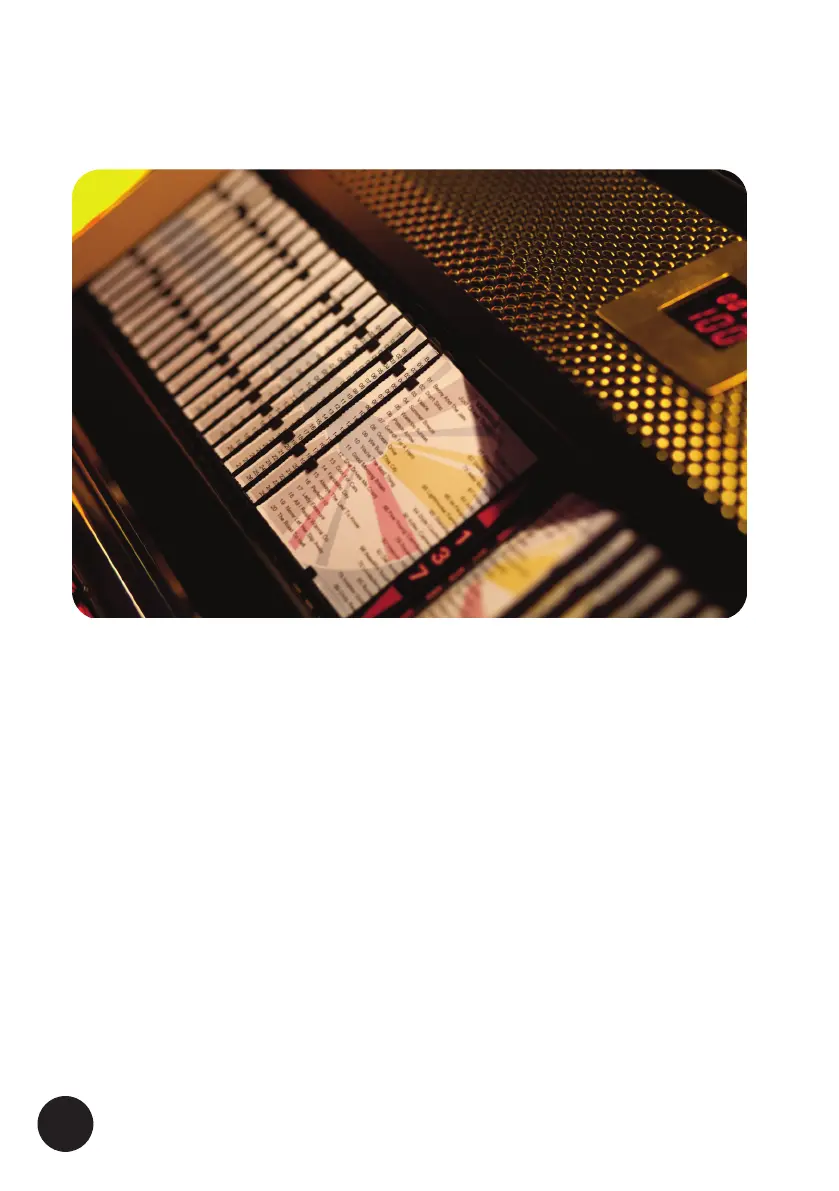
The cards need to be inserted into the holders so that the small plastic tabs hold
them in place. (see above fig. 4).
The displayed cards are flipped over left/right using the arrowed < ⁄ > keys on the
jukebox keyboard. Hold the button down until you reach your desired page.
WARNING : DO NOT FLIP THE TITLE RACK PAGES BY HAND AS THIS CAN
DAMAGE THE MOTOR OR SNAP THE PAGE ASSEMBLY! ONLY TURN THE PAGES
USING THE RED BUTTONS SITUATED ON THE FAR RIGHT HAND SIDE OF THE
BUTTON BANK.
FIG 4





 To Next Page