
 Need help?
Do you have a question about the Crosley CR8009B and is the answer not in the manual?
Read and understand the manual, keep instructions, and follow safety guidelines for operation and maintenance.
Lists the components included with the turntable, such as the turntable, 45 RPM adapter, and power adapter.
Details power, consumption, speaker, turntable speed, and replacement needle information.
Identifies all parts of the turntable, including platter, tonearm, controls, and connection ports.
Guides on placing the unit, removing tie-wraps, and connecting the power adapter.
Instructions for connecting the turntable to stereo systems via RCA jacks.
How to connect external audio devices using the 3.5mm auxiliary input jack.
Step-by-step guide on playing records, including power, speed, and tonearm handling.
Explains the auto-stop function and how to troubleshoot if the platter stops prematurely.
Details how to adjust the turntable's speed using the pitch control knob.
Instructions for safely removing and installing the turntable needle.
Steps to pair and stream music from a Bluetooth-enabled device to the turntable.
Guidance on transmitting audio from the turntable to external Bluetooth devices.
Tips for cleaning the stylus, records, lid, and cabinet to maintain performance.
Common issues like no power, platter not turning, or no sound, with possible solutions.
Regulatory information regarding compliance with FCC rules for digital devices.
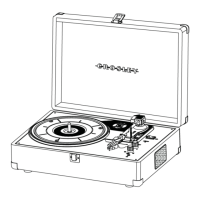
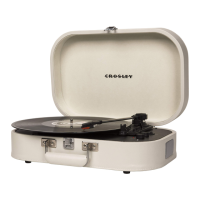
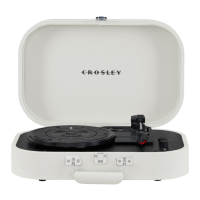
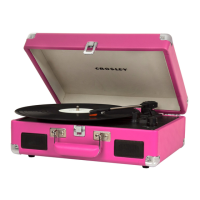
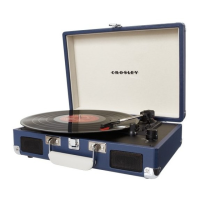
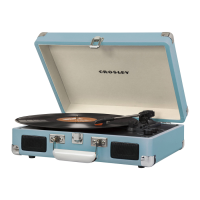
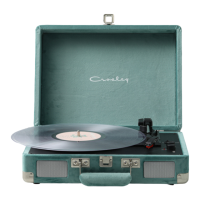
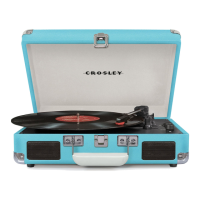
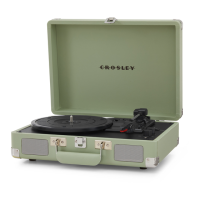
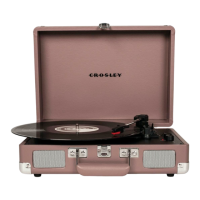
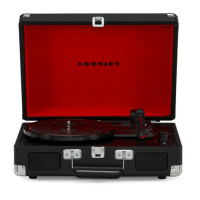
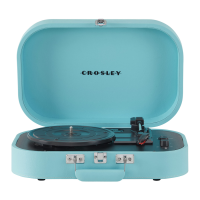
The Crosley CR8009B Discovery Turntable is a portable record player designed for listening to vinyl records and streaming audio. It features a classic suitcase-style design, making it easy to transport and set up in various locations.
The primary function of the CR8009B is to play vinyl records at three different speeds: 33 1/3, 45, and 78 RPM. It includes a turntable platter, a spindle for records, and a tonearm with a replaceable needle (Crosley NP6). For 45 RPM records, a dedicated adapter is provided. The turntable also offers an auto-stop feature, which automatically stops the platter from spinning when a record finishes playing, helping to preserve the needle and record. A pitch control knob allows users to fine-tune the playback speed by approximately 10%, either increasing or decreasing it.
Beyond record playback, the CR8009B incorporates Bluetooth functionality, enabling both input and output streaming. As a Bluetooth input device, it can receive audio wirelessly from other Bluetooth-enabled devices, such as smartphones or tablets, allowing users to stream their digital music collection through the turntable's built-in speakers. The function indicator will flash blue during pairing and turn solid blue once connected. As a Bluetooth output device, the turntable can transmit its audio (from records or auxiliary input) to external Bluetooth headphones or speakers, offering a wireless listening experience. This is particularly useful for those who prefer to listen privately or through a different sound system without physical connections.
For wired connections, the turntable includes an Aux In Jack, allowing users to connect external audio devices via a 3.5mm auxiliary cable. This feature enables the turntable's speakers to be used for playing music from non-Bluetooth sources. Additionally, RCA Jacks are provided for outputting analog line-level signals to external active/powered speakers or a stereo system, offering more robust sound options. A headphone jack is also available for private listening.
The unit is powered by an AC power adapter and features an On/Off-Volume Knob for controlling power and audio level. A function switch allows users to select between PHONO (record playback), Bluetooth input, and Bluetooth output modes.
Setting up the CR8009B is straightforward. Users should place the unit on a flat, stable surface, remove the tonearm's tie-wrap, and connect the AC adapter. It's important to ensure all connections are correct before powering on the unit.
To play a record, the user first rotates the On/Off Volume Knob to turn on the power and sets the Function Switch to the PHONO position, indicated by a red light. The Speed Switch should be set according to the record being played (33 1/3, 45, or 78 RPM). For 45 RPM records, the included adapter should be placed on the turntable spindle. Before playing, the stylus protector must be removed from the needle assembly. The tonearm Hold Down Clip should be released. Using the Tonearm Lever, the tonearm is gently lifted and positioned over the desired starting point on the record. Lowering the Tonearm Lever allows the tonearm to descend slowly onto the record, initiating playback. Once the record finishes, the Tonearm Lever is used again to raise the tonearm, which is then returned to the Tonearm Rest and secured with the Tonearm Clip. The auto-stop switch can be set to ON to automatically stop the platter at the end of a record, though it can be set to OFF if the record stops prematurely. The Pitch Control Knob can be rotated clockwise to increase speed or counter-clockwise to decrease it, allowing for fine-tuning of playback.
For Bluetooth input, the Function Switch is set to the Bluetooth input mode (flashing blue indicator). Users then enable Bluetooth on their audio device, search for "CROSLEY CR8009," and pair. A confirmation sound indicates a successful connection, and music can then be streamed from the device to the turntable.
For Bluetooth output, the Function Switch is set to the middle position (slowly flashing blue indicator). The user then puts their external Bluetooth device (headphones or speakers) into pairing mode. The turntable will automatically connect to the external device, and the function indicator will turn solid blue upon successful pairing.
When using the Aux In Jack, connecting an auxiliary cable will automatically override the turntable and Bluetooth functions. The function indicator will turn purple in this mode. To resume turntable or Bluetooth functions, the auxiliary cable must be unplugged.
Proper maintenance is crucial for the longevity and optimal performance of the CR8009B. Users should avoid touching the stylus tip with their fingers and prevent it from bumping against the turntable mat or record edges, as this can cause damage. The stylus should be cleaned frequently using a soft brush, moving from back to front only. Records should also be cleaned regularly with a record cleaning brush and solution to remove dust and grease, which can affect sound quality and cause wear.
The turntable lid and cabinet can be cleaned with a slightly damped microfiber cloth. It is important to avoid using cleansers that contain alcohol, benzene, or other harsh chemicals, as these can damage the paint and finish of the turntable. Crosley offers a range of cleaning accessories, which can be found on their website, to assist with proper maintenance.
The needle (Crosley NP6) is replaceable. To remove an old needle, gently pull down its front edge, then pull it forward and out. To install a new needle, position it with the tip facing down, align its back with the cartridge, and insert its front end at a downward angle. Gently lift the front of the needle upward until it snaps into place.
In case of troubleshooting, if there is no power, users should check the AC adapter connection and the power outlet. If the power is on but the platter doesn't turn, check if the turntable's drive belt has slipped off or if an aux-in cable is plugged into the aux-in jack. If the turntable is spinning but there is no sound or the sound is too low, ensure the stylus protector is removed, the tonearm is lowered by the lever, and no headphones are plugged in. The device also features an ERP energy-saving standard, automatically cutting off power after 20 minutes of no audio input. To resume playing, the unit needs to be turned off and then on again.
 General
| Built-in Speakers | Yes |
|---|---|
| Headphone Jack | Yes |
| Dimensions | 13.9" (W) x 10.2" (D) x 4.6" (H) |
| Weight | 4.5 lbs |
| Connectivity | Bluetooth |
| Type | Belt-Drive Turntable |
| Speed Settings | 33 1/3, 45 RPM |
| Audio Output | RCA |
| Material | Wood |
| Stylus | Diamond stylus |
| Platter | Plastic |
| Power Source | AC power |


 To Next Page