EasyManua.ls Logo

Crosley RSD3 Mini - User Manual

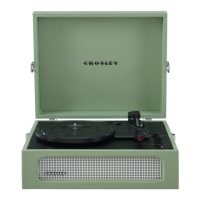
Crosley RSD3 Mini
6 pages
Print Icon
To Next Page IconTo Next Page
Loading...
CR6037A
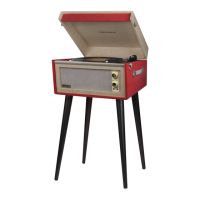
RSD3 Mini Turntable
Instruction Manual
Questions, problems, missing parts?
Before returning to the store, call Customer Service
8 a.m. 6 p.m., EST, Monday Friday
1-888-CROSLEY
www.crosleyradio.com
Question and Answer IconNeed help?

Do you have a question about the Crosley RSD3 Mini and is the answer not in the manual?

Summary

Safety Instructions

Items in this package

Specifications

Product Description

Turntable Operation

Aux Output Connection

Connect external speakers to the unit using a 3.5mm auxiliary cable for audio playback through your speakers.

Pitch Control

Adjust the turntable speed by approximately 10% using the dedicated pitch control knob for fine-tuning playback speed.

Needle Replacement

FCC Statements

Summary

Safety Instructions

Items in this package

Specifications

Product Description

Turntable Operation

Aux Output Connection

Connect external speakers to the unit using a 3.5mm auxiliary cable for audio playback through your speakers.

Pitch Control

Adjust the turntable speed by approximately 10% using the dedicated pitch control knob for fine-tuning playback speed.

Needle Replacement

FCC Statements

Crosley RSD3 Mini Specifications

General IconGeneral
TypeMini Turntable
Speeds33 1/3, 45, 78 RPM
FeaturesBuilt-in speakers
Drive TypeBelt-driven
Outputs3.5mm headphone jack
Power SourceAC Power Adapter

Related product manuals