EasyManua.ls Logo

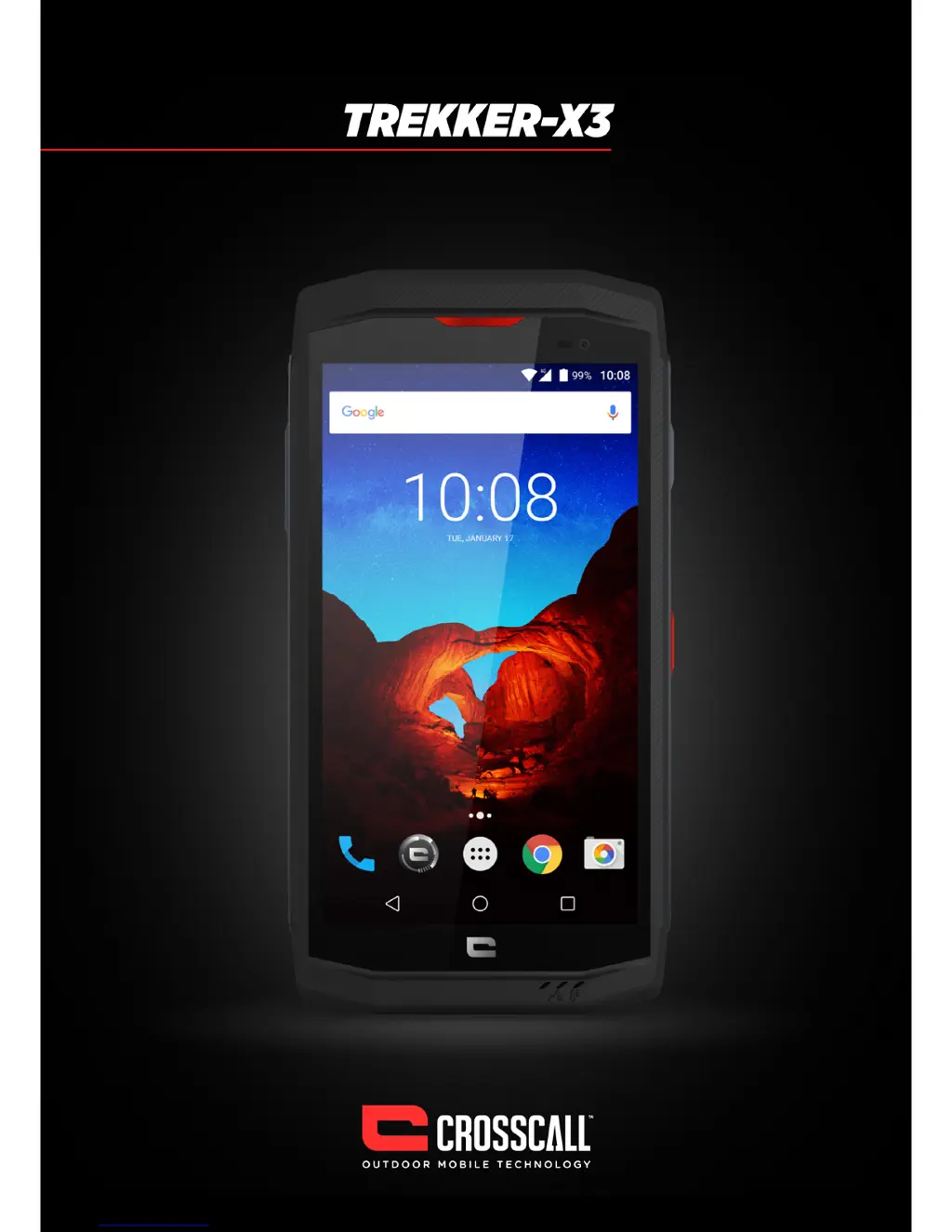
Crosscall trekker-x3 - User Manual

Crosscall trekker-x3
20 pages
Print Icon
To Next Page IconTo Next Page
Loading...
1

Other manuals for Crosscall trekker-x3

Questions and Answers

Summary

Safety Precautions

Medical Device Safety

Precautions for using the phone near medical devices and pacemakers.

Personal Information and Data Security

Measures to protect personal information and prevent unauthorized access.

Road Safety Guidelines

Safety rules for using mobile phones while driving.

Power Supply and Charging Safety

Guidelines for safe adapter use, charging, and battery handling.

Specific Absorption Rate (SAR) Information

Details on radio wave exposure limits and the device's compliance.

Hearing Protection Advice

Advice on preventing hearing damage from high volume usage.

Environmental Protection and Disposal

Instructions for proper recycling of phone packaging and batteries.

Cleaning and Maintenance Procedures

Safe methods for cleaning the phone and its accessories.

Emergency Call Procedures

How to make emergency calls and their limitations.

Compliance and Declarations

Information on device compliance with EU directives.

Copyright Information

Usage restrictions and copyright notices for manual content.

Getting to Know Your Phone

Phone Overview and Components

Identifies external parts and ports of the TREKKER-X3 phone.

Key Functions of Physical and Virtual Keys

Explains the operation of power, volume, back, home, and recent keys.

Installing the Phone (SIM;SD Card)

Guide to inserting SIM and Micro SD cards and closing the phone cover.

Charging the Battery

Instructions for connecting and charging the phone's battery.

Basic Operations

Turning the Device On and Off

Steps to power the phone on, off, and restart it.

Configuring Phone on First Start Up

Guided setup process including language selection and network connection.

Unlocking the Screen

How to unlock the phone's touch screen.

Understanding the Home Screen Layout

Explains status bar, widgets, icons, and quick key areas.

Notifications Panel and Quick Settings

How to view and manage notifications and quick settings.

Customizing Your Screen

Methods to change wallpapers, add widgets, and adjust settings.

Main Functions

Making and Receiving Calls

Instructions for initiating, answering, and ending phone calls.

Adding and Managing Contacts

How to add new contacts and search for existing ones.

Sending Text Messages

Steps to compose and send SMS messages.

Listening to Music

How to use the music player application.

Using the Camera and Camcorder

Guide to taking photos and recording videos.

Browsing the Internet

How to access websites using the phone's browser.

Connecting to Wireless Networks (Wi-Fi)

Steps to connect to available Wi-Fi networks.

Connecting to Mobile Data

How to enable and use mobile data for internet access.

Connecting via Bluetooth

Steps to pair the phone with Bluetooth devices.

Using NFC Functionality

Explanation of NFC capabilities and usage.

Important Information

General Notes and Disclaimers

General notes regarding data usage, internet connectivity, and service providers.

Troubleshooting Common Issues

Solutions for common problems like SIM errors, network issues, and device malfunctions.

Crosscall trekker-x3 Specifications

General IconGeneral
Screen shapeFlat
Second displayNo
Display diagonal5 \
Touch technologyMulti-touch
Touchscreen typeCapacitive
Display number of colors16 million colors
Processor cores8
Processor model617
Processor familyQualcomm Snapdragon
Processor frequency1.5 GHz
RAM capacity3 GB
Compatible memory cardsMicroSD (TransFlash)
Maximum memory card size128 GB
Internal storage capacity32 GB
Flash typeLED
Digital zoom8 x
Rear camera typeSingle camera
Maximum frame rate30 fps
Video recording modes1080p
Resolution at capture speed1920x1080@30fps
Rear camera resolution (numeric)16 MP
Front camera resolution (numeric)8 MP
4G standardLTE
2G standardsEDGE, GPRS, GSM
3G standardsHSPA+
SIM card typeNanoSIM
Wi-Fi standards802.11b, 802.11g, Wi-Fi 4 (802.11n)
Bluetooth version4.1
3G bands supported900, 2100 MHz
4G bands supported800, 900, 1800, 1900, 2100, 2600 MHz
SIM card capabilitySingle SIM
2G bands (primary SIM)850, 900, 1800, 1900 MHz
Mobile network generation4G
Subscription typeNo subscription
USB version2.0
USB connector typeMicro-USB
HDMI ports quantity0
Headphone connectivity3.5 mm
Multimedia Messaging Service (MMS)Multimedia Messaging Service (MMS) is a standard way to send messages that include multimedia content to and from a mobile phone over a cellular network
Form factorBar
Product colorBlack, Red
Protection featuresDust resistant, Water resistant
International Protection (IP) codeIP67
ThemesWallpapers
Video call-
PersonalizationIcons, Menu, Shortcuts
Personal info management (PIM)Alarm clock, Calculator, Calendar, Events reminder, Notes, To-do list
Speakersstereo
Audio formats supported3GP, AAC, AMR, MIDI, MP3
Video compression formatsH.263, H.264, MPEG4
PlatformAndroid
Google applicationsGoogle Maps, Google Play, YouTube
App distribution platformGoogle Play
Operating system installedAndroid 6.0.1
Talk time (3G)- h
Battery capacity3500 mAh
Head SAR (EU)0.379 W/kg
Specific absorption rate (SAR) value (EU)0.51 W/kg
Cables includedUSB
Weight and Dimensions IconWeight and Dimensions
Depth14.3 mm
Width81.8 mm
Height155.7 mm
Weight230 g

Related product manuals