BA_Migros_ED3EX_GB 09.02.2011 12:13 Uhr Seite 35
Probedruck
C M Y CM MY CY CMY K
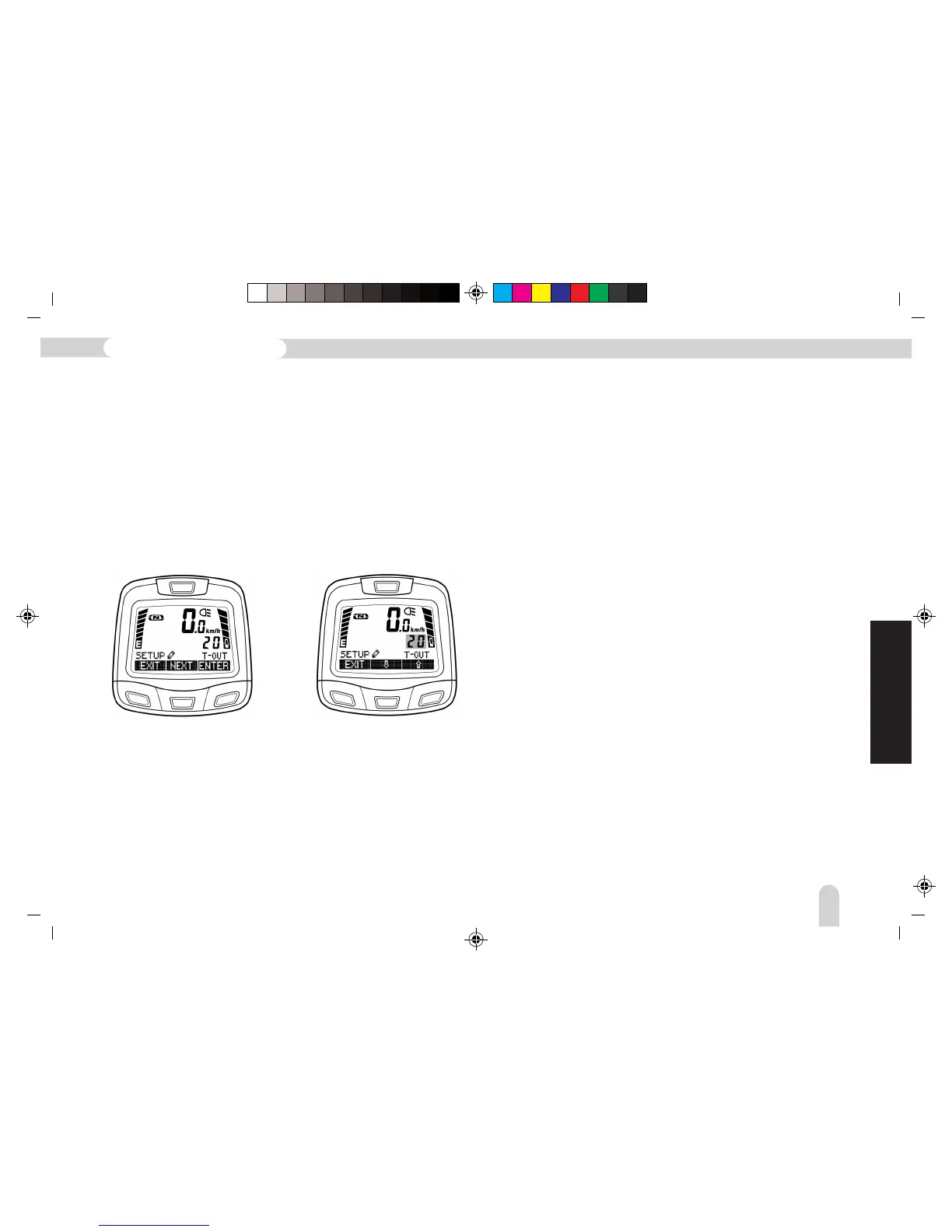
T-OUT (Timeout Menu)
The editing mode of the Timeout-Time Menu can be entered
from the SETUP•-OUT display by pressing the “ENTER” button.
The Timeout-Time can be altered using the arrow buttons from
10 to 99 seconds.
This setting gives the time available for editing in seconds
(setting 10 to 99 seconds). If processing of a menu section is
suspended, the display returns to the main menu according to
this setting. For example, if the setting is “20”, it will
automatically return to the main menu after 20 seconds.
The input process can be accelerated by holding down the arrow
buttons (Repeat function). If an alteration has taken place, then
SAVE / CANC appears again (procedure as described in the
preceding examples).
ASSIST (Geography Profile)
The assistance profiles are designed to adjust the assistance of
the Pedelec as exactly as possible to the geographical conditions.
– P1 corresponds to cycling along flat territory
– P2 corresponds to a ride with a medium level of assistance,
for example, low mountain ranges
– P3 is used when mainly a high level of assistance is required,
for example, alpine uplands.
These settings should be performed, when necessary, by your
specialised dealer.
GB
131
Pedelec with Lithium-ion battery



 To Next Page