General installation and maintenance instructions
MILLENIUM M3 for AIRMIL'S with screw compressors
Page 2/3 09/2011 Manual N° 5.16349. version 2
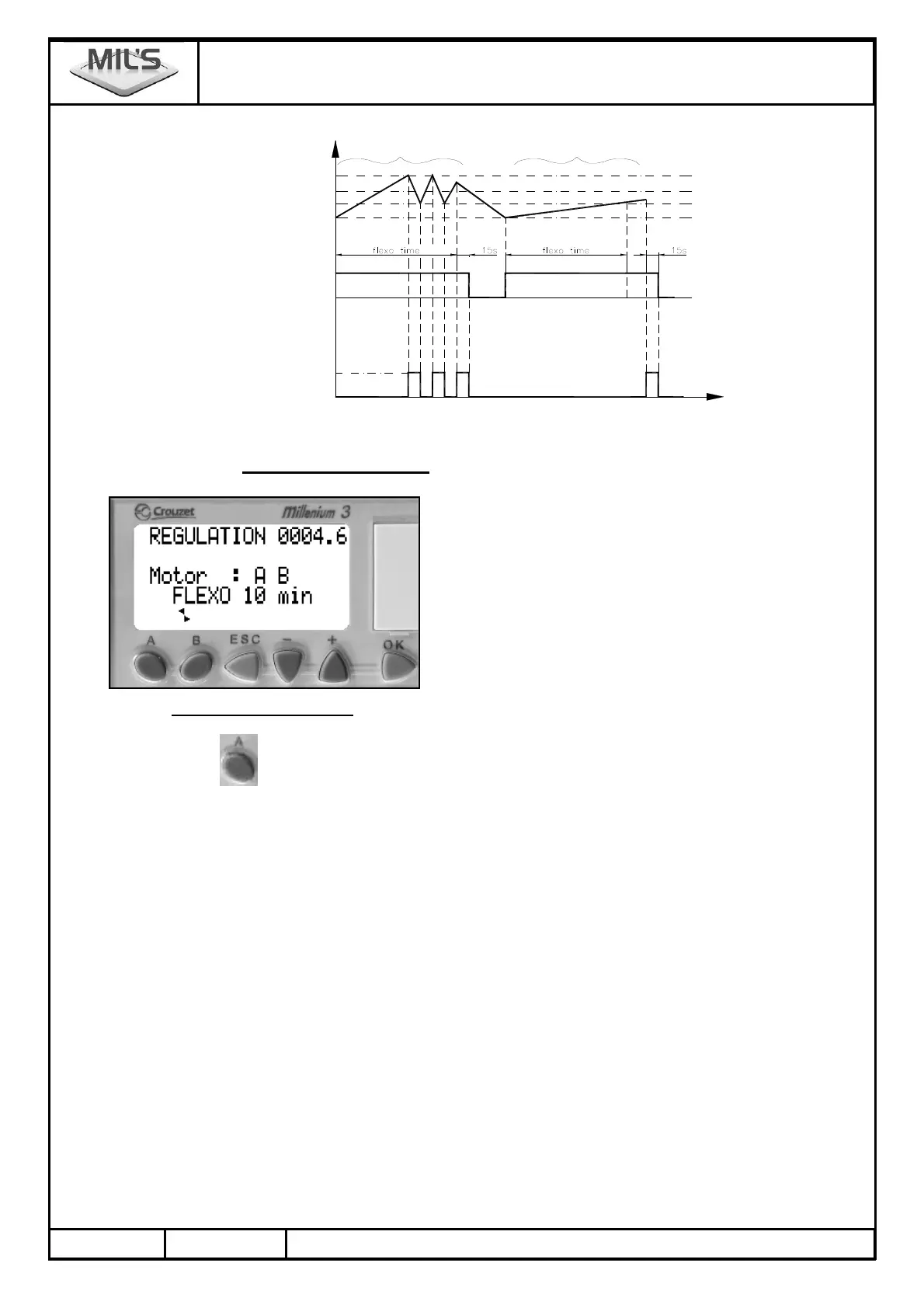
Dsicharge system
Inactive
Compressor
Active
ON
OFF
Stop limit
Load pressure
Priority compressor pressure
Unload pressure
a) situation b) situation
C1A
C1A
Compressor
Compressor
prioritaire
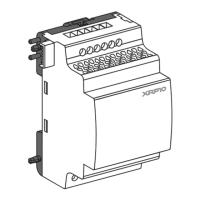
SECTION 3. DISPLAY - BUTTONS
First line : regulation pressure in bar,
Second line : network pressure in bar,
Third line : motors operating,
Fourth line : limits, hour meters, program number and alarms.
3.1. Management of parameters
By pressing the
button several times, the fourth line will display successively :
STOP 0008.5 : Compressors' stop thresholds.
This threshold can be set between 8.5 and 10 bar (for 10 bar version) or between 11.5 and
13 bar (for 13 bar version).
HYSTERESIS 0003.0 : Hysteresis between the Stop limit and the priority motor threshold (mot.1).
MOTOR 2 0005.0 : Secondary compressor trigger threshold.
This limit is automatically modified by the Motor 1.
Motor 2 = Motor 1 – 0.5 bar.
L.Net Al 6b : Low network alarm at 6 bar (not adjustable)
H.Net Al 11b : High network alarm at 11 bar (not adjustable)
FLEXO 10 min : "FLEXO" period : 10 minutes (not adjustable)
H M A 00000 : Hour meter compressor A.
H M B 00000 : Hour meter compressor B.
M 3030 V3 : Program Number, where V3 is the version (here V3 indicates version 3).


 To Next Page