General installation and maintenance instructions
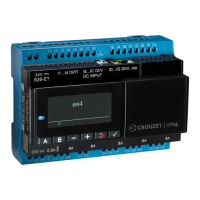
MILLENIUM M3 for AIRMIL'S with screw compressors
Manual N° 5.16349. version 2 09/2011 Page 3/3
To change value of parameters press the
button. Increase or decrease the value by the or button.
To valid, press the
button.
If the button is not activated during 2 minutes, the fourth line will automatically turn blank.
3.2. Management of alarms
" ** ALARM ** " will appear flashing on the fourth line of the display if an alarm is detected.
By pressing the button successively, the fourth line will show the different alarms present on the system :
Compressors ALARM :
Mot. A FAULT : Problem on the compressor A
or Press B : If this alarm is not active.
Mot. B FAULT : Problem on the compressor B
or Press B : If this alarm is not active.
Low network ALARM
LOW NET.AL : The network pressure (option) has reached its alarm threshold : 6 bar
This alarm is acknowledge via a hysteresis of 0.5 bar (at 6.5 bar).
or Press B : If this alarm is not active.
High network ALARM
HIGH NET.AL : The network pressure (option) has reached its alarm threshold : 11 bar
This alarm is acknowledge via a hysteresis of 0.5 bar (at 10.5 bar).
or Press B : If this alarm is not active.
If the
button is not pressed during 2 minutes, the fourth line will automatically go blank.
A dry contact alarm synthesis is present, which is reversed when one of the alarms is present.


 To Next Page