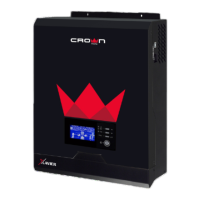
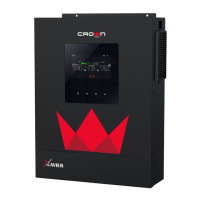
Need help?
Do you have a question about the Crown Micro ELEGO-6KW-IP65 and is the answer not in the manual?
Describes the manual's content for assembly, installation, operation, and troubleshooting.
Provides safety and installation guidelines, and information on tools and wiring.
Details the physical components and connectors of the inverter unit.
Covers site selection criteria and mounting procedures for the inverter.
Guidelines for selecting appropriate PV modules based on voltage and current specifications.
Instructions for connecting the inverter to a Battery Management System (BMS).
Details the inverter's LCD panel and touchable function keys.
Explains the meaning of various icons shown on the LCD display.
Details how battery status and capacity are displayed on the LCD.
Shows how charger source priority settings are displayed.
Describes options for selecting output source priority.
Explains how to configure charger source priority.
Allows selection of different battery types and their configurations.
Explains how to set the bulk charging voltage.
Details how to set the floating charging voltage.
Setting for single or three-phase AC output modes.
Allows setting country-specific regulations for grid feed-in.
Sets low DC cut-off voltage for AC output 2.
Shows battery status and charging/discharging current.
Shows the total accumulated PV energy generation.
Describes the standby operating mode and its behavior.
Explains the Line mode operation and its power sources.
Describes the fault mode and its causes.
Provides guidance on battery and AC wiring for parallel operation.
Specifies breaker ratings for battery connections.
Lists recommended battery capacity for parallel configurations.
Illustrates power and communication connections for parallel single-phase operation.
Introduces support for three-phase equipment configurations.
Illustrates a three-phase setup with three inverters per phase.
Setting for AC output mode in parallel and three-phase configurations.
Steps for commissioning parallel single-phase inverter systems.
Steps for commissioning three-phase inverter systems.
Provides solutions for fault events within commissioning.
Explains configuration for lithium battery communication.
Configuration details for Pylontech batteries.
Configuration details for WECO batteries.
Configuration details for Soltaro batteries.
Details the Crown Monitor App and its requirements.
Instructions for downloading and installing the Crown Monitor App.
Steps for configuring the Wi-Fi module's local network connection.
Guides on setting up Wi-Fi network connection (SSID, password).
 General
| Model | ELEGO-6KW-IP65 |
|---|---|
| Category | Inverter |
| Rated Power | 6kW |
| IP Rating | IP65 |
| Output Voltage | 230V AC |
| Frequency | 50/60 Hz |
| Efficiency | 97% |
| Operating Temperature | -25°C to +60°C |
| Cooling Method | Fan |
| Storage Temperature | -40°C to 70°C |
| Humidity | 0-95% RH, non-condensing |

 To Next Page