EasyManua.ls Logo

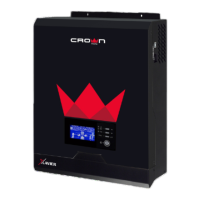
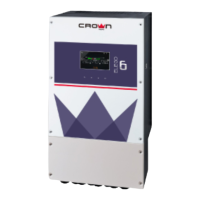
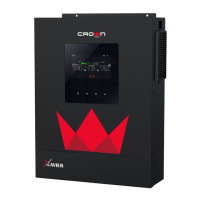
Crown Micro X-3.6KW-M - User Manual

Crown Micro X-3.6KW-M
44 pages
Print Icon
To Next Page IconTo Next Page
Loading...
USER MANUAL
X-3.6KW-M / X-5.6KW-M
Hybrid Inverter
With MPPT Solar Charger
Version: 1.0

Questions and Answers

  • T
    Tyler NewmanAug 12, 2025
    Why does my Crown Micro Inverter shut down automatically during startup?
    • F
      frederickhallAug 12, 2025
      Your Crown Micro Inverter might shut down during startup due to the following reasons: * **Low Battery Voltage:** If the battery voltage is too low (less than 1.91V/Cell), the unit may shut down. Re-charge the battery. If that doesn't help, the battery might be faulty. Replace the battery.
  • T
    timothy79Aug 18, 2025
    What to do if my Crown Micro Inverter has no response after power on?
    • N
      nicole93Aug 18, 2025
      If your Crown Micro Inverter isn't responding after you power it on, it could be due to these reasons: * **Very Low Battery Voltage:** If the battery voltage is far too low (less than 1.4V/Cell), the unit won't power on. Re-charge the battery. If that doesn't help, the battery might be faulty. Replace the battery. * **Internal Fuse Tripped:** If the internal fuse has tripped, the unit won't power on. Contact a repair center to replace the fuse.
  • B
    Bridget MaxwellAug 25, 2025
    How to fix Crown Micro Inverter working in battery mode when mains exist?
    • A
      Ashley BarnesAug 25, 2025
      If your Crown Micro Inverter is operating in battery mode even when mains power is available, consider the following: * **Input Protector Tripped:** Check if the AC breaker has tripped and ensure the AC wiring is properly connected. * **AC Power Quality:** Poor AC power quality from sources like generators can cause this. Check if the AC wires are too thin or too long. * **Generator Issues:** If using a generator, verify it's working correctly and that the input voltage range setting is correct. * **Output Source Priority:** Change the output source priority to 'Utility first'.
  • M
    mhamiltonAug 30, 2025
    What to do if the internal relay of my Crown Micro Inverter switches on and off repeatedly when turned on?
    • B
      Brandon JonesAug 30, 2025
      If the internal relay in your Crown Micro Inverter is repeatedly switching on and off when you turn it on, it's likely due to a disconnected battery. Check if the battery wires are securely connected.
  • M
    mbeanNov 5, 2025
    What to do if my Crown Micro Inverter buzzer beeps continuously and the red LED is on?
    • S
      Stephanie TranNov 6, 2025
      A continuous beep and red LED on your Crown Micro Inverter often indicates an issue. Here's what might be happening and how to address it: * **Overload:** Reduce the connected load by switching off some equipment. * **PV Input Voltage:** If PV input voltage is higher than specification, the output power will be derated. Reduce the number of PV modules in series or the connected load. * **Short Circuit:** Check the wiring and remove any abnormal loads. * **Over Temperature:** Ensure the unit's airflow isn't blocked and the ambient temperature isn't too high. * **Battery Issues:** Check if spec and quantity of batteries meet requirements. If the battery is over-charged, return to repair center. * **Fan fault:** Replace the fan. * **Output Abnormal:** Reduce the connected load....

Summary

SAFETY INSTRUCTIONS

INTRODUCTION

Features

Lists key capabilities of the inverter/charger.

Basic System Architecture

Explains the system components and how they connect.

Product Overview

INSTALLATION

Unpacking and Inspection

Details items to check after receiving the unit.

Preparation

Steps to take before wiring.

Mounting the Unit

Guidelines for installing the inverter physically.

Battery Connection

Recommended battery cable and terminal size

Specifies cable and terminal requirements for battery connections.

AC Input;Output Connection

Suggested cable requirement for AC wires

Details cable specifications for AC connections.

PV Connection

Components for PV connectors and Tools

Lists necessary parts and tools for PV connection.

Prepare the cable and follow the connector assembly process

Step-by-step guide for assembling PV connectors.

Final Assembly

Communication Options

Describes how to connect the inverter for monitoring.

OPERATION

Power ON;OFF

Instructions for turning the unit on and off.

Operation and Display Panel

Overview of the LCD panel and function keys.

LCD Display Icons

LCD Setting

Display Setting

Operating Mode Description

Fault Reference Code

Warning Indicator

CLEARANCE AND MAINTENANCE FOR ANTI-DUST KIT

Overview

Explains the purpose of the anti-dust kit.

Clearance and Maintenance

Step-by-step guide to clean the anti-dust kit.

SPECIFICATIONS

Table 1 Line Mode Specifications

Technical details for Line Mode.

SPECIFICATIONS

Table 2 Inverter Mode Specifications

Technical data for Inverter Mode.

SPECIFICATIONS

Table 3 Charge Mode Specifications

Technical details for various charging modes.

MPPT Solar Charging Mode

Specific specifications for MPPT solar charging.

Table 4 General Specifications

General technical specifications and certifications.

TROUBLE SHOOTING

Appendix II: The Wi-Fi Operation Guide

1. Introduction

Overview of Wi-Fi module and app functionality.

2. Crown Monitor App

Details on downloading and installing the monitoring app.

Wi-Fi Module Configuration

Local Wi-Fi Module Configuration

Steps for connecting the Wi-Fi module to the local network.

Wi-Fi Network Settings

Steps for configuring the Wi-Fi network for internet access.

Crown Micro X-3.6KW-M Specifications

General IconGeneral
ModelX-3.6KW-M
Input Voltage24V DC
WaveformPure Sine Wave
Rated Power3600W
Frequency50 Hz
Protection FeaturesOverload, Short Circuit

Related product manuals