EasyManua.ls Logo

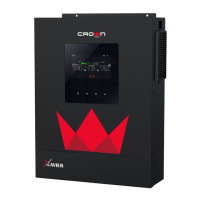
Crown Micro XAVIER 3KVA - User Manual

Crown Micro XAVIER 3KVA
31 pages
Print Icon
To Next Page IconTo Next Page
Loading...
USER MANUAL
XAVIER 3KVA
INVERTER/CHARGER
With MPPT Solar Charger
Version: 1.0

Questions and Answers

Summary

About This Manual

Purpose

Describes assembly, installation, operation, and troubleshooting of the unit.

Scope

Provides safety and installation guidelines, plus information on tools and wiring.

Safety Instructions

Introduction

Features

Lists key features of the inverter/charger, such as pure sine wave and protection mechanisms.

Basic System Architecture

Illustrates basic application and components of the inverter/charger system.

Product Overview

Provides a general overview of the multi-function inverter/charger.

Installation

Unpacking and Inspection

Inspect the unit and verify all package contents are received and undamaged.

Preparation

Instructions for removing the bottom cover before proceeding with wiring connections.

Mounting the Unit

Guidelines for selecting an installation location and ensuring proper mounting.

Battery Connection

Detailed steps for connecting the battery, including cable specifications and torque values.

AC Input;Output Connection

Instructions for connecting AC input and output wires, including breaker recommendations.

PV Connection

Guidance on connecting PV modules, including necessary circuit breakers and wiring.

PV Module Selection

Parameters to consider when selecting PV modules for the system.

PV Module Wire Connection

Step-by-step instructions for properly connecting PV module wires.

Final Assembly

Instructions for reattaching the bottom cover after all wiring is complete.

Communication Connection

How to connect the inverter to a PC using the communication cable for monitoring software.

Operation

Power ON;OFF

Procedure for turning the inverter unit on and off using the control panel.

Operation and Display Panel

Overview of the front panel, including indicators, function keys, and LCD display.

LCD Display Icons

Explains the meaning of various icons displayed on the LCD screen.

LCD Setting

Program 00: Exit setting mode

Exits the setting mode without saving changes.

Program 01: Output source priority

Configures priority between solar, utility, and battery for load power.

Program 02: Maximum charging current

Sets the total charging current for solar and utility chargers.

Program 03: AC input voltage range

Sets the acceptable AC input voltage range for the unit.

Program 05: Battery type

Selects the battery type (AGM, Flooded, or User-Defined).

Program 06: Auto restart when overload occurs

Configures whether the unit auto-restarts after an overload condition.

Program 07: Auto restart when over temperature occurs

Configures whether the unit auto-restarts after over-temperature.

Program 09: Output frequency

Sets the output frequency for the inverter.

Program 11: Maximum utility charging current

Sets the maximum charging current from the utility.

Program 12: Setting voltage point back to utility source

Sets the voltage point for switching back to utility source.

Program 13: Setting voltage point back to battery mode

Sets the voltage point for switching back to battery mode.

Program 16: Charger source priority

Configures the priority of charging sources (solar, utility).

Program 18: Alarm control

Controls the behavior of unit alarms.

Program 19: Auto return to default display screen

Configures automatic return to the default display screen.

Program 20: Backlight control

Controls the LCD backlight on/off.

Program 22: Beeps while primary source is interrupted

Configures audible beeps when the primary source is interrupted.

Program 23: Overload bypass

Configures the overload bypass function.

Program 25: Record Fault code

Enables or disables the recording of fault codes.

Program 26: Bulk charging voltage

Sets the bulk charging voltage for the battery.

Program 27: Floating charging voltage

Sets the floating charging voltage for the battery.

Program 29: Low DC cut-off voltage

Sets the low DC cut-off voltage to protect the battery.

Program 30: Battery equalization

Enables or disables the battery equalization function.

Program 31: Battery equalization voltage

Sets the voltage point for battery equalization.

Program 33: Battery equalized time

Sets the duration for the battery equalization process.

Program 34: Battery equalized timeout

Sets the timeout for the battery equalization process.

Program 35: Equalization interval

Sets the interval between battery equalization cycles.

Program 36: Equalization activated immediately

Activates battery equalization immediately.

Display Setting

Input voltage;Output voltage (Default Display Screen)

Shows the default display screen for input and output voltage.

Input frequency

Displays the input frequency of the power source.

PV voltage

Displays the voltage from the PV panels.

Charging current

Displays the current flowing into the battery.

Charging power (only for MPPT model)

Displays the charging power from MPPT solar charger.

Battery voltage and output voltage

Displays the current battery voltage and output voltage.

Output frequency

Displays the output frequency of the inverter.

Load percentage

Displays the percentage of the load relative to the inverter's capacity.

Load in VA

Displays the load power in Volt-Amperes (VA).

Load in Watt

Displays the load power in Watts (W).

Battery voltage;DC discharging current

Displays battery voltage and DC discharging current.

Main CPU version checking

Displays the version information of the main CPU.

Secondary CPU version checking

Displays the version information of the secondary CPU.

Operating Mode Description

Standby mode

Explains the inverter's operation in standby mode without AC output.

Fault mode

Describes fault conditions, causes, and operations.

Line Mode

Explains how the unit operates and charges the battery in line mode.

Battery Mode

Explains how the unit operates and powers loads from battery and PV.

Battery Equalization Description

How to Apply Equalization Function

Provides steps to enable and apply the battery equalization function.

When to Equalize

Describes the conditions and timing for battery equalization to occur.

Equalize charging time and timeout

Explains the duration and timeout settings for the equalization charging stage.

Fault Reference Code

Warning Indicator

Lists warning codes, associated events, audible alarms, and icon flashing patterns.

Specifications

Table 1 Line Mode Specifications

Lists detailed specifications for the inverter in line mode operation.

Table 2 Inverter Mode Specifications

Lists detailed specifications for the inverter when operating in inverter mode.

Table 3 Charge Mode Specifications

Lists specifications related to utility and MPPT solar charging modes.

Table 4 General Specifications

Lists general specifications like operating temperature, humidity, and dimensions.

Trouble Shooting

Unit shuts down automatically during startup process.

Addresses issues where the unit automatically shuts down during the startup phase.

No response after power on.

Covers scenarios where the unit shows no indication or response after being powered on.

Mains exist but the unit works in battery mode.

Troubleshoots why the unit operates in battery mode when mains power is available.

When the unit is turned on, internal relay is switched on and off repeatedly.

Diagnoses issues with the internal relay switching repeatedly upon unit activation.

Buzzer beeps continuously and red LED is on.

Addresses situations where the buzzer sounds continuously with the red LED illuminated.

Appendix: Approximate Back-up Time Table

Crown Micro XAVIER 3KVA Specifications

General IconGeneral
Output Frequency50Hz/60Hz
WaveformPure Sine Wave
Capacity3KVA
Power Rating2400W
Output Voltage220V
ProtectionOverload
Operating Temperature0-40°C
ModelXAVIER-3KVA

Related product manuals