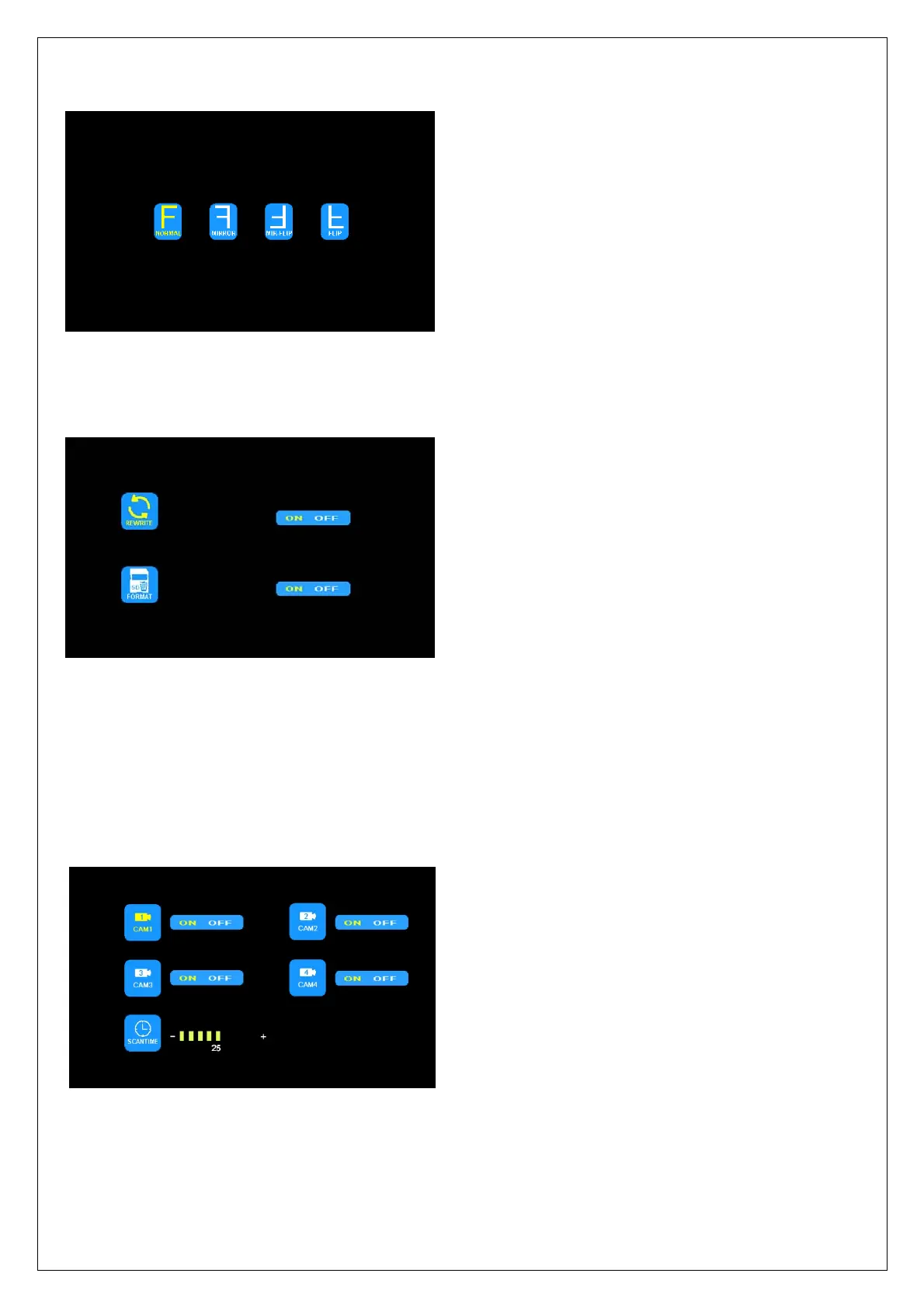
3. MIR-FLIP
Press < or > to select MIR-FLIP and press OK.
Press < or > to select NORMAL / MIRROR / MIR-FLIP / FLIP. Press MENU to return to the main menu.
4. RECORD
Press < or > to select RECORD and press OK to enter.
Press < or > to select REWRITE / FORMAT, and then press OK to enter the setting accordingly. When the icons turn
red, press < or > to select the setting. Press OK to exit the menu. At the submenu, press MENU to return to the main
menu.
REWRITE: When disk is full, the monitor will delete the earliest manual/timing record file one by one, and keep
recording. FORMAT: All documents in TF card will be lost once user formats the disk.
5. AUTO SCAN
Press < or > to select AUTO SCAN and press OK to enter.
Press < or > to select CAM1/CAM2/CAM3/CAM4/SCANTIMEand then press OK to enter the setting accordingly.
When the icons turn red, press < or > to select the settings. Press OK to exit the menu. At the submenu, press
MENU to return to the main menu.
If the channel is turned OFF, image of the corresponding camera will not be shown in AUTOSCAN display mode.
Setting scale of SCANTIME is 5-45 s, with the step time of 5 s.



 To Next Page