Cryomagnetics Model 4G Operating Instruction Manual 21
this value exceeds the Maximum Current Rating (set in the Magnet menu), the supply will only
sweep up to the maximum rating and indicate MAG LIMIT REACHED.
Low Sweep Limit
The target current for a sweep-to-low limit command. This value is entered in the LIMITS screen. If
this value exceeds the Maximum Current Rating (set in the Magnet menu), the supply will only
sweep down to the maximum rating and indicate MAG LIMIT REACHED.
Output Voltage Limit
The module will not allow the output voltage to exceed this value. It is set in the LIMITS menu.
Local / Remote (not shown in pictures)
The Local indication shows that operator has pressed the Local button, and that the remote
interfaces (USB, Ethernet or GPIB) cannot control the supply until the operator presses the Local
button again. The Remote indication shows that a remote interface is controlling the supply, and
that all buttons except the Local button are disabled.
Display Units
The operator may select Amperes or Field to display the output current.
1.16. Keypad Operation
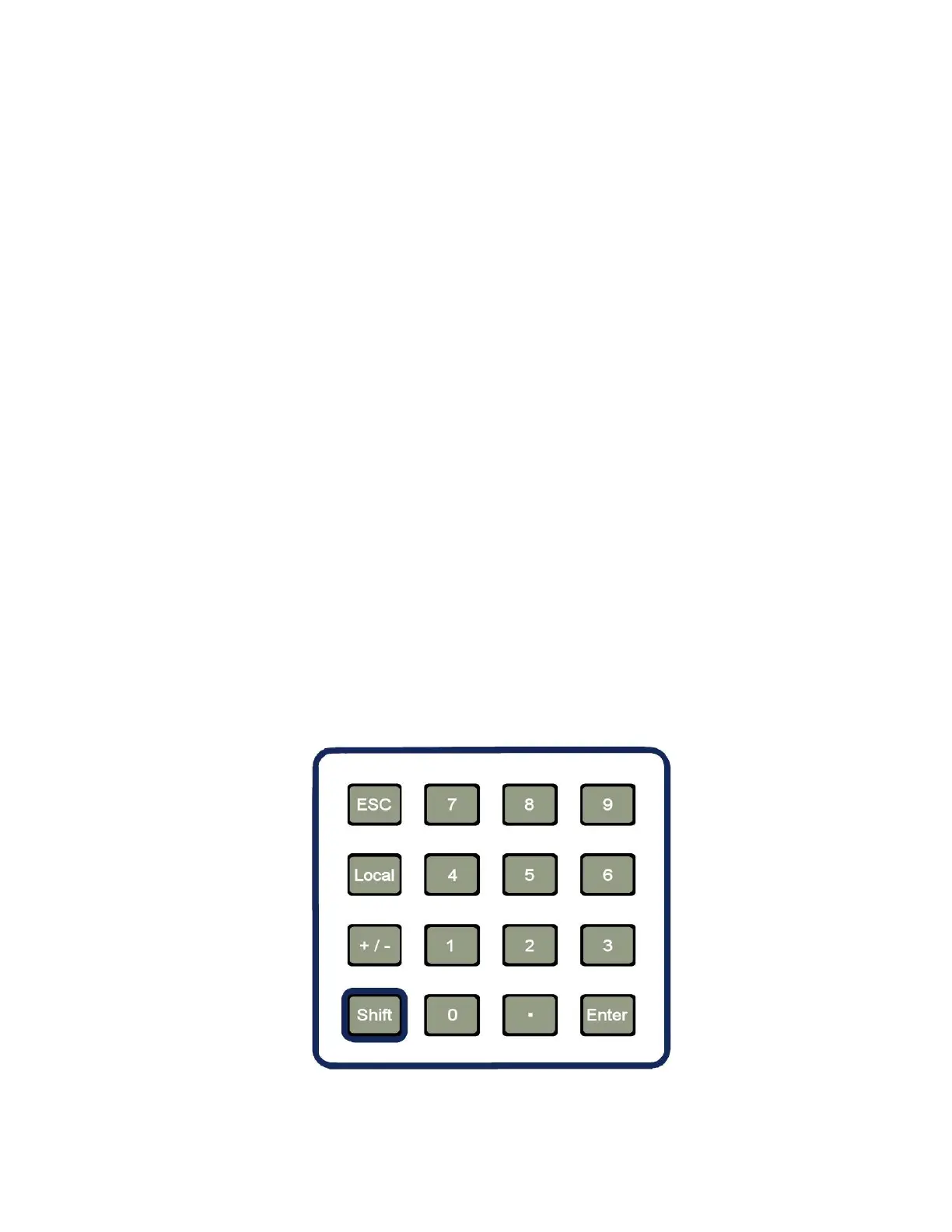
The keypad layout is shown in Figure 5. The six unlabeled (soft) keys next to the display are not
shown. Most keys on the keypad are used only for menu navigation and parameter entry.
Figure 5: Keypad Layout


 To Next Page