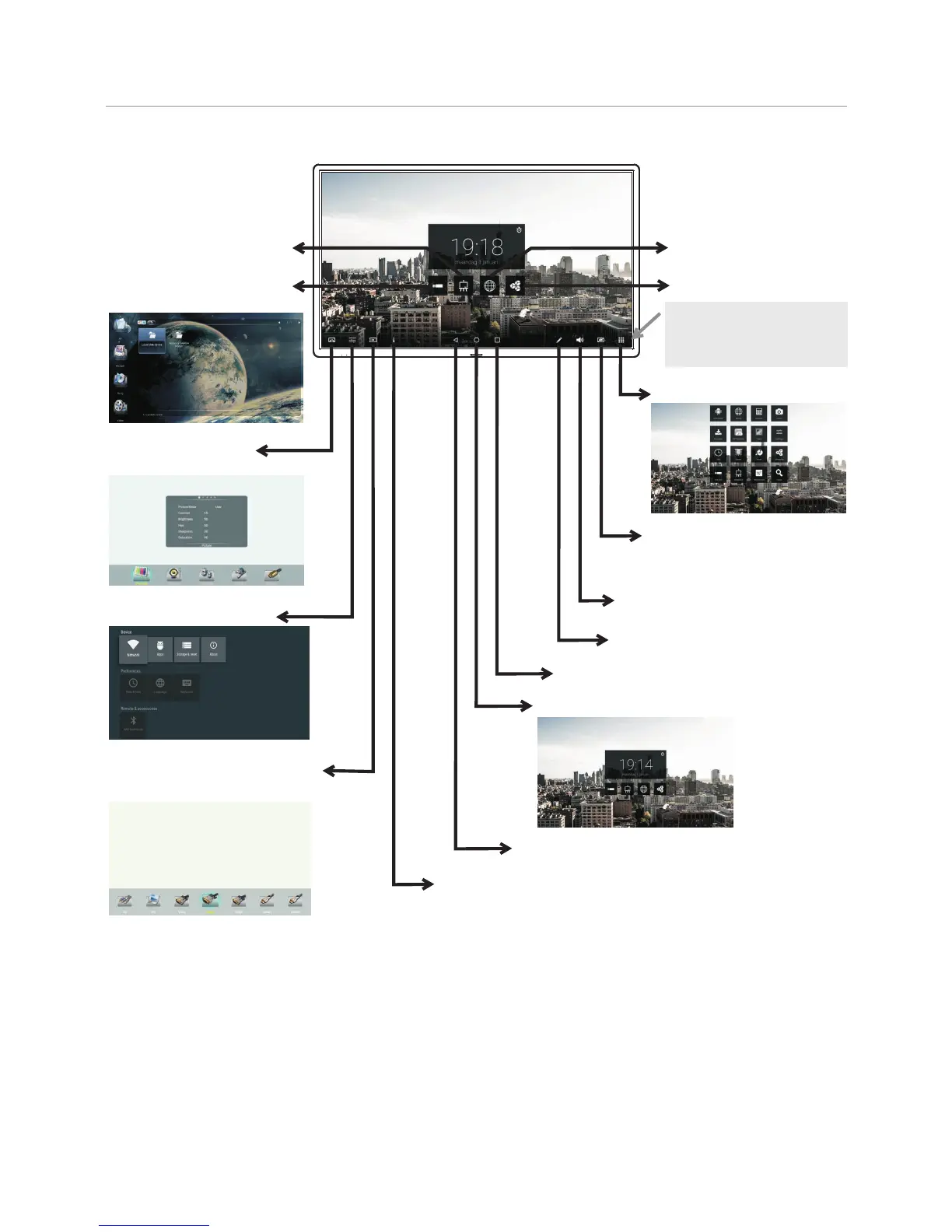
Go to USB multi-media
player.
Switch to the display
menu screen.
Switch to the User Manual
Open the Settings menu.
Switch to different input source,
i.e. HDMI, VGA, etc.
Return to previous
Switch to the Home page. (Android Interface)
Show the most-recently used Apps.
An instrument for annotation.
Show all applications
Turn off the picture on your
monitor and listen to the
program audio only.
Adjusting the volume.
An instrument for writing on
Android.
Go to web Browser.
Shortcut of OfficeSuite.
Operating the Float menu
Basic Operations
14
Two or more fingers touch
the bottom centre of the
screen and drag upward to
make navigation bar.



 To Next Page