
 Need help?
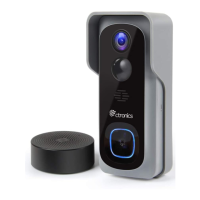
Do you have a question about the Ctronics CT-WDB02 and is the answer not in the manual?
Step-by-step visual guide for adding the doorbell via the CloudEdge app, covering device addition and network connection.
Explains how to power the indoor chime unit using either a USB compatible phone charger or a PC USB port.
 General
| Humidity | 10% to 90% RH |
|---|---|
| Weight | 200g |
| Material | ABS Plastic |
| Audio Output | 1W |
| Installation | Wall-mounted |
| Operating Temperature | -10°C to 50°C |
| Communication Range | 100m |

 To Next Page