Need help?
Do you have a question about the CTS FWRIII-3105 SERIES and is the answer not in the manual?
Describes the compact WLAN Residential Gateway with high performance and advanced features like QoS, VLAN.
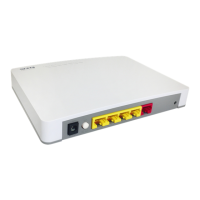
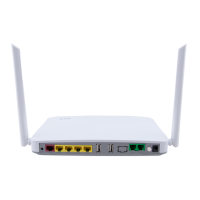
Details the physical appearance of the front panel, including ports and LED indicators.
Outlines basic requirements for installation, including environmental conditions and necessary cables/transceivers.
Instructs users to carefully unpack and verify the included items in the standard package.
Provides guidelines for choosing a suitable installation location and cautions against blocking ventilation.
Details the procedure for powering on the gateway using the AC adapter and notes about power failure.
Explains how to connect the gateway to the network using RJ-45 ports and fiber ports, matching transmitters and receivers.
Explains the meaning of various LED indicators on the gateway for monitoring operational status.
Describes methods for identifying faults through local checks (LEDs, connections) and remote checks.
Warns against user-serviceable parts and attempting repairs due to risk of injury and voiding warranty.
Explains that firmware upgrading is possible and directs users to a specific manual for procedures.
 General
| Category | Gateway |
|---|---|
| Series | FWRIII-3105 |
| Wireless Standards | 802.11a/b/g/n/ac |
| Security | WPA/WPA2, Firewall, VPN |
| Power Supply | 12V DC, 1A |
| Dimensions | 180 x 120 x 30 mm |
| Weight | 300g |
| Frequency Band | 2.4 GHz / 5 GHz |

 To Next Page