Need help?
Do you have a question about the CTS VRGIII-31412SFP-N and is the answer not in the manual?
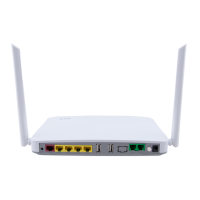
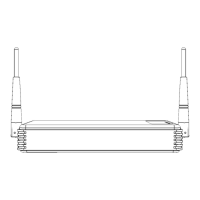
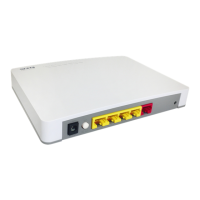
Details the physical layout of the device's front, rear, and top panels.
Describes available methods for managing the Residential Gateway.
Explains the different types of ports and their functions on the gateway.
Provides instructions for connecting power, network cables, and other devices.
Details the connection and function of the RF over Fiber port for CATV.
Explains the meaning of the status indicators (LEDs) on the device.
Explains the structure and purpose of IP addresses in network communication.
Guides users on how to begin the initial configuration of the gateway.
Describes the main menu bar, sub-menu bar, and configuration areas.
Covers core gateway settings including system, network, and routing.
Displays basic system and SFP transceiver information of the gateway.
Configures system operation modes, host settings, and interface selections.
Explains Dynamic Domain Name Service for accessing the gateway via domain names.
Manages LAN IP settings and DHCP server configurations for the private network.
Configures NAT functionality and static routing paths for network traffic.
Covers configuration of wireless network settings.
Sets up the wireless network parameters like network mode and SSID.
Configures wireless security protocols, encryption, and authentication methods.
Manages wireless access policies by filtering MAC addresses.
Provides options for enhancing network security.
Enables and configures the firewall to protect the network.
Configures rules to filter network traffic based on IP, MAC, or protocol.
Controls internet access to specific websites by filtering URLs.
Allows VPN traffic to be transmitted through the network.
Manages Universal Plug and Play for simplified device networking.
Configures Distributed Denial of Service prevention measures.
Manages network application services like port forwarding.
Configures rules to allow external access to internal network services.
Allows transient port forwarding for services when specific conditions are met.
Sets up a Demilitarized Zone to expose hosts on the private network to the internet.
Manages Quality of Service settings for network traffic.
Prioritizes network traffic to ensure quality for different services.
Sets maximum transmission rate limits for ingress and egress traffic.
Configures Session Initiation Protocol settings for telephony services.
Configures basic SIP parameters like port numbers and transport protocol.
Registers phone numbers and SIP user agent details with the SIP server.
Configures which SIP servers telephony ports register with.
Manages voice settings, call services, and fax configurations.
Configures voice codecs, echo cancellation, and AGC levels.
Configures call forwarding and call waiting functions for telephony.
Configures fax transmission parameters for FXS ports.
Configures T.38 fax options for voice and fax transmission.
Configures dialing timeouts and feature invocation keys.
Manages speed dial entries for frequently called numbers.
Establishes number patterns and rules for telephone dialing.
Manages Internet Protocol Television settings.
Manages IGMP snooping and proxy for multimedia streaming.
Controls the Cable Television (CATV) RF module.
Enables or disables the CATV RF module for signal reception.
Manages device provisioning and network monitoring.
Configures automatic firmware and configuration updates.
Sets up SNMP parameters for network monitoring.
Manages device administration, maintenance, and security policies.
Manages access policies for device management interfaces.
Configures port settings for the Residential Gateway's interfaces.
Configures the gateway's internal clock and time zone settings.
Configures the syslog server for sending debug logs and event messages.
Performs network diagnostics using ICMP ping and traceroute.
Manages user account privileges and access levels for the gateway.
Backs up current configuration and restores previous settings.
Resets the Residential Gateway to its default factory settings.
Upgrades the device firmware to the latest version.
Saves current settings, logs out the user, or reboots the device.
Monitors the current status of the gateway's interfaces and functions.
Displays the status and information of the Wide Area Network interface.
Shows the status and configuration of the Local Area Network.
Displays the status and configuration of the Wireless Local Area Network.
Displays the gateway's routing table, including static and dynamic routes.
Shows the status of the telephony ports (on-hook/off-hook).
Displays the current status, speed, and duplex mode of network ports.


 To Next Page
 General