Need help?
Do you have a question about the CTS HES-5106 Series and is the answer not in the manual?
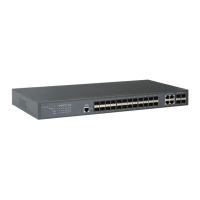
Provides a general overview of the HES-5106SFP+ Managed Switch, its ports, and capabilities.
Details the comprehensive features of the Managed Switch, including port specifications and advanced functionalities.
Details the physical layout of the switch's front, top, and rear panels and their respective interfaces.
Explains the meaning and operation of each LED indicator on the switch for status monitoring.
Lists supported cable types and their specifications for connecting the switch to networks.
Outlines the basic environmental and hardware requirements necessary before installing the switch.
Instructs users on how to verify that all necessary components are included in the product package.
Provides instructions and guidelines for physically installing the Managed Switch in a suitable location.
Details the procedure for powering up the Managed Switch after installation and initial setup.
Explains how to connect the Managed Switch to the network using appropriate cables and ports.
Provides step-by-step instructions for installing and removing SFP/SFP+ modules from the switch.
Describes the available network management options for configuring, controlling, and monitoring the switch.
Guides users on identifying and diagnosing potential faults or issues with the Managed Switch.
Details procedures and warnings related to hardware replacement for the Managed Switch.
Explains the process and requirements for upgrading the firmware on the Managed Switch.


 To Next Page
 General