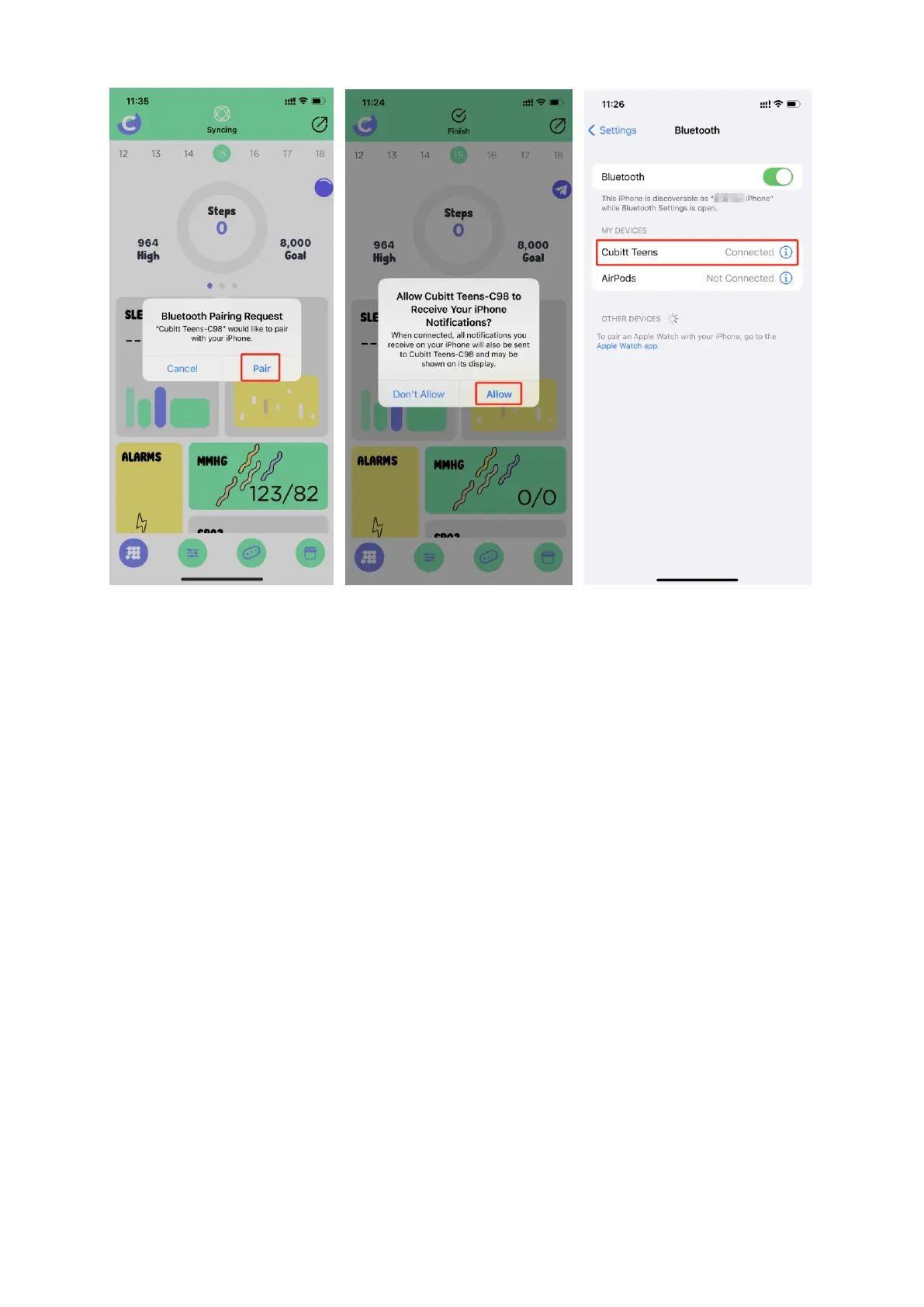
* During binding process, "Cubitt Jr + Teens" will prompt you to
enable GPS and Bluetooth, and authorize "Cubitt Jr + Teens" to get
access to the GPS on your mobile phone. Or prompt some other
permission to allow, please agree to all the permission prompt.
* iPhone will not prompt you with any information unless you
complete Bluetooth pairing on your Cubitt Teens watch in the built-in
Bluetooth in your mobile phone after binding.
5.2.2 Synchronizing data
Pair your watch with "Cubitt Jr + Teens" App, open App, in the home
page screen, swipe down or click the the Sync icon to synchronize
data. Your data will be shown on App accordingly.


 To Next Page