5
Install SD Card
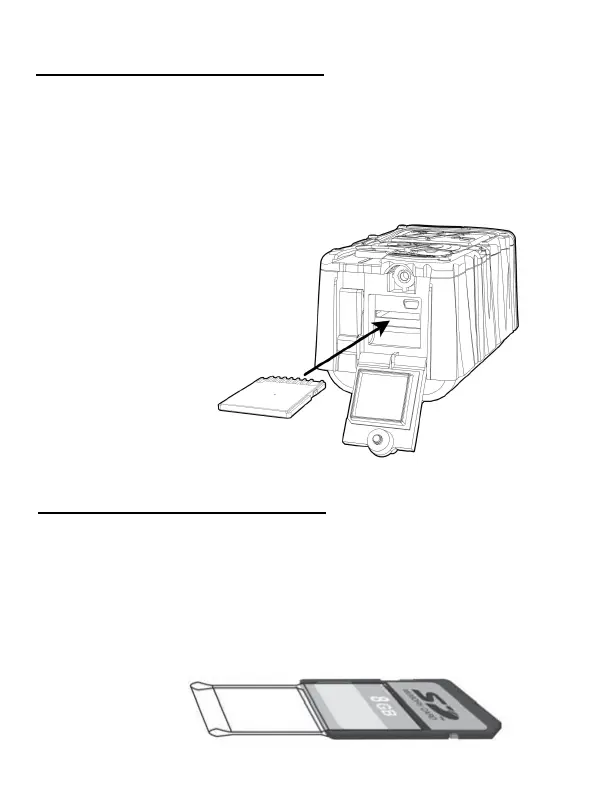
Insert the SD card into the camera label side down.
Do not force the card. If it does not go in easily check
to make sure you are inserng it correctly. You will
break the card socket if you force the card.
Insert SD card with
label facing down
SD Card Tip
The SD Card reader on this camera is not spring
loaded. We believe a pull out SD socket is more
reliable. You can make your SD card easier to access
by placing electrical tape on the SD card, as shown
below, to create a pull tab.


 To Next Page