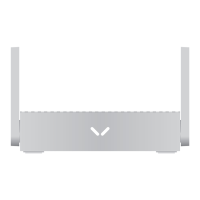
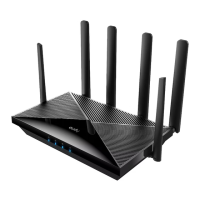
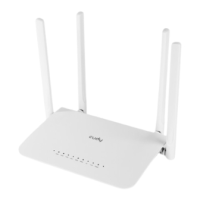
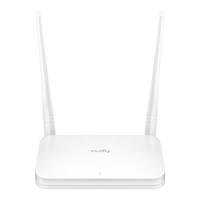
1 Connect the USB-C power adapter
to the router and wait for it to boot up.
2 Connect the WAN port to DSL/Cable
Modem or the Ethernet wall outlet.
Quick Installation Guide
Hardware Overview
*TR1200
WAN USB 2.0LANPower
microSD
*TR1300
microSD
*TR1200
*TR1300
*TR3000
RESET
Toggle
*TR1300 / *TR3000
WANUSB 3.0 LAN Power
*TR1200 / *TR1300 / *TR3000
3 Connect your device to the router using A Wireless or B Wired method.
A. Wireless
Connect your device to the router’s Wi-Fi using the SSID (network name) and Password printed on the bottom of the router.
Wi-Fi
Network
Wi-Fi
Cudy-XXXX-5G
xxxx-xxxxxxxx
xxxx-xxxxxxxx
xxxx-xxxxxxxx
xxxx-xxxxxxxx
xxxx-xxxxxxxx
xxxx-xxxxxxxx
xxxx-xxxxxxxx
xxxx-xxxxxxxx
OFF
Red Flash
Red
White Flash
White
NEED TECH HELP?
810600190
www.cudy.com/qr_vg_tr
www.cudy.com
support@cudy.com
www.cudy.com/download
WEEE
According to the EU Directive on Waste Electrical and Electronic
Equipment (WEEE - 2012/19 / EU), this product must not be
disposed of as normal household waste.
Instead, they should be returned to the place of purchase or
taken to a public collection point for recyclable waste. By
ensuring this product is disposed of correctly, you will help
prevent potential negative consequences for the environment
and human health, which could otherwise be caused by
inappropriate waste handling of this product. For more
information, please contact your local authority or the nearest
collection point. Improper disposal of this type of waste may
result in penalties according to national regulations.
GNU General Public License Notice
The software code in this product was created by third parties
and is licensed under the GNU General Public License ("GPL"). If
applicable, Cudy ("Cudy" in this context refers to the Cudy entity
offering respective software for download or being in charge of
the distribution of products that contain respective code) makes
the corresponding GPL source code available upon request via
the official website, either independently or with the assistance of
third parties (such as Shenzhen Cudy Technology Co., Ltd.).
For GPL-related questions, email support@cudy.com. In addition,
Cudy offers a GPL-Code-Centre under https://www.cudy.com/g-
plcodecenterdownload where users can get the GPL source
codes used in Cudy products for free. Please note, that the
GPL-Code-Centre is only provided as a courtesy to Cudy's
customers but may neither offer a full set of source codes used in
all products nor always provide the latest or actual version of
such source codes.
The GPL code used in this product is subject to the copyrights of
one or more authors and is supplied WITHOUT ANY WARRANTY.
Wi-Fi
Network
Wi-Fi
Cudy-XXXX-5G
Cudy-XXXX
xxxx-xxxxxxxx
xxxx-xxxxxxxx
xxxx-xxxxxxxx
xxxx-xxxxxxxx
xxxx-xxxxxxxx
xxxx-xxxxxxxx
xxxx-xxxxxxxx
xxxx-xxxxxxxx
XXXXXXXX
Password
Cudy-XXXX-5G
Internet
Modem
LAN
WAN


 To Next Page
 Need help?
 General