Need help?
Do you have a question about the Cudy WR1300 and is the answer not in the manual?
Verify router hardware connection status using LED indicators.
Connect computer to router via Ethernet cable for initial setup.
Connect device to router's Wi-Fi using provided SSID and password.
Open web browser and navigate to router's IP address or domain name to log in.
Follow on-screen instructions to configure the device's internet connection.
Details on the function of the RST/WPS button for WPS and reset operations.
Explore advanced functionalities of the Cudy router via its web management page.
Find technical support, user guides, and contact information for assistance.
Steps to resolve issues when the router's login window doesn't display.
Steps to diagnose and fix problems when the Wi-Fi signal is not detected.
Procedure for restoring the router to its original factory settings.
Solutions for connectivity issues when accessing router's setting page.
Details on warranty coverage and conditions for the product.
Conditions under which warranty claims may not be recognized.
Statement of compliance with relevant EU directives for the Wi-Fi router.
Identification details of the manufacturer/importer and product.
Instructions for proper disposal of electronic waste according to EU directives.
 General
| DSL WAN | No |
|---|---|
| Ethernet WAN | Yes |
| WAN connection type | RJ-45 |
| Wi-Fi band | Dual-band (2.4 GHz / 5 GHz) |
| Wi-Fi standards | 802.11a, 802.11b, Wi-Fi 4 (802.11n), Wi-Fi 5 (802.11ac) |
| Top Wi-Fi standard | Wi-Fi 5 (802.11ac) |
| WLAN data transfer rate (max) | 867 Mbit/s |
| WLAN data transfer rate (first band) | 300 Mbit/s |
| VPN support | PPTP/L2TP/OpenVPN/WireGuard |
| Ethernet LAN data rates | 10, 100, 1000 Mbit/s |
| Ethernet LAN interface type | Gigabit Ethernet |
| Mobile network generation | - |
| Ethernet LAN (RJ-45) ports | 4 |
| Security algorithms | WEP, WPA, WPA-PSK, WPA2, WPA2-PSK |
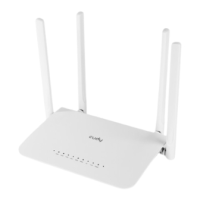
| Product type | Tabletop router |
| Product color | White |
| LED indicators | LAN, Power, Status, WPS |
| Antenna gain level (max) | 5 dBi |
| Flash memory | 16 MB |
| Internal memory | 128 MB |
| Output current | 1 A |
| Output voltage | 12 V |
| Power source type | DC |
| Browser supported | Internet Explorer 11, Firefox 12.0, Chrome 20.0, Safari 4.0 |
| Mac operating systems supported | MacOS |
| Windows operating systems supported | Windows 10, Windows 2000, Windows 7, Windows 8, Windows 8.1, Windows 98SE, Windows NT, Windows Vista, Windows XP |
| Cables included | LAN (RJ-45) |
| Package type | Box |
| Number of products included | 1 pc(s) |
 Weight and Dimensions
| Depth | 137.5 mm |
|---|---|
| Width | 204.8 mm |
| Height | 38.3 mm |

 To Next Page