EasyManua.ls Logo

Cuisinart 12-Cup Programmable - User Manual

Cuisinart 12-Cup Programmable
4 pages
Print Icon
To Next Page IconTo Next Page
Loading...
Decalcification:
Cleaning Your Hot Water System:
Cleaning Your Coffeemaker:
Filter basket, carafe and lid.
Turn unit off and remove plug from outlet.
Wash filter basket, carafe and lid in warm, soapy water and rinse
thoroughly, or clean in upper rack of dishwasher. Dry after use.
Wipe area under the filter basket with a damp cloth. NOTE: DO NOT PUT
ANY WATER IN THE UNIT ONCE FILTER BASKET IS REMOVED.
To clean base, wipe with damp cloth.
Do not use any scouring agents or harsh cleaners on any parts of the
coffeemaker. Never immerse base of unit in water.
A flashing Clean light indicates unit needs to be decalcified. Fill the water reservoir to
capacity with 1/3 cup of white vinegar and 2/3 cup of water. Press the Clean button; when
light comes on, turn Coffeemaker on. Five beeps sound when Clean cycle is complete; unit
will shut off. Turn unit back on and if Clean light flashes, repeat process; if not, run a brew
cycle with water only. Unit is then ready to use
We recommend you decalcify your hot water system twice a year.
Dispense any water in your reservoir until the Add Water light flashes. Add 32 ounces of
white vinegar. Dispense 16 ounces of vinegar and discard; this will fill the inner tank. Let unit
sit for 20 minutes, then turn to Off and allow hot vinegar to cool. Drain internal reservoir over
sink by removing water release tab on bottom of unit. When vinegar has completely drained,
replace tab. Refill reservoir with water and drain water as directed above. Unit is now ready
to use.
PG-27136
Please see reverse side for setup and use instructions.
Question and Answer IconNeed help?

Do you have a question about the Cuisinart 12-Cup Programmable and is the answer not in the manual?

Summary

Cleaning Your Coffeemaker

Filter Basket, Carafe, and Lid Cleaning

Wash filter basket, carafe, and lid in warm soapy water or dishwasher. Wipe unit base with a damp cloth.

Decalcification of Coffeemaker

Decalcification Process

A flashing Clean light indicates the need for decalcification. Use a 1/3 vinegar and 2/3 water solution.

Cleaning Your Hot Water System

Hot Water System Decalcification

Recommend decalcifying the hot water system twice a year using white vinegar and water.

Programming the Coffeemaker

Setting the Clock Time

Turn Function knob to CLOCK, press and hold Hour or Minute button until clock flashes to set time.

Programming Auto On

Turn knob to PROG, set desired brew time, then turn to AUTO ON. Blue indicator light confirms.

Programming Auto Off

Turn Function knob to AUTO OFF to program shut-off 0 to 4 hours after brew cycle.

Coffeemaker Setup and Use

Water Filter Preparation

Immerse charcoal water filter in cold water for 15 minutes, then insert into the water filter holder.

Adding Water and Coffee Grounds

Pour desired water into reservoir. Add 1 scoop of coffee grounds per cup to the filter basket.

Initiating Brewing

Set Carafe Temperature, turn Function knob to BREW, and press the On/Off button to start brewing.

Hot Water System Setup and Use

Hot Water System Filter Preparation

Immerse charcoal filter in cold water for 15 minutes, then insert into the water filter holder.

Filling and Dispensing Hot Water

Fill reservoir to max fill line, press On/Off. Move safety switch to unlock and press lever to dispense.

Overview

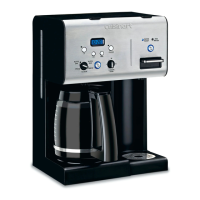
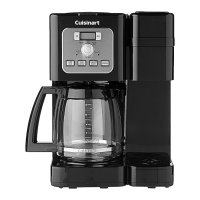
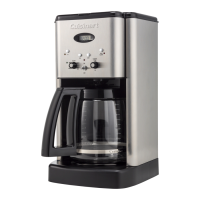
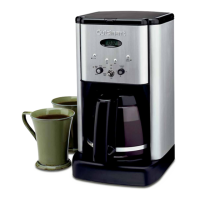
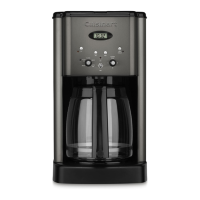
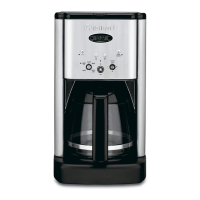
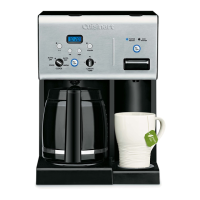
This document describes the Cuisinart 12-Cup Programmable Coffeemaker & Hot Water System, a versatile appliance designed for both brewing coffee and dispensing hot water. The manual provides comprehensive instructions for programming, setup, usage, and maintenance of both systems.

Function Description:

The Cuisinart appliance serves a dual purpose: it functions as a programmable coffeemaker capable of brewing up to 12 cups of coffee, and it also incorporates a hot water system for on-demand hot water dispensing. The coffeemaker features programmable settings that allow users to set the time, program an auto-on time for brewing, and even program an auto-off time for the heater plate. The hot water system operates independently, meaning it can be filled and heated before, during, or after coffee brewing, offering flexibility for various needs.

Usage Features:

Coffeemaker:

  • Time Setting: Users can set the current time by turning the Function knob to CLOCK, then pressing and holding the Hour or Minute button until the clock flashes. The buttons can then be used to scroll through numbers or advance one digit at a time.
  • Auto-On Programming: To program the coffeemaker to start brewing at a specific time, the Function knob is turned to PROG. The Auto-On LED will flash, and the desired brew time can be set using the same method as setting the current time. Once programmed, turning the Function knob to AUTO ON and pressing the On/Off button activates the auto-on function, indicated by a blue light. For subsequent days, if the Function knob is on AUTO ON, simply pressing the On/Off button will activate the programmed brew cycle.
  • Auto-Off Programming: The coffeemaker can be programmed to shut off between 0 and 4 hours after the brew cycle is completed. This is done by turning the Function knob to AUTO OFF and following the time setting instructions.
  • Brewing Process: To brew coffee, the charcoal water filter is first immersed in cold tap water for 15 minutes and then inserted into the water filter holder within the reservoir. The desired amount of water is poured into the reservoir, using the water level indicator on the side. A permanent gold tone filter or a paper filter is placed in the filter basket holder. Ground coffee is added to the filter basket using the provided scoop, with a maximum of 15 scoops. The amount can be adjusted to taste. The filter basket and lid must be securely in place and completely closed. The Carafe Temperature dial allows users to select Low, Medium, or High settings to keep the coffee at the desired temperature. To start brewing, the Function knob is turned to the BREW position, and the On/Off button is pressed. A blue indicator light will illuminate, and brewing will begin. A series of beeps will signal when brewing is complete.
  • Water Filter: The use of a charcoal water filter is recommended to ensure optimal coffee taste.

Hot Water System:

  • Filling: The charcoal water filter is prepared and inserted as with the coffeemaker. The water reservoir is then filled with cold water up to the maximum fill line.
  • Heating and Dispensing: The On/Off button on the Hot Water side of the unit is pressed. A green indicator light next to "Water Ready" will flash during heat-up and will stop flashing when the water reaches the ready temperature. To dispense hot water, the safety switch is moved to the left to unlock it. A cup is placed on the drip tray, and the lever is pressed down. The unit dispenses 10 oz. of hot water at a time.

Maintenance Features:

General Cleaning:

  • Filter Basket, Carafe, and Lid: These components should be turned off, unplugged, and then washed in warm, soapy water and rinsed thoroughly. Alternatively, they can be cleaned in the upper rack of a dishwasher. They should be dried after use.
  • Area Under Filter Basket: This area should be wiped with a damp cloth. It is crucial not to put any water in the unit once the filter basket is removed.
  • Base: The base of the unit can be cleaned by wiping it with a damp cloth.
  • Prohibited Cleaners: Scouring agents or harsh cleaners should not be used on any parts of the coffeemaker.
  • Immersion Warning: The base of the unit should never be immersed in water.

Decalcification (Coffeemaker):

  • Indicator: A flashing "Clean" light indicates that the coffeemaker needs to be decalcified.
  • Process: To decalcify, the water reservoir is filled to capacity with a mixture of 1/3 cup white vinegar and 2/3 cup water. The "Clean" button is pressed, and once the light comes on, the Coffeemaker is turned on. Five beeps will sound when the clean cycle is complete, and the unit will shut off. If the "Clean" light still flashes after turning the unit back on, the process should be repeated. If not, a brew cycle with water only should be run before the unit is ready for use.

Cleaning Your Hot Water System (Decalcification):

  • Recommendation: It is recommended to decalcify the hot water system twice a year.
  • Process: First, any existing water in the reservoir is dispensed until the "Add Water" light flashes. Then, 32 ounces of white vinegar are added. 16 ounces of vinegar are dispensed and discarded; this fills the inner tank. The unit is allowed to sit for 20 minutes, then turned to "Off" to allow the hot vinegar to cool. The internal reservoir is drained over a sink by removing the water release tab on the bottom of the unit. Once the vinegar has completely drained, the tab is replaced. The reservoir is then refilled with water, and the water is drained as directed above. The unit is then ready for use.

First Use Flush:

Before initial use, it is recommended to flush both the Coffeemaker and Hot Water System.

  • Coffeemaker Flush: Fill the water reservoir with cold water and follow the brewing directions, but do not add coffee.
  • Hot Water System Flush: Follow the directions for using the Hot Water System, then dispense all hot water to flush the system.

This comprehensive guide ensures users can effectively operate and maintain their Cuisinart 12-Cup Programmable Coffeemaker & Hot Water System for optimal performance and longevity.

Cuisinart 12-Cup Programmable Specifications

General IconGeneral
BrandCuisinart
Model12-Cup Programmable
CategoryCoffee Maker
LanguageEnglish

Related product manuals