
 Need help?
Do you have a question about the Cuisinart Brew Central CBC-5200PC Series and is the answer not in the manual?
Discusses the importance of water quality for coffee flavor.
Emphasizes using fresh, quality coffee beans for optimal taste.
Explains how grind size affects flavor extraction and potential clogging.
Advises on using the correct coffee-to-water ratio for desired strength.
The cover flips back for easy access to the water reservoir for filling.
Indicates the amount of water in the reservoir for accurate brewing.
Distributes water evenly over coffee grounds, reducing temperature loss.
Removes chlorine, bad tastes, and odors from tap water for better coffee flavor.
Holds a #4 paper filter or a permanent filter for coffee grounds.
Supports the filter basket during the brewing process.
Features buttons and display for operating the coffeemaker.
Allows pouring a cup mid-brew by temporarily stopping coffee flow.
Features an ergonomic handle and markings for easy pouring and measuring.
Keeps brewed coffee at the desired temperature for serving.
Signals the completion of the brew cycle with audible beeps.
Provides a convenient place to store the power cord when not in use.
Retains programmed settings during brief power interruptions.
Included tool for measuring the correct amount of coffee grounds.
Controls the power to the coffeemaker, working with the function knob.
Shows the current time, Auto On, and Auto Off times.
Used to set the time of day, Auto On, and Auto Off times.
Allows choosing between Regular and Bold for coffee flavor intensity.
Optimizes brewing for fewer than five cups for better flavor and temperature.
Indicates when the coffeemaker needs cleaning to remove calcium buildup.
Adjusts the heater plate temperature to keep coffee warm.
Selects programming modes like PROG, AUTO ON, AUTO OFF, BREW, CLOCK.
Step-by-step guide to setting the current time on the coffeemaker.
Instructions for programming the coffeemaker to start brewing automatically.
Guide to program the automatic shut-off feature for the coffeemaker.
Guides on preparing and inserting the water filter for optimal taste.
Instructions on how to fill the reservoir with the correct amount of water.
Steps to select cup size, brew strength, and carafe temperature.
Details on adding coffee grounds using the correct filter and proportion.
Final checks before starting the brewing cycle, like carafe placement.
Instructions on how to turn on the coffeemaker to start the brewing process.
What to expect after brewing, including beeps and stirring the coffee.
Detailed steps for preparing and installing the charcoal water filter.
Instructions for cleaning various parts like the filter basket, carafe, and base unit.
Procedure for removing calcium buildup using vinegar and water.
Explains how the Clean button works and how to cancel settings.
Details warranty options and procedures specific to California residents.
Instructions and requirements for returning the product for warranty service.
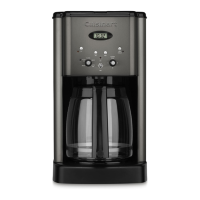
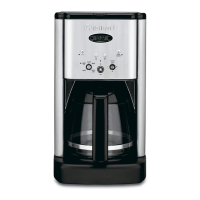
The Cuisinart Brew Central® 14-Cup Programmable Coffeemaker, CBC-5200PC Series, is designed to provide a convenient and customizable coffee brewing experience for household use. This appliance allows users to brew up to 14 cups of coffee, with programmable features for automatic operation and temperature control.
The coffeemaker's primary function is to brew coffee from ground beans using a charcoal water filter to ensure optimal water quality. It features a water reservoir with a water level indicator window, making it easy to fill with the desired amount of water. The showerhead design ensures even distribution of water over the coffee grounds, minimizing temperature loss during the brewing process.
A key feature is its programmability, allowing users to set an "Auto On" time up to 24 hours in advance, so coffee can be ready at a specific time. It also includes an "Auto Off" function, which can be programmed to shut off the coffeemaker up to 4 hours after brewing, enhancing safety and energy efficiency. The "Brew" function initiates the brewing cycle manually.
The coffeemaker incorporates a "Strength Selector" with "Regular" and "Bold" options, enabling users to customize the intensity of their coffee flavor. For smaller batches, a "1-4 Cup Setting" improves extraction, flavor, and temperature when brewing fewer than 5 cups.
After brewing, the "Carafe Temperature Knob" allows users to select a low, medium, or high setting for the heater plate, keeping the brewed coffee at their preferred temperature. An audible tone sounds five times to signal the completion of the brew cycle.
The coffeemaker is designed for ease of use. To begin, the charcoal water filter needs to be prepared by soaking it in cold water and then inserted into the water filter holder within the reservoir. The reservoir cover flips back for easy filling.
Ground coffee is added to the filter basket, which can accommodate either a #4 paper filter or the included Cuisinart® Gold Tone Commercial Style Filter. The manual recommends one level scoop of ground coffee per cup, with adjustments based on personal taste. It's important to ensure the filter basket is securely in place and the top cover is closed before brewing.
The control panel is intuitive, featuring an "On/Off" button to power the unit, and "Hour" and "Minute" buttons for setting the time of day, "Auto On," and "Auto Off" times. The "Clock Display" shows the current time, as well as programmed "Auto On" and "Auto Off" times.
A "Brew Pause™ Feature" allows users to temporarily stop the flow of coffee from the basket to pour a cup mid-brew. However, users are cautioned that removing the carafe for more than 20 seconds may cause the filter basket to overflow, and that using this feature may weaken the flavor strength of the finished pot due to differences in flavor extraction at various stages of the brewing cycle.
The coffeemaker also includes a "Power Loss Back-up System," which provides one-minute protection in case of a power interruption, retaining all programmed information.
Regular cleaning and maintenance are crucial for the longevity and performance of the coffeemaker. The unit should always be turned off and unplugged before cleaning.
The filter basket can be washed in warm, soapy water or in the upper rack of a dishwasher. The carafe and its lid are also dishwasher-safe (upper rack only) or can be hand-washed. It's important not to immerse the base unit in water or other liquids. The exterior can be wiped with a clean, damp cloth, and the heating plate should be cleaned with a clean, damp cloth, avoiding abrasive materials.
The coffeemaker features a "Clean Setting" with a flashing light that indicates when decalcification is needed. Decalcification involves removing calcium deposits that build up over time on the metal parts. The process involves filling the water reservoir with a mixture of white vinegar and water, then pressing the "Clean" button and turning the coffeemaker on. The "Clean" light will glow steadily during this cycle. After the cycle, if the light still flashes, the process should be repeated. Once the light no longer flashes, a cycle of fresh cold water should be run through the unit before brewing coffee again.
The charcoal water filter needs to be changed regularly, specifically every 60 days or after 60 uses, and more frequently in areas with hard water. Replacement filters are readily available.
The instruction booklet emphasizes that any servicing beyond basic cleaning should be performed by an authorized service representative, and warns against removing the base panel due to the risk of fire or electric shock.
 General
| Type | Drip Coffee Maker |
|---|---|
| Capacity | 14 cups |
| Brew Strength Control | Yes |
| Programmable | Yes |
| Auto Shutoff | Yes |
| Carafe Material | Glass |
| Brew Pause | Yes |
| Adjustable Keep Warm | Yes |
| Self-Cleaning | No |
| Pause and Serve | Yes |
| Water Filter | Charcoal water filter |
| Color Options | Black |
| Brewing Options | Regular, Bold |


 To Next Page