EasyManua.ls Logo

Cuisinart DGB-800 Series - User Manual

Cuisinart DGB-800 Series
16 pages
Print Icon
To Next Page IconTo Next Page
Loading...
For your safety and continued enjoyment of this product, always read the instruction book carefully before using.
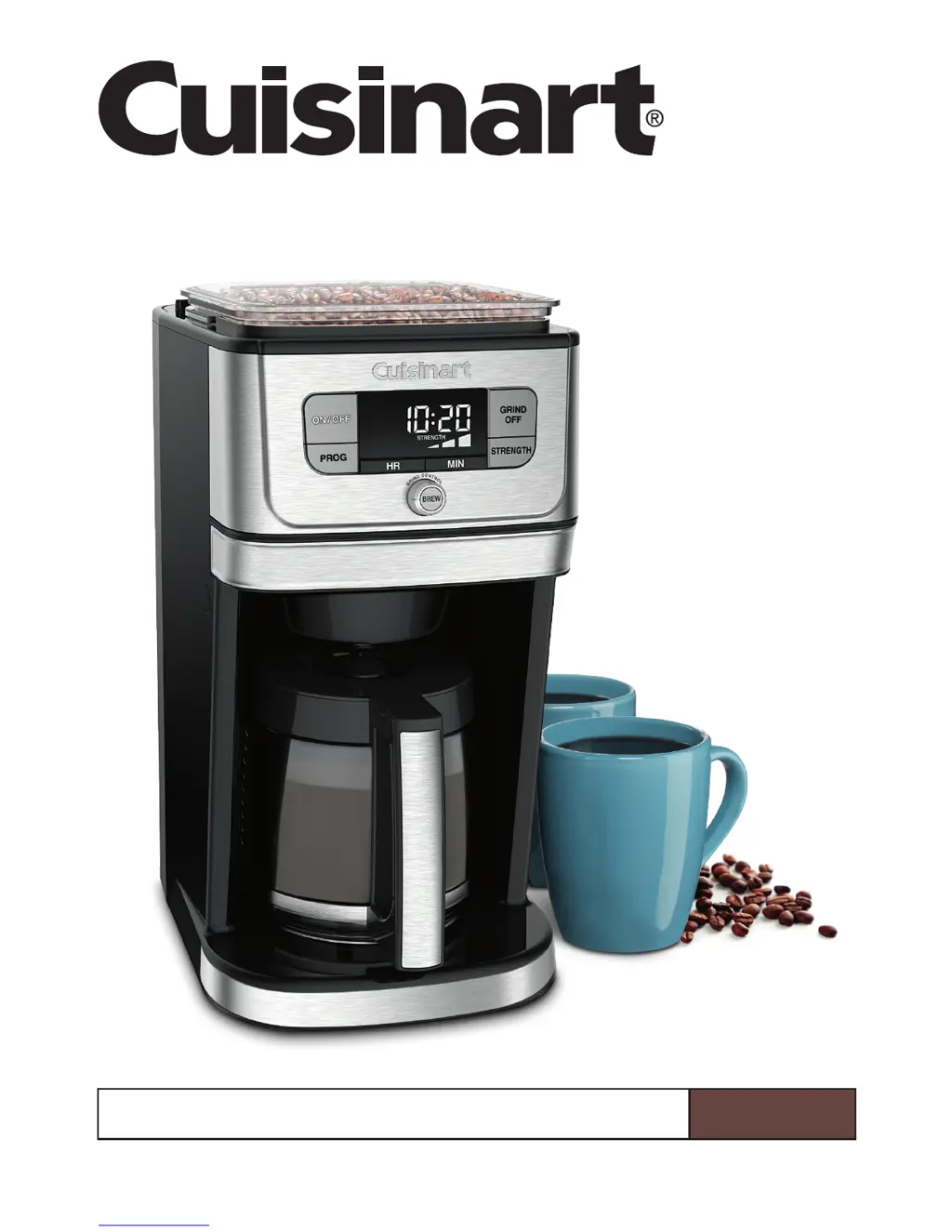
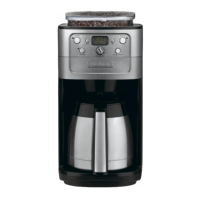
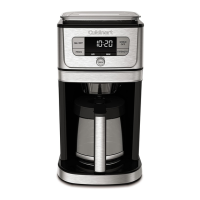
Fully Automatic Burr Grind & Brew
Coffeemaker
DGB-800 Series
INSTRUCTION BOOKLET

Questions and Answers

  • J
    James PayneJul 26, 2025
    How to stop my Cuisinart DGB-800 from beeping?
    • J
      Jason PrestonJul 27, 2025
      The beeping from your Cuisinart Coffee Maker might be due to a few reasons. First, ensure that all components of the filter compartment are correctly in place and that the filter door is closed properly until you hear a click. Another reason might be that the filter basket is not correctly placed; open the filter door by pressing the release button, hook the filter basket with its cover onto the door, and close it until you hear a click. Finally, old coffee grounds and the filter from a previous use might still be in the filter basket; remove the old filter and grounds, then add a new filter.
  • M
    maria41Jul 31, 2025
    Why is my Cuisinart DGB-800 Coffee Maker not grinding beans?
    • C
      Christopher SotoJul 31, 2025
      If your Cuisinart Coffee Maker isn't grinding beans, the hopper might be too full. Turn off and unplug the coffeemaker, then remove some of the beans from the hopper.
  • J
    John SantiagoAug 4, 2025
    What does it mean when CLEAN is flashing on my Cuisinart DGB-800 Coffee Maker?
    • K
      knightrobertAug 4, 2025
      If 'CLEAN' is flashing on the LCD of your Cuisinart Coffee Maker when you turn it on, it means the coffeemaker needs to be decalcified. Run a clean cycle.
  • L
    Laurie Reid MDAug 8, 2025
    Why won't my Cuisinart Coffee Maker enter CLEAN mode?
    • H
      hensleymichealAug 8, 2025
      If your Cuisinart Coffee Maker won't enter CLEAN mode, it's likely because the water reservoir is empty. Fill the water reservoir with the decalcification mixture before turning the coffeemaker on.
  • R
    Richard TerryAug 13, 2025
    Why is my Cuisinart Coffee Maker brewing weak coffee?
    • M
      Molly ConwayAug 13, 2025
      If your Cuisinart Coffee Maker is brewing weaker coffee than usual, it could be due to a couple of reasons. First, ensure that there are enough coffee beans in the hopper for the amount of coffee you intend to brew. Secondly, check the strength setting displayed on the LCD screen and adjust it by pressing the Strength Control button if needed.
  • R
    roytaylorAug 17, 2025
    What to do if the Cuisinart Coffee Maker brew cycle will not start?
    • T
      Thomas AustinAug 17, 2025
      If the brew cycle on your Cuisinart Coffee Maker won't start, the most likely reason is that the water reservoir is empty. Fill the water reservoir, using the water level markings as a guide.
  • P
    Paula WardAug 22, 2025
    What does EMPTY mean on my Cuisinart Coffee Maker display?
    • S
      Susan KentAug 22, 2025
      If 'EMPTY' appears on the LCD display of your Cuisinart Coffee Maker, it indicates that coffee grounds and a filter from a previous use are still in the filter basket. Remove the old filter and used coffee grounds, then add a new filter.

Summary

Important Safeguards

Special Cord Set Instructions

The Quest for the Perfect Cup of Coffee

Element 1: Water Quality

Details how water quality impacts coffee flavor and the role of the charcoal filter.

Element 2: Coffee Bean Freshness

Explains the importance of fresh coffee beans and how grinding before brewing preserves flavor.

Element 3: Grind Texture

Discusses the critical role of grind texture for optimal coffee extraction and flavor.

Element 4: Coffee Proportion

Guides on achieving the right coffee strength by using the correct bean-to-water ratio.

Features and Benefits

Bean Hopper and Grinding System

Details on the bean hopper, lid, and integrated burr grinder for fresh coffee.

Water Reservoir and Filtration

Information on the water reservoir, level window, and charcoal filter holder for pure water.

Brewing System and Carafe

Overview of the brew pause feature, glass carafe, and scratch-resistant heating plate.

Filter Basket Assembly and Controls

Explanation of filter basket, its door, cover, and the control panel.

Safety Interlock and Accessories

Details on the safety interlock system and included accessories like scoop and brush.

Getting to Know Your Control Panel

Control Buttons and Knobs

Explanation of all buttons and the main control knob on the coffeemaker's panel.

LCD Display Indicators

Description of various indicators displayed on the LCD screen, such as EMPTY, AUTO ON, CLEAN.

Programming Your Coffeemaker

Setting the Clock and Time

Instructions for setting the coffeemaker's clock and entering time set mode.

Programming Auto Brew Times

Guide to programming Auto ON/OFF times for automatic brewing.

Automatic Shutoff and Water Filter

Setting Automatic Shutoff Time

How to program the automatic shutoff time for the coffeemaker.

Installing the Charcoal Water Filter

Step-by-step guide to inserting and preparing the charcoal water filter.

Making Coffee with Whole Beans

Prepare Water Filter and Reservoir

Instructions for inserting the charcoal water filter and filling the water reservoir.

Add Beans and Coffee Filter

Guide on adding coffee beans to the hopper and inserting the filter basket.

Set Brewing Preferences

How to set cup quantity, grind control, and flavor strength.

Start Brewing

Instructions on how to initiate immediate brewing or activate Auto ON.

Making Coffee with Pre-Ground Beans

Prepare Water Filter and Reservoir

Steps for filter insertion and filling the water reservoir.

Insert Filter and Add Coffee

Guide on inserting the filter basket and adding pre-ground coffee.

Activate Grind OFF and Brew

Instructions on using the Grind OFF button and starting the brew cycle.

Brew Pause Feature and Cleaning

Brew Pause Feature

Explanation of the Brew Pause feature and its effect on flavor.

Tips for Storing Coffee Beans

Advice on properly storing coffee beans to maintain freshness.

Routine Cleaning and Maintenance

Instructions for cleaning all parts after every use and handling filter basket messages.

Cleaning the Grinder

Step-by-step guide for cleaning coffee grounds from the grinder.

Decalcification Process

Troubleshooting Common Issues

Coffeemaker Beeping or Not Starting

Solutions for issues like beeping, filter door problems, and brew cycle failures.

Coffee Strength and Grinding Problems

Troubleshooting for weak coffee, incorrect strength settings, or grinder issues.

Display Errors and Cleaning Mode

Resolving 'EMPTY' display messages and issues with entering CLEAN mode.

Warranty Information

Limited Three-Year Warranty

Details of the limited three-year warranty for U.S. and Canada consumers.

California Residents Warranty Service

Specific options for California residents regarding in-warranty service.

Returning Your Cuisinart Product

Instructions and requirements for returning a product for warranty service.

Cuisinart DGB-800 Series Specifications

General IconGeneral
Colorblack/stainless, silver
Coffee Preparation Methoddrip
Coffee Typegrounds
Coffee Strength Controlyes
Built-In Grinderyes
Single / Multi Servemulti serve
Water Filteryes
Programmableyes
Carafeyes
Carafe Capacity12 cups
Removable Drip Trayyes
Filterdisposable

Related product manuals