
 Need help?
Do you have a question about the Cuisinart PerfecTemp DCC-3200 and is the answer not in the manual?
Guidelines for safely using the power cord and extension cords to prevent hazards.
Information regarding the polarized plug and preventing electric shock hazards.
Precautions regarding coffee maker operation, potential overflow, and handling hot liquids.
Discusses the importance of water quality for coffee flavor and the role of the charcoal filter.
Emphasizes using quality, fresh coffee beans for optimal taste and flavor retention.
Explains how grind size affects coffee extraction, bitterness, and potential clogging.
Covers the importance of correct coffee-to-water ratios for desired strength and taste.
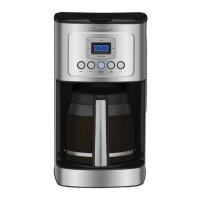
Details the various parts and functionalities of the coffeemaker, including the lid, reservoir, control panel, and carafe.
Allows users to turn the audible 'Brew Cycle Finished' alert on or off.
Shows time of day, Auto On/Off times, and warming plate indicators.
Used to set the time of day, Auto On, and Auto Off times.
Adjusts the warming plate temperature to Low, Medium, or High.
Indicates when it is time to decalcify the coffeemaker.
Lets users choose between regular or bold coffee flavor.
Turns the coffeemaker on/off and sets the Auto Off timer.
Programs the coffeemaker to start brewing automatically up to 24 hours in advance.
Adjusts the brew process for optimal flavor when brewing fewer than 5 cups.
Recommends flushing the system before the first brew to remove dust from manufacturing.
Details the function of the charcoal filter and instructions for its installation.
Instructions for setting the current time of day on the coffeemaker's display.
Guides on programming the coffeemaker to start brewing at a future scheduled time.
Explains how to set the coffeemaker to automatically shut off after brewing.
How to disable or enable the audible alert that signals the end of the brewing cycle.
Step-by-step guide for filling the reservoir, adding coffee, setting preferences, and starting the brew.
Procedure for removing mineral deposits to maintain performance and coffee flavor.
Details the terms and duration of the limited warranty for U.S. consumers.
Specific warranty service options and rights available to residents of California.
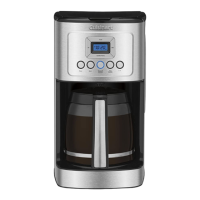
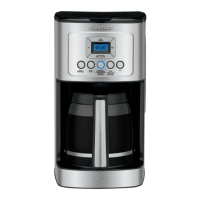
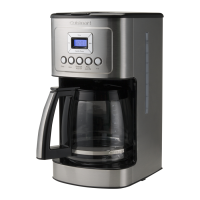
The Cuisinart PerfecTemp® 14-Cup Programmable Coffeemaker, model DCC-3200, is designed to deliver a superior coffee experience with customizable settings and convenient features. This coffeemaker prioritizes the quality of your brew, from water filtration to temperature control, ensuring a flavorful cup every time.
At its core, the Cuisinart PerfecTemp® coffeemaker brews up to 14 cups of coffee. It incorporates a charcoal water filter to remove chlorine, bad tastes, and odors from tap water, ensuring the purest possible water for brewing. The coffeemaker features a showerhead design that evenly distributes water over the coffee grounds, minimizing temperature loss during the brewing process and optimizing flavor extraction. Users can choose between regular or bold coffee flavor strength, catering to individual preferences. For smaller batches, a 1-4 cup setting adjusts the brew process to maximize flavor when making fewer than 5 cups. The unit is fully programmable, allowing users to set an "Auto On" time up to 24 hours in advance, so coffee is ready when desired. It also includes an "Auto Off" feature, which can be programmed to shut off the coffeemaker from 0 to 4 hours after the brew cycle is complete, enhancing safety and energy efficiency. A "Brew Pause™" feature allows users to pour a cup of coffee mid-brew, temporarily stopping the flow from the filter basket. However, it's noted that using this feature may slightly weaken the flavor strength of the finished pot due to differences in flavor extraction at various stages of the brewing cycle. The coffeemaker is designed with BPA-free parts that come into contact with coffee or liquids, ensuring food safety.
Operating the Cuisinart PerfecTemp® coffeemaker is intuitive, guided by its blue backlit digital display and clearly labeled control panel. The display shows the time of day, as well as programmed "Auto On" and "Auto Off" times. Setting the clock and programming the "Auto On" time is straightforward, using dedicated Hour and Minute buttons. The "Prog/Auto On" button is used to activate or deactivate the automatic brewing function. Similarly, the "Brew/Off & Auto Off" button serves to turn the coffeemaker on and off, and to program the "Auto Off" time.
Before the first use, it's recommended to rinse the coffeemaker by running a full cycle with water only, without coffee, to clear any manufacturing dust. The charcoal water filter needs to be inserted into its holder in the water reservoir after being soaked in cold tap water for 15 minutes. The filter holder is designed for easy placement and removal.
To brew coffee, the water reservoir is filled to the desired level, indicated by a water level window. Users then place either a #4 paper filter or the included gold-tone permanent filter into the filter basket. For optimal results, it's suggested to add one level scoop of ground coffee per cup, with a maximum capacity of 15 tablespoons to prevent overflow, especially with finely ground coffee. The carafe must be securely placed on the heating plate, and the coffeemaker lid closed, before plugging the unit into an electrical outlet.
Customization options include selecting the "1-4 Cup" button for smaller brews, pressing the "Bold" button for stronger coffee, and adjusting the carafe warming plate temperature to Low (L), Medium (M), or High (H) using the "Carafe Temp" button. The selected temperature setting is displayed on the screen. Once preferences are set, brewing begins by pressing the "Brew/Off" button. A "Ready Tone" feature, which can be turned on or off, signals with five beeps when the brewing cycle is complete. The coffeemaker also has a 60-second reset feature that retains programmed information (time of day, Auto On, Auto Off) in case of a power interruption.
Regular cleaning and maintenance are essential for the coffeemaker's longevity and to ensure consistent coffee flavor. After each use, the coffeemaker should be turned off and unplugged from the outlet. The coffeemaker lid can be lifted to access the filter basket, which should be removed, and any used paper filter and ground coffee discarded. The filter basket can be washed in warm, soapy water or placed in the upper rack of a dishwasher. It's important not to get water into the unit once the filter basket is removed; the area underneath should be wiped with a damp cloth.
The glass carafe and its lid are also dishwasher-safe (upper rack only) or can be washed by hand with warm, soapy water. Abrasive cleansers or steel wool pads should not be used on the carafe, heating plate, or any part of the coffeemaker. The base unit should never be immersed in water or other liquids; it can be cleaned by wiping with a clean, damp cloth and then drying. Fingerprints or blemishes on the housing can be removed with soap and water or a nonabrasive cleaning solution. The heating plate should be wiped with a clean, damp cloth, avoiding rough or abrasive materials. The inside of the water reservoir should not be dried with a cloth to prevent lint residue.
Decalcification is a crucial maintenance step to remove calcium deposits that accumulate over time from tap water. The frequency of decalcification depends on the mineral content of the local water and how often the coffeemaker is used. The coffeemaker features a "Clean" button with a red indicator that illuminates when decalcification is recommended. Before decalcifying, the charcoal water filter must be removed from the reservoir. The cleaning process involves filling the water reservoir with a mixture of 1/3 white vinegar and 2/3 water. The "Clean" button is then pressed and held until its LED indicator flashes, signaling that the coffeemaker is in Clean mode. Once the cycle is complete, five beeps will sound, and the coffeemaker will shut off. If the "Clean" indicator remains illuminated, the procedure should be repeated with a fresh vinegar and water solution. After the "Clean" indicator turns off, one full cycle with fresh, cold water should be run to rinse the unit. Finally, the charcoal water filter is returned to its holder, and the coffeemaker is ready for use. The charcoal water filter itself should be changed every 60 days or after 60 uses, or more frequently with hard water.
 General
| Color | black/stainless, multi |
|---|---|
| Coffee Preparation Method | combination |
| Coffee Type | grounds |
| Coffee Strength Control | yes |
| Built-In Grinder | no |
| Removable Water Tank | no |
| Serving Size | 4 |
| Single / Multi Serve | multi serve |
| Water Filter | yes |
| Programmable | yes |
| Carafe | yes |
| Carafe Capacity | 14 cups |
| Warming Plate | no |
| Removable Drip Tray | no |
| Frother | no |
| Filter | permanent |
| Control Type | analog, button |
| Voltage | 120 volts |


 To Next Page
