SORT3
The machine scans notes of all denominations. It is best used when notes
are in a presorted stack (denominations sorted and then stacked together).
The machine sorts the first denomination into pocket one. When it
encounters a note of a different denomination, it is offsorted to pocket two.
The machine stops, indicates a denomination change, and stops on all
subsequent denomination changes in pocket two. The machine stops and
presents no-call or suspect-document notes, as well as double, chain or
spacing errors, in the pocket into which Universal JetScan currently is
SRTFO
(Sort Face/Orient)
The machine scans notes of all denominations while facing or orienting. It is
best used when notes are in a presorted stack (denominations sorted and
then stacked together). Upon selection of
, users must choose
or
. The machine sorts to pocket one. In
, users have the option
to either offsort into pocket two or stop in pocket one or two on non-
faced/non-oriented notes. The machine always stops and presents no-call,
suspect-document or denomination-change notes in pocket one. Double,
chain and spacing errors stop in the pocket into which the machine
COUNT
The machine counts any document that complies with document-size and
density-setting specifications. This mode only counts pieces; note scanning
does not occur.
Upon pressing
, users must choose between
(for piece
counting) or
(for value counting). The machine begins filling pocket
one and switches to pocket two on a batch-limit (strap-limit) or stacker-full
condition. The machine stops and presents suspect-document notes or
double, chain or spacing errors in the pocket into which it currently is
OFSRT
(Offsort)
The machine scans notes of all denominations; it is the only mode where
users select the target denomination. The machine sorts and batches
(straps) the target denomination into pocket one. When it encounters a
different denomination, the machine offsorts these notes into pocket two;
these notes are added to current totals, but are not
included in batch (strap)
counts for the target denomination. The machine stops and presents no-call
and suspect-document notes into pocket two, and double, chain and
spacing errors into either pocket one or pocket two, depending on the
pocket assignments selected in SETUP MAIN MENU 4).
After pressing MODE then OFSRT, the SELECT
DENOMINATION screen
appears. If
or
is
selected, then non-faced/non-oriented notes of the
target denomination are counted and offsorted to
pocket two but are not included in the batch (strap)
count.
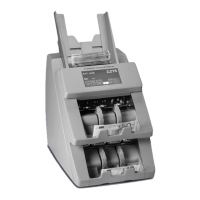
Two-Pocket Universal JetScan
®
Note Scanner
All Models


 To Next Page