Using the Trackball on a 932 System
These are notes on how to use the HHSC-TRK-1 with a 932 interface.
General
As of this writing, the trackball can produce two types of output: USB or serial. Most users today will want to use the USB
output because it is the simplest to use and has the highest performance in terms of responsiveness and accuracy. The serial
mode is made available mainly to support older systems lacking USB ports.
When to Calibrate
The trackball should be calibrated with the 932 interface when significant optical conditions are changed. The most common
examples of this are:
the trackball was connected directly to the interface, but is now connected through a bundlea.
the trackball was connected through a bundle but is now connected directly to the interfaceb.
the trackball and interface will be connected using a different bundle than was used beforec.
It also makes sense to try a calibration if the trackball behavior changes significantly but, in that case, in may also make
sense to be sure that the ball has not gotten dirty or abraded over time.
How to Calibrate
Begin with the optical components connected in the way that you intend to use them.
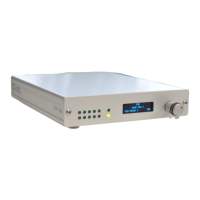
If possible, have the trackball close enough to the 932 interface that the LEDs on the 932 are visible.
Select mode 590 using the knob and the "MODE BY ID NO" choice.
the left-most LEDs should toggle back & forth about once a second
Rotate the ball on the trackball a bit
the speed and distance are not critical
a 1 cm "wiggle" at about once per second should be fine
When the 8 right-most LEDs are all lit, the trackball is ready to use.
Push the knob once and follow the instructions to select a new mode
(probably mode 500 for USB mouse output, or 550 for a serial mouse output)
You should find that the trackball works immediately once you've chosen your desired output mode. The settings will be
retained when the 932 is turned off, and will be used again when its turned on again.
If the trackball does not calibrate after 5-10 seconds of turning the ball, try disconnecting the power. Then re-connect it and
be sure the ball is moving as power is applied.


 To Next Page
 Loading...