Need help?
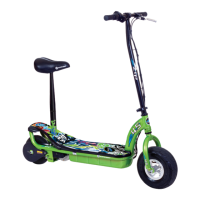
Do you have a question about the Currie tech Ezip and is the answer not in the manual?
Step-by-step guide for assembling and adjusting the scooter's handlebars for safe operation.
Instructions for adjusting the quick release lever for proper handlebar security and safe riding.
Explains how to use and adjust the scooter's front and rear brake levers and cables.
Details the process for adjusting brake cable stretch for optimal braking performance.
Describes the Electro-Drive propulsion system, motor, and controller components.
Provides instructions on how to adjust and maintain the scooter's chain tension for optimal performance.
Step-by-step guide for safely removing the front wheel from the scooter.
Instructions for removing the rear wheel and drive assembly from the scooter.
Guide on how to properly install the front wheel onto the scooter's forks.
Steps for installing the rear wheel, chain, and drive assembly onto the scooter.
Instructions for repairing a flat tire on the front wheel of specific scooter models.
Procedures for repairing flat tires on front and rear wheels for specific scooter models.
 General
| Brand | Currie tech |
|---|---|
| Model | Ezip |
| Category | Scooter |
| Language | English |


 To Next Page