EasyManua.ls Logo

Curtis CR4975 - User Manual

Curtis CR4975
16 pages
Print Icon
To Next Page IconTo Next Page
Loading...
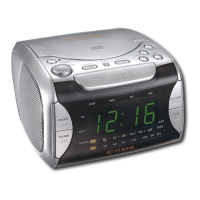
STEREO RADIO, CD-R/RW
PLAYER WITH ALARM CLOCK
MODEL NO. CR4975
OWNER'S MANUAL
PLEASE READ BEFORE OPERATING THIS EQUIPEMNT

Questions and Answers

  • B
    blackwelljamesJul 28, 2025
    Why Curtis CR4975 Clock Radio time resets to '12:00'?
    • H
      Harry MillerJul 28, 2025
      If the time on your Curtis Clock Radio resets to '12:00', it could be due to a battery issue. Check if the battery is connected properly, or if it's dead. Also, ensure that the clock is properly set.
  • J
    Jessica JamesAug 2, 2025
    What to do if my Curtis CR4975 disc will not play?
    • V
      Victor TorresAug 2, 2025
      If your Curtis Clock Radio disc will not play, make sure the CD compartment door is completely closed. Also, check the disc to ensure it is inserted correctly. If the issue persists, the disc may be dirty or defective, so try another disc. If there is moisture condensation, wipe the disc with a soft cloth.
  • R
    Robin PearsonAug 5, 2025
    How to fix no sound on Curtis CR4975 Clock Radio?
    • C
      Cory WagnerAug 6, 2025
      If there is no sound coming from your Curtis Clock Radio, first check the VOLUME control and make sure it is not set to the minimum. If you're playing a disc, try another one, as the current disc might be defective.
  • P
    Patricia ParrishAug 10, 2025
    Why Curtis Clock Radio alarm does not turn on?
    • P
      Paula MooreAug 10, 2025
      If the alarm on your Curtis Clock Radio isn't working, check that the ALARM MODE switch is in the correct position by pressing the AL1 or AL2 SET button to activate the alarm. Also, make sure that the clock is set and the alarm time is properly set.
  • J
    Jennifer WashingtonAug 15, 2025
    What to do if there is AM or FM no sound on Curtis Clock Radio?
    • E
      Elizabeth MercerAug 15, 2025
      If you're not getting any sound on AM or FM on your Curtis Clock Radio, first ensure that the power is on by pressing the POWER button. Also, check the VOLUME control to make sure it's not set to the minimum.
  • E
    echavezAug 19, 2025
    Why Curtis CR4975 Clock Radio unit will not turn on?
    • D
      Daniel AndersonAug 19, 2025
      If your Curtis Clock Radio unit will not turn on, check the AC cord connection to ensure it is properly connected.
  • N
    Nicholas BrennanAug 23, 2025
    What causes erratic playback on Curtis CR4975?
    • B
      Becky HallAug 23, 2025
      Erratic playback on your Curtis Clock Radio is typically caused by a dirty or defective disc. Try cleaning the disc or replacing it with another one.

Summary

Safety Instructions

General Safety Warnings and Precautions

Covers electrical shock, laser, FCC, surge protector, and general safety warnings.

Operating and Cleaning Guidelines

Covers reading/retaining instructions, cleaning, attachments, water, and ventilation.

Power, Grounding, and Surge Protection

Covers power sources, polarization, grounding, lightning, and overloading.

Servicing and Product Care

Covers object entry, servicing, damage, heat, and CATV grounding.

Installation and Battery Precautions

AC Power Connection

How to connect the unit to AC power and expected display behavior.

Battery Backup Installation

Instructions for installing a 9V battery for backup power.

Battery Precautions

Safety guidelines for using batteries in the device.

Location of Controls

Front and Top Controls

Identifies controls located on the front and top of the unit.

Side Controls

Identifies controls located on the side of the unit.

Radio Operation

Playing the Radio

Step-by-step guide to tuning and listening to radio stations.

Antenna Usage

Guidance on using FM and AM antennas for better reception.

CD Operation

Playing a CD

Steps for inserting and playing a CD, including pause and stop functions.

Skip, Search, and Random Playback

How to skip tracks, search passages, and play randomly.

Repeat Playback Modes

Instructions for repeating a single track or all tracks.

Clock and Alarm Setting

Setting the Actual Time

Procedure to set or reset the current time on the clock.

Setting the Alarm Time

Procedure to set or reset the alarm time.

Alarm Wake Options

How to set the alarm to wake to radio, CD, or buzzer.

Alarm Shut-off and Snooze

How to turn off the alarm and use the snooze function.

Sleep and Dimmer Functions

Activating the sleep timer and adjusting display brightness.

Care and Maintenance

Caring for Compact Discs

Guidelines for handling, cleaning, and storing CDs.

Cleaning the Unit

Instructions for cleaning the device and its plastic parts.

Troubleshooting Guide

Common Issues and Solutions

A guide to diagnose and resolve common problems with the unit.

Specifications

General Specifications

Details on power source, battery, and audio output.

Radio and CD Specifications

Technical details for radio frequency ranges and CD playback.

Curtis CR4975 Specifications

General IconGeneral
TypeClock Radio
DisplayLED
Alarm FunctionDual Alarm
Radio TunerAM/FM
Power SourceAC Power
Backup BatteryYes
Snooze FunctionYes
AlarmBuzzer

Related product manuals