34
MAINTENANCE
Battery Replacement
Remove battery hold downs and cables. Lift out batteries with a commercially available lifting device.
If the batteries have been cleaned and any acid in the battery rack area neutralized as recommended, no corrosion to
the battery racks or surrounding area should be present. Any corrosion found should be immediately removed with a
putty knife and a wire brush. The area should be washed with a solution of sodium bicarbonate (baking soda) and
water and thoroughly dried before priming and painting with a corrosion resistant paint.
The batteries should be placed into the battery racks and the battery hold downs tightened to 45 - 55 in. lbs. (5 - 6 Nm)
torque, to prevent movement but not tight enough to cause distortion of the battery cases.
Inspect all wires and terminals. Clean any corrosion from the battery terminals or the wire terminals with a solution of
sodium bicarbonate (baking soda) and brush clean if required.
To prevent battery explosion that could result in severe personal injury or death, extreme care must be used
with aerosol containers of battery terminal protectant. Insulate the metal container to prevent the metal can
from contacting battery terminals which could result in an explosion.
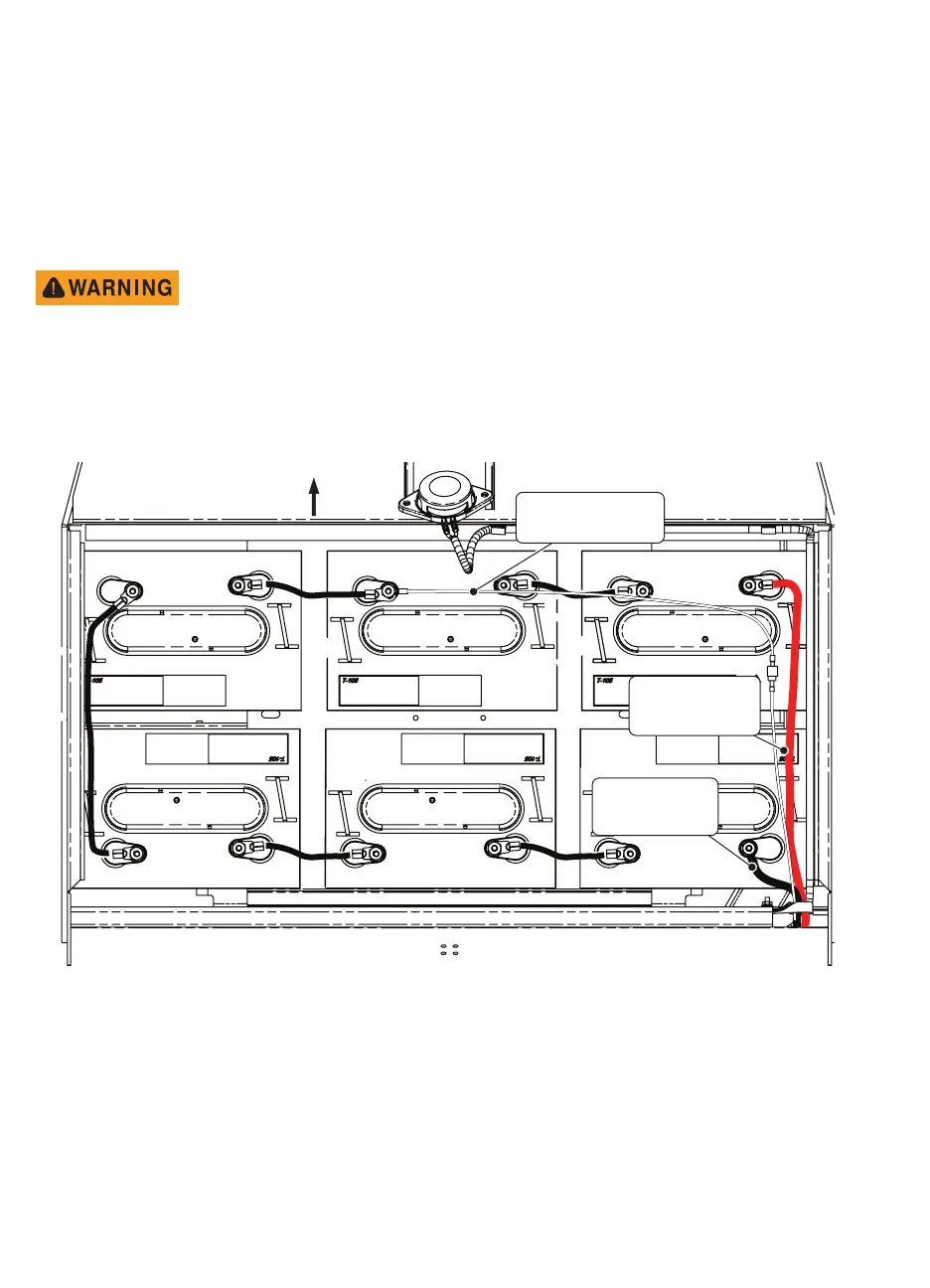
Use care to connect the battery wires as shown.
Battery Tray with On-board Charger
NEG
NEG
NEG
NEG
NEG
NEG
FRONT
Red Wire from
Controller B+
to POS Terminal
Black Wire from
Controller B-
to NEG Terminal
POS
POS
POS
POS POS POS
White/Black Wire from
NEG Terminal to
Connector


 To Next Page