EasyManua.ls Logo

Custom Dynamics CD-LR-04-R - User Manual

Custom Dynamics CD-LR-04-R
3 pages
Print Icon
To Next Page IconTo Next Page
Loading...
Custom Dynamics® Luggage Rack LED Light Bar
Installation Instructions
We thank you for purchasing the Custom Dynamics® Luggage Rack LED Light
Bar! Our products utilize the latest technology and high quality components
to ensure you the most reliable service. We offer one of the best warranty
programs in the industry and we back our products with excellent customer
support, if you have questions before or during installation of this product
please call Custom Dynamics® at 1(800) 382-1388.
10/2019
Part Number: CD-LR-04-R CD-LR-04-S
Installation:
1. Remove motorcycle seat and Tour Pak Liner from Tour Pak. Con-
sult your owners manual if unsure of this process.
2. Disconnect the negative [-] battery cable from the battery.
3. On the left side of the bottom rear rail, remove the black rubber
plug from the hole. See Figure 1.
4. Insert loop end of the provided Nylon Wire Guide through the for-
ward hole in the rail and out through the rear hole. Allow the
straight end to remain outside the forward hole. See Figure 2.
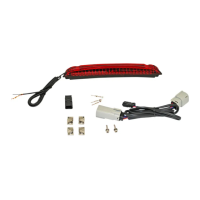
Package Contents:
- Luggage Rack LED Assembly (1)
- Luggage Rack Adapter Harness (1)
- Allen Head Bolt with Washer (2)
- Male JAE Connector (1)
- Nylon Wire Guide (1)
- Wire Clips (4)
- Tie Wraps (6)
- Foam Mounting Pads (2)
ATTENTION
Please read all Information below before Installation
Warning: Disconnect negative battery cable
from battery; refer to owner’s manual. Failure
do to so may result in electrical shock, injury,
or fire. Secure negative battery cable away
from positive side of battery and all other posi-
tive voltage sources on vehicle.
Important: Motorcycle should be secured on a
level surface for installation.
Important: This product is designed to be used
specifically with the Harley-Davidson® brand
Air Wing Luggage Rack (P/N 79179-08 or
53000063).
Fitment: 2015-2020 Harley-Davidson® Free-
wheeler® models with Air Wing Tour Pak Luggage
Rack PN 5030097.
Questions? Call us at: 1 (800) 382
1
Question and Answer IconNeed help?

Do you have a question about the Custom Dynamics CD-LR-04-R and is the answer not in the manual?

Summary

Pre-Installation Checks and Safety

Battery Disconnection and Safety Precautions

Disconnect the negative battery cable and secure it properly to prevent electrical shock or injury.

Motorcycle and Product Preparation

Secure motorcycle on a level surface and verify product compatibility with the specific Harley-Davidson luggage rack.

Luggage Rack LED Light Bar Installation Process

Wire Routing and Initial Assembly

Route LED assembly wires through the luggage rack tubing using a guide, install foam pads, and align the LED assembly.

Mounting and Securing the LED Assembly

Secure the LED assembly to the underside of the luggage rack using provided bolts and thread wires through the Tour Pak lid.

Wiring Connections and Harness Routing

Drill a hole, route the wiring harness, connect adapter harness, and mate the JAE connectors following color configuration.

Final Steps and Testing

Secure all wires, reconnect the negative battery cable, install the seat, and test all lighting functions before riding.

Custom Dynamics CD-LR-04-R Specifications

General IconGeneral
Product TypeLED Light Bar
ColorRed
Length4 inches
Voltage12V
FitmentUniversal
Mounting TypeAdhesive
WaterproofYes
MaterialPolycarbonate
FunctionBrake Light, Running Light

Related product manuals