I.B. 29C892B
Page 8
Effective 8/99
Down Pushbutton
The Down pushbutton performs the same function as
the previously described Up pushbutton except move-
ment is in the opposite direction down through the val-
ues and/or selections.
2-3.5 DISPLAY
N o t i c e : This manual utilizes a gray rectangular box
underlined in black to represent a blinking
cursor in all illustrations of the programmer’s
display (Figure 2-9).
A 2-line, 16-character per line liquid crystal display is
used to display all trip unit data, setpoints and mes-
sages. The brightness of the display can be adjusted
through the use of a small, recessed adjusting screw
located in the top side of the programmer (Figure 2-2).
The first line of the display is normally used to show the
main menu selection possibilities. A blinking cursor indi-
cates which category on the first line is active. The sec-
ond line of the display either defines the first line catego-
ry highlighted by the blinking cursor or, in lower level
menus, presents a field that is capable of being changed,
as indicated by a blinking cursor. Note in Figure 2 - 9 t h a t
the blinking cursor is positioned just to the left of S A i n
the top line of the display. Note also that the second dis-
play line defines that category as Select Address. Table
2 . 1 outlines all the displayed menu items that can be
encountered in the OPTIMizer display along with their
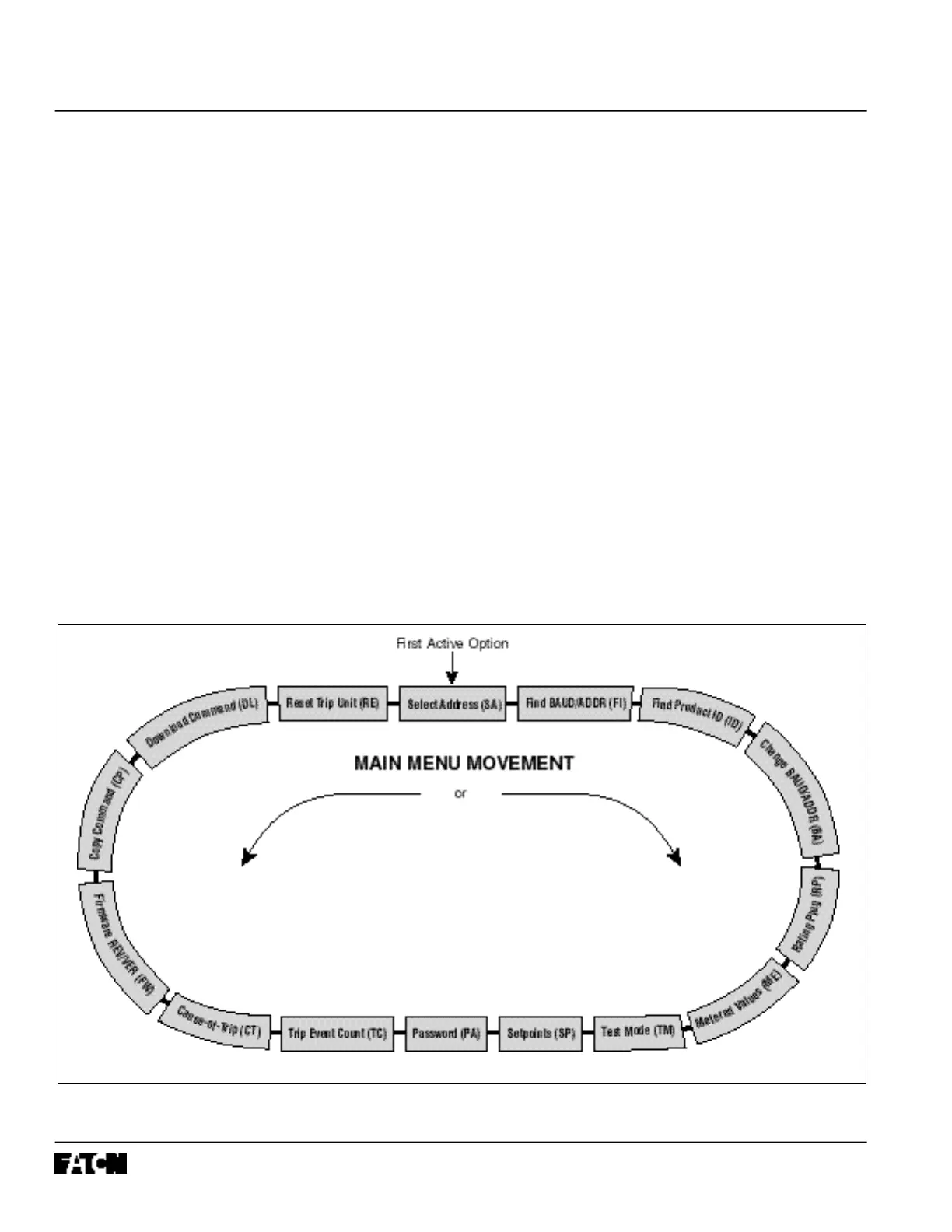
specific definitions. Figure 2 - 1 1 shows the twelve avail-
able options accessible from the main menu.
Figure 2-11 Main Menu Option Screens



 To Next Page