45
12. Setting the Programs
12. Setting the Programs
Vulcan provides a selection of programs in the Commercial (S10, S25,
S100) and Industrial units (S250, S500).
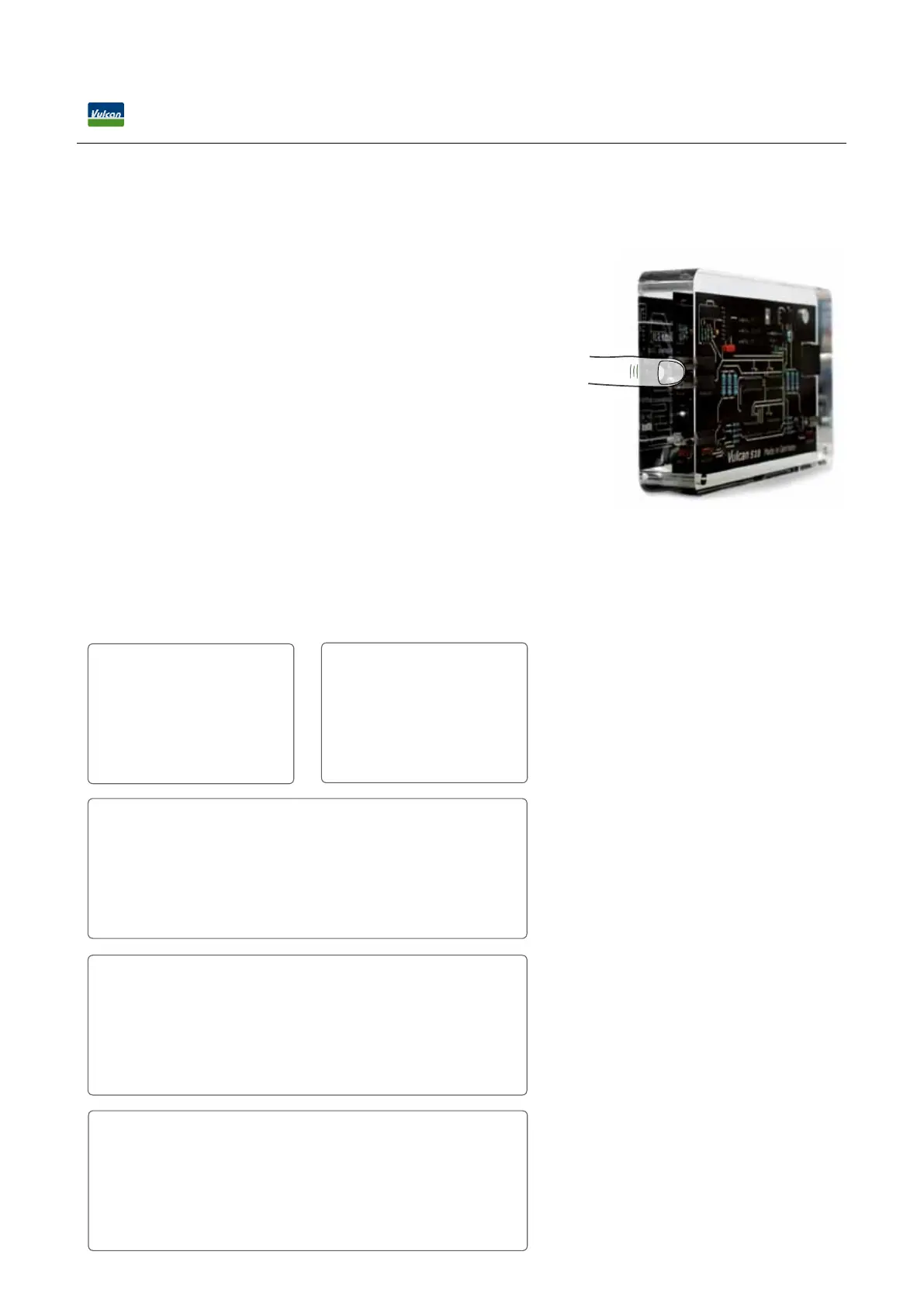
A program is set by touching both metal plates on the left side of the
unit. The ngers bridge the gap between the two plates and set the
switch. Tap once, the program locks into the next position which is
indicated by the green control light. Tap again and the program jumps
to the next program and so on.
The pipe material determines how good the electric Vulcan impulses
pass through the pipe’s wall. As electricity penetrates plastic easier than
metal, the impulse signal is stronger for metal pipes than for plastic
pipes. This is reected in the programs. They allow a ne-tuning of
the Vulcan impulse which adjusts the impulse strengths according to
diameter and pipe material.
12.1 Commercial Line - Vulcan S10, Vulcan S25, Vulcan
Touch both metal plates to set the program
Vulcan S100 Programs
◦
max. 2 ½” Metal
◦
max. 2 ½” Plastic
◦
max. 3” Metal
◦
max. 3” Plastic
◦
max. 4” Metal
◦
max. 4” Plastic
◦
max. 5” Metal
◦
max. 5” Plastic
◦
max. 6” Metal
◦
max. 6” Plastic
Vulcan S250 Programs
◦
max. 4” Metal
◦
max. 4” Plastic
◦
max. 5” Metal
◦
max. 5” Plastic
◦
max. 6” Metal
◦
max. 6” Plastic
◦
max. 8” Metal
◦
max. 8” Plastic
◦
max. 10” Metal
◦
max. 10” Plastic
Vulcan S500 Programs
◦
max. 8” Metal
◦
max. 8” Plastic
◦
max. 10” Metal
◦
max. 10” Plastic
◦
max. 12” Metal
◦
max. 12” Plastic
◦
max. 16” Metal
◦
max. 16” Plastic
◦
max. 20” Metal
◦
max. 20” Plastic
Vulcan S10 Programs
◦
max. 2”
◦
max. 2 ½”
◦
max. 3”
Vulcan S25 Programs
◦
max. 2”
◦
max. 2 ½”
◦
max. 3”
◦
max. 3 ½”
◦
max. 4”


 To Next Page