13
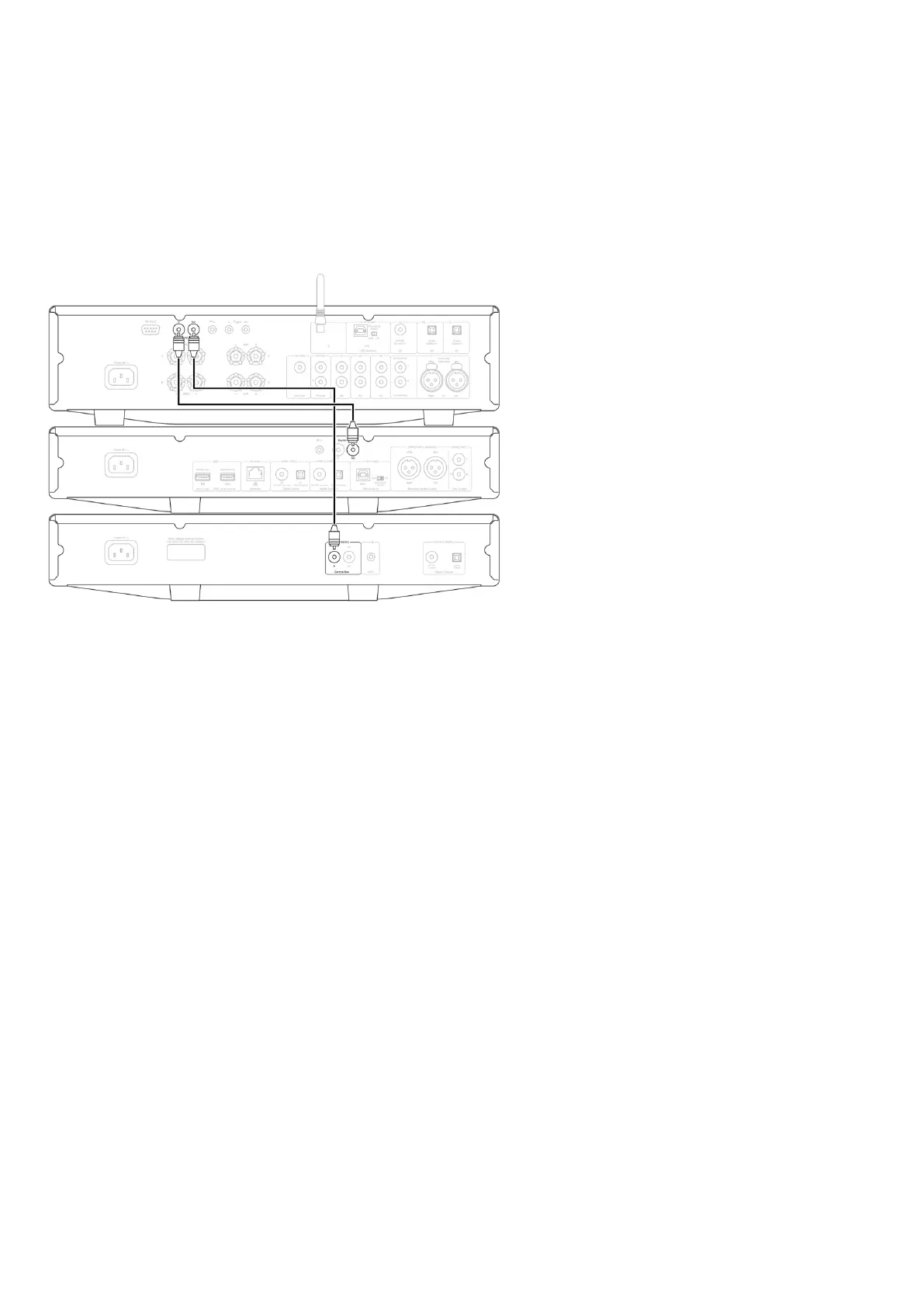
With all three CX devices, connect the CXN (V2) Control Bus out to CXA Control Bus in. Then connect the CXA Control Bus out to CXC Control Bus in.
Note: Do NOT loop back from the CXC Control Bus out to the CXN (V2) Control Bus in.
Control Bus will also need to be enabled and set to Amplifier within the CXN device settings in the StreamMagic app once the app has been
connected to the CXN (V2).
Note: If a device with APD enabled automatically switches off after the selected period of inactivity, this will also switch off the other connected
devices.


 To Next Page