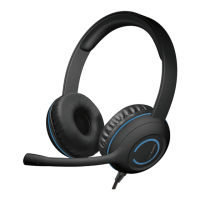
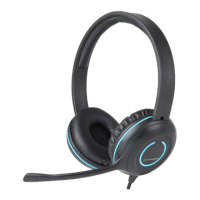
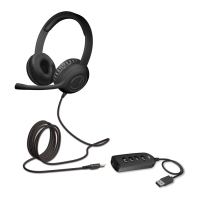
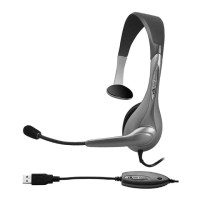
The Cyber Acoustics AC-5014 USB Type C Headset is a plug-and-play audio device designed for clear communication and audio playback, primarily for use with computers. It features an in-line control for convenient management of volume and microphone functions.
Function Description:
The AC-5014 is a wired headset that connects to a computer via a USB Type C port. Its primary function is to provide both audio output (listening) and audio input (speaking) capabilities. This makes it suitable for a wide range of applications, including online calls, virtual meetings, and listening to music. The headset is designed for ease of use, requiring no special drivers or software installation on most compatible operating systems.
Usage Features:
- Plug and Play Connectivity: The headset is designed for immediate use upon connection. Users simply plug the USB Type C connector into an available port on their computer, and the operating system should automatically recognize and configure the device. This eliminates the need for complex setup procedures, making it accessible for users of all technical skill levels.
- Broad Compatibility: The AC-5014 is compatible with various operating systems, including Windows (10, 8, 7), macOS (OS X 10.4.11 or higher), and Chromebooks. This broad compatibility ensures that a wide range of users can integrate the headset into their existing computer setups without encountering compatibility issues.
- Optimized for Communication: The headset is particularly well-suited for internet-based communication platforms such as Skype and Zoom. It provides clear audio for both listening to participants and speaking through the integrated microphone, enhancing the virtual meeting or call experience.
- Music Playback: Beyond communication, the headset also serves as a reliable device for listening to music. Its audio output capabilities are designed to deliver a satisfactory listening experience for general audio consumption.
- In-line Controls: A key feature of the AC-5014 is its in-line control unit, which is integrated into the headset cable. This unit provides convenient access to essential audio functions without needing to interact with software settings on the computer.
- Microphone On/Off (Mute): The in-line control includes a dedicated button or switch to toggle the microphone on or off. This allows users to quickly mute their microphone during calls or recordings, providing privacy and control over their audio input. An indicator, such as an "L-On" light, may be present to show the microphone's status.
- Volume Up/Down: The in-line control also features buttons or a dial for adjusting the audio output volume. This enables users to easily increase or decrease the listening volume directly from the cable, offering immediate control over their audio experience.
- Comfortable Design (Implied): While not explicitly detailed, headsets are generally designed for extended wear. The visual representation suggests an over-ear design with a flexible microphone boom, aiming for comfort during long calls or listening sessions. The adjustable headband and cushioned earcups contribute to a comfortable fit for various head sizes.
- Flexible Microphone: The microphone is typically positioned on a flexible boom, allowing users to adjust its placement for optimal voice capture. This flexibility ensures that the microphone can be positioned close to the mouth, reducing background noise and improving speech clarity.
Maintenance Features:
- Simple Troubleshooting: The manual provides clear steps for troubleshooting common issues, such as the headset not being recognized or the microphone/sound not working. These steps involve checking cable connections, verifying computer sound settings, and restarting the computer, which are standard maintenance practices for USB audio devices.
- Cable Management (Implied): The wired nature of the headset means that cable management is a consideration. While not a direct maintenance feature, users are advised to protect the cable from pinching, especially at the connectors, to prevent damage and ensure longevity.
- Environmental Precautions: The manual outlines several precautions to ensure the longevity and proper functioning of the headset:
- Avoid Heat Sources: Users are instructed not to place the headset near radiators, heat registers, stoves, or other heat-producing apparatus to prevent damage from excessive heat.
- Protect from Physical Damage: The headset should be protected from being pinched, particularly at the connectors, to avoid internal wire damage.
- Unplug During Storms/Disuse: Unplugging the headset during lightning storms or when not in use for long periods is recommended to protect it from potential electrical surges or unnecessary wear.
- Avoid Naked Flames: The headset should not be placed near naked flame sources, such as lighted candles, to prevent fire hazards.
- Avoid Excessive Heat Exposure: Users are advised not to expose the headset to excessive heat, such as direct sunlight or fire, which can damage the materials and internal components.
- No User-Serviceable Parts (Implied): The manual does not suggest any user-serviceable parts or complex maintenance procedures beyond basic troubleshooting. This implies that any significant issues would likely require professional repair or replacement rather than user intervention. Users are explicitly advised not to make alterations to the headset, reinforcing the idea that it is not designed for user modification or internal repair.
In summary, the Cyber Acoustics AC-5014 USB Type C Headset is a user-friendly and versatile audio solution designed for seamless integration with modern computers, offering reliable performance for both communication and entertainment purposes with convenient in-line controls and straightforward maintenance guidelines.

 Need help?
 General

 To Next Page