Page 2
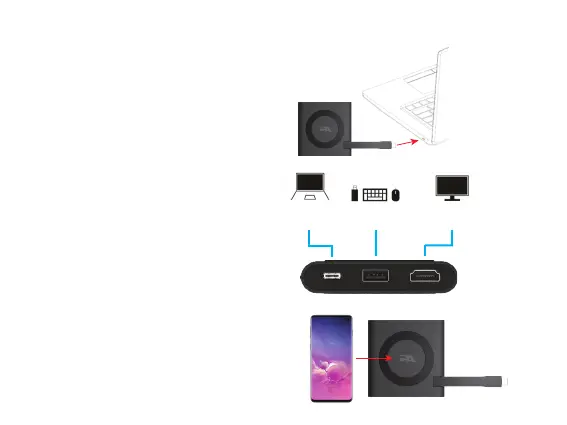
USB Type C
Connection
Step 2: Connect your Peripherals to the
CA Essential Micro Docking Station.
USB Type A
Gen 2 Port
HDMI Connection
to a TV or Monitor
Step 3: Place your device supporting Wireless
Charging on the top of the CA Essential
Micro Docking Station.
Step 1: Connect CA Essential Micro Docking Station to your Laptop.
Using CA Essential Micro Docking Station - Continued


 To Next Page