
 Need help?
Do you have a question about the CyberPower BR700ELCD and is the answer not in the manual?
Crucial safety warnings and precautions for installation, operation, and handling of the UPS unit.
Steps for unpacking, understanding the UPS overview, and determining power requirements for installation.
Description of the UPS unit's components, controls, and initial basic operation.
Safety precautions and a step-by-step procedure for replacing the UPS battery.
Guidance on resolving common operational problems and potential causes with the UPS unit.
Explanation of illuminated indicators on the UPS LCD screen for status monitoring.
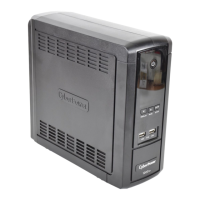
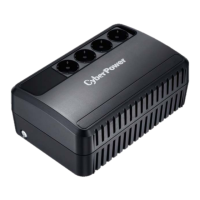
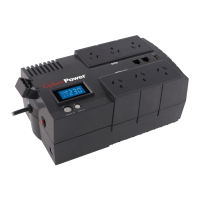
The CyberPower BR700ELCD / BR850ELCD / BR1000ELCD / BR1200ELCD is an Uninterruptible Power Supply (UPS) designed to provide reliable power protection and backup for electronic equipment. Its primary function is to offer automatic voltage regulation (AVR) for inconsistent utility power, ensuring a stable power supply to connected devices. In the event of a power outage, the UPS provides temporary uninterrupted operation through its battery backup, safeguarding against data loss and system shutdowns. Additionally, it offers surge and spike protection, extending the lifespan of sensitive electronics.
The UPS operates by continuously monitoring the incoming utility power. When the input voltage fluctuates outside a safe range, the AVR function automatically adjusts it to a stable output, protecting connected equipment from potential damage. During a complete power failure or significant power sag, the UPS seamlessly switches to battery power, providing a temporary power source. This allows users to save open files and properly shut down their computer systems, preventing data corruption and hardware stress. The unit also incorporates surge protection, diverting harmful voltage spikes away from connected devices, including those connected to its communication protection ports (RJ11/RJ45) for modems, fax machines, telephones, or network cables.
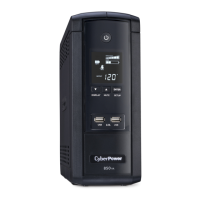
The device is equipped with a user-friendly interface, primarily featuring a power switch and an intelligent LCD display. The power switch allows users to turn the UPS ON or OFF by pressing it for two seconds. The LCD display is a high-resolution screen that provides comprehensive information about the UPS's status through various icons and messages. Users can cycle through different display contents, such as Input Voltage, Output Voltage, and Estimated Run Time, using the LCD Display Selected Switch. Holding this switch for more than two seconds while on battery power will silence the audible buzzer.
The UPS offers multiple AC outlets, divided into two types: battery power-supplied/surge outlets and surge-only outlets. The battery power-supplied outlets ensure uninterrupted operation during power failures and provide surge protection for critical equipment like computers, monitors, and external data storage devices. The surge-only outlets protect less critical peripherals from surges and spikes without providing battery backup.
For enhanced connectivity and data protection, the UPS includes communication protection ports (RJ11/RJ45) to shield modems, fax machines, telephone lines, or network cables from surges and spikes. A USB charger port is also integrated, allowing users to charge external equipment directly from the UPS. A convenient cable collector helps manage and organize the cables connected to the AC outlets, reducing clutter.
The UPS features LED indicators, with a power-on LED that illuminates when the unit is active. A USB port to PC allows the UPS to communicate its status to a connected computer running CyberPower's PowerPanel® Personal Edition software. This software enables automatic saving of open files and system shutdown during a utility power loss, further enhancing data protection. An input circuit breaker provides optimal overload protection, automatically tripping if the connected load exceeds the unit's capacity, preventing damage to the UPS and connected equipment.
Maintaining the UPS involves several key aspects, primarily related to its battery. Upon initial receipt, it is recommended to recharge the battery for at least 8 hours to ensure maximum charge capacity, as some charge loss may occur during shipping and storage. The unit will charge its battery whether it is turned on or off, as long as it is plugged into an AC outlet. To maintain optimal battery charge, it is advised to keep the UPS plugged into an AC outlet at all times. For extended storage, the UPS should be covered and stored with a fully charged battery, and the battery should be recharged every three months to ensure its longevity and readiness.
Battery replacement is a user-serviceable procedure, though it requires careful adherence to safety instructions. Users are advised to use only the specified type of replacement battery and to follow precautions such as removing metal objects, using insulated tools, and avoiding contact with grounded batteries. The battery replacement procedure involves turning off and unplugging all equipment, removing the retaining screw and battery compartment cover, disconnecting the old batteries, installing new ones by connecting the wires correctly, and then recharging the UPS for 8-16 hours.
The UPS also includes an overload protection mechanism. If an overload is detected, an audible alarm will sound, and the unit will emit a long beep. To rectify this, users must turn off the UPS, unplug at least one piece of equipment from the battery power-supplied outlets, wait 10 seconds, and then depress the circuit breaker before turning the UPS back on. This ensures the unit operates within its safe capacity and prevents damage. The PowerPanel® Personal Edition software, available for free download, further aids in maintenance by providing status updates and enabling controlled shutdowns, which can be crucial for preserving data integrity.
 General
| Output Frequency | 60 Hz |
|---|---|
| Number of Outlets | 8 |
| LCD Display | Yes |
| Device Type | Line-Interactive |
| Typical Recharge Time | 8 hours |
| Surge Protection | Yes |
| Audible Alarm | Yes |
| Form Factor | Tower |
| Waveform | Simulated Sine Wave |
| Communication Ports | USB |
| Capacity | 700VA |
| Output Voltage | 120 VAC |
| Battery Type | Sealed Lead Acid (SLA) |
| Wattage | 420W |
| Typical Transfer Time | 4 ms |





 To Next Page
