EasyManua.ls Logo

CyberPower BRG1000AVRLCD - User Manual

CyberPower BRG1000AVRLCD
13 pages
Print Icon
To Next Page IconTo Next Page
Loading...
User Manual of Product 1:
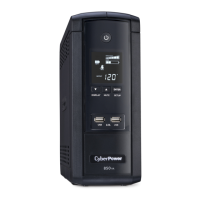
CyberPower BRG1000AVRLCD Intelligent LCD UPS System,
1000VA/600W, 10 Outlets, AVR, Mini-Tower, 5-Year Warranty
User Manual of Product 2:
CyberPower CP1500PFCLCD PFC Sinewave UPS System,
1500VA/1000W, 12 Outlets, AVR, Mini Tower, Black

Questions and Answers

  • R
    Rebecca BrayJul 29, 2025
    What to do if my CyberPower BRG1000AVRLCD UPS will not turn on?
    • A
      Ashley McdonaldJul 30, 2025
      There are several reasons why your CyberPower UPS might not be turning on. First, the on/off switch has a built-in delay to prevent damage from rapid cycling, so turn the UPS off, wait 10 seconds, and then turn it back on. Second, ensure the unit is properly connected to a 120V 60Hz outlet. If neither of these steps works, the battery may be worn out, in which case you should contact CyberPower Systems about replacement batteries. Finally, there could be a mechanical problem, and you may need to contact CyberPower Systems.
  • R
    Richard CarrilloAug 4, 2025
    How to fix inactive PowerPanel® Personal (gray icons) on my CyberPower BRG1000AVRLCD?
    • J
      Joshua PowellAug 4, 2025
      If the PowerPanel® Personal software shows inactive icons, it could be due to a connection issue. First, ensure the USB / serial cable is securely connected between the CyberPower UPS unit and an open USB / serial port on your computer, using the cable that came with the unit. If it's connected, check for an alternative USB / serial port on the back of the computer and move the cable to that port. If the issue persists, your CyberPower UPS might not be providing battery power; in that case, shut down your computer, turn off the UPS, wait 10 seconds, and then turn the UPS back on to reset the unit.
  • T
    Tammy CummingsAug 10, 2025
    What to do if my CyberPower UPS doesn't provide the expected runtime?
    • J
      Jennifer CoxAug 10, 2025
      If your CyberPower UPS isn't providing the expected runtime, it could be due to a battery issue. First, try recharging the battery by leaving the UPS plugged in. If that doesn't resolve the problem, the battery may be worn out, and you should contact CyberPower Systems about replacement batteries.
  • P
    pam96Aug 16, 2025
    Why is the circuit breaker button projecting from the back of my CyberPower BRG1000AVRLCD UPS?
    • K
      kjonesAug 16, 2025
      If the circuit breaker button is projecting from the back of your CyberPower UPS, it indicates that the circuit breaker has tripped due to an overload. To resolve this, turn the UPS off and unplug at least one piece of equipment. Wait 10 seconds, reset the circuit breaker by depressing the button, and then turn the UPS on.
  • O
    oriddleAug 22, 2025
    What to do if the USB power ports on my CyberPower BRG1000AVRLCD UPS are not providing power?
    • L
      Lisa KleinAug 22, 2025
      The USB power ports on your CyberPower UPS have an Over Current Protection design. If the total current of connected devices exceeds 2.1A, the ports will stop providing power. To fix this, turn the UPS off, unplug at least one of the devices connected to the USB power port, and then turn the UPS back on.

Summary

Important Safety Instructions

General Safety Precautions

Essential warnings and guidelines to prevent fire, electric shock, and equipment damage during UPS use and maintenance.

Installing Your UPS System

Unpacking and System Overview

Steps for unpacking the UPS, understanding its features, and the role of Automatic Voltage Regulator (AVR).

Hardware Installation Guide

Step-by-step instructions for physically connecting and setting up the UPS unit.

Basic Operation and Indicators

UPS Component Descriptions

Description of UPS parts and features for basic operation.

Definitions for Illuminated LCD Indicators

Explanation of icons and messages displayed on the UPS LCD screen.

Replacing the Battery

Battery Replacement Procedure

Detailed steps and safety warnings for replacing the UPS internal battery.

Troubleshooting

Common UPS Problems and Solutions

Guidance on resolving issues like circuit breaker trips, battery performance, and PowerPanel inactivity.

Technical Specifications

Model Specifications

Detailed technical data for different UPS models including capacity, voltage, and dimensions.

Compliance and Warranty Information

FCC Compliance Statement

Regulatory compliance information regarding FCC rules for digital devices.

Limited Warranty and Support

Information on product warranty, connected equipment guarantee, and customer support contact details.

CyberPower BRG1000AVRLCD Specifications

General IconGeneral
Output power600 W
UPS topology-
Input frequency47/63 Hz
Surge energy rating1080 J
Output power capacity1 kVA
Input operation voltage (max)148 V
Input operation voltage (min)90 V
Output operation voltage (min)- V
AC outlet typesNEMA 5–15P
AC outlets quantity10 AC outlet(s)
Modem (RJ-11) ports1
USB 2.0 ports quantity2
Hot-swap batteryNo
Battery technologySealed Lead Acid (VRLA)
Battery recharge time8 h
Typical backup time at full load1 min
Typical backup time at half load9 min
Form factorTower
Display typeLCD
Product colorBlack
Storage temperature (T-T)0 - 90 °C
Operating temperature (T-T)0 - 40 °C
Operating relative humidity (H-H)-15 - 45 %
Weight and Dimensions IconWeight and Dimensions
Depth259 mm
Width99 mm
Height246.4 mm
Weight6800 g

Related product manuals