EasyManua.ls Logo

CyberPower Value2200ELCD - User Manual

CyberPower Value2200ELCD
2 pages
Print Icon
To Next Page IconTo Next Page
Loading...
Value1200ELCD/Value1500ELCD/Value2200ELCD
Users Manual
K01-C000011-01
IMPORTANT SAFETY INSTRUCTIONS
(SAVE THESE INSTRUCTIONS)
This manual contains important safety instructions. Please read and follow all instructions carefully
during installation and operation of the unit. Read this manual thoroughly before attempting to unpack,
install, or operate your UPS.
CAUTION! To prevent the risk of fire or electric shock, install in a temperature and humidity controlled
indoor area free of conductive contaminants. (See the specifications for the acceptable temperature and
humidity range.)
CAUTION! To reduce the risk of overheating the UPS, do not cover the UPS' cooling vents and avoid
exposing the unit to direct sunlight or installing the unit near heat emitting appliances such as space
heaters or furnaces.
CAUTION! Do not attach non-computer-related items, such as medical equipment, life-support
equipment, microwave ovens, or vacuum cleaners to UPS.
CAUTION! Do not plug the UPS input into its own output.
CAUTION! Do not allow liquids or any foreign object to enter the UPS. Do not place beverages or any
other liquid-containing vessels on or near the unit.
CAUTION! In the event of an emergency, press the OFF button and disconnect the power cord from the
AC power supply to properly disable the UPS.
CAUTION! Do not attach a power strip or surge suppressor to the UPS.
CAUTION! If the UPS is with metal chassis, for safety purpose, grounding is a must during UPS
installation in order to reduce leakage current below 3.5mA.Attention hazardous through electric shock.
Also with disconnection of this unit from the mains, hazardous voltage still may be accessible through
supply from battery. The battery supply should be therefore disconnected in the plus and minus pole at
the quick connectors of the battery when maintenance or service work inside the UPS is necessary.
CAUTION! Internal battery voltage is 12Vdc. Sealed, lead-acid, 6-cell battery.
CAUTION! Servicing of batteries should be performed or supervised by personnel knowledgeable of
batteries and the required precautions. Keep unauthorized personnel away from batteries.
CAUTION! When replacing the batteries, use the same number and type of batteries.
CAUTION! Do not dispose of batteries in a fire. The battery may explode. Do not open or mutilate the
battery or batteries. Released electrolyte is harmful to the skin and eyes.
CAUTION! Unplug the UPS prior to cleaning and do not use liquid or spray detergent.
CAUTION! A battery can present a risk of electric shock and high short circuit current. The following
precaution should be observed before replacing batteries: (1) Remove watches, rings, or other metal
objects.(2) Use tools with insulated handles.(3) Wear rubber gloves and boots.(4) Do not lay tools or
metal parts on top of batteries. (5) Disconnect charging source prior to connecting or disconnecting
batteries terminal.
INSTALLING YOUR UPS SYSTEM
UNPACKING
Inspect the UPS upon receipt. The box should contain the following:
(1)UPS Unit1; (2) Power Cord 1; (3)USB Cable1; (4)Telephone communication cable x1; (5)User
Manual1; (6)Management software Disk1
OVERVIEW
The Value1200ELCD/1500ELCD/2200ELCD provides automatic voltage regulation for inconsistent
utility power, and provides battery backup during power outages. The
Value1200ELCD/1500ELCD/2200ELCD ensures consistent power to your computer system and its
included software will automatically save your open files and shut down your computer system during a
utility power loss.
HOW TO DETERMINE THE POWER REQUIREMENTS OF YOUR EQUIPMENT
1. Insure that the equipment plugged into the battery power-supplied outlets does not exceed the
UPS units rated capacity (1200VA/720W for Value1200ELCD, 1500VA/900W for Value1500ELCD,
2200VA/1320W for Value2200ELCD). If rated unit capacities are exceeded, an overload condition
may occur and cause the UPS unit to shut down or the circuit breaker strip.
2. There are many factors that can affect the amount of power that your computer system will require.
For optimal system performance keep the load below 80% of the units rated capacity.
HARDWARE INSTALLATION GUIDE
1. Your new UPS may be used immediately upon receipt. However, recharging the battery for at least
8 hours is recommended to ensure that the battery's maximum charge capacity is achieved.
Charge loss may occur during shipping and storage. To recharge the battery, simply leave the unit
plugged into an AC outlet. The unit will charge in both the on and off position.
2. With the UPS unit off and unplugged, connect the computer, monitor, and any externally powered
data storage device (Zip drive, Jazz drive, Tape drive, etc. into the battery power supplied outlets.
DO NOT plug a laser printer, copier, space heater, vacuum, paper shredder or other large
electrical device into the battery power supplied outlets. The power demands of these
devices will overload and possibly damage the unit.
3. Plug the UPS into a 2 pole, 3 wire grounded receptacle (wall outlet). Make sure the wall branch
outlet is protected by a fuse or circuit breaker and does not service equipment with large electrical
demands (e.g. air conditioner, refrigerator, copier, etc. Avoid using extension cords.
4. Depress the power switch to turn the unit on. The power on indicator light will illuminate and the
unit will "beep".
5. If an overload is detected, an audible alarm will sound and the unit will emit one long beep. To
correct this, turn the UPS off and unplug at least one piece of equipment from the battery power
supplied outlets. Wait 10 seconds. Make sure the circuit breaker is depressed and then turn the
UPS on.
6. To maintain optimal battery charge, leave the UPS plugged into an AC outlet at all times.
7. To store your UPS for an extended period, cover it and store with the battery fully charged.
Recharge the battery every three months to ensure battery life.
BASIC OPERATION
FRONT PANEL DESCRIPTION
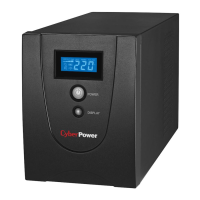
1. LCD Display
The LCD will display the UPS status including input voltage, output voltage, runtime, percentage of
load and batteryetc.
2. Power On/Off Switch
Press the power switch to turn the UPS ON or OFF.
3. LCD Function Selected Switch
The switch can be used to select the LCD display contents Including input/output voltage and
estimated run time, etc.
REAR PANEL DESCRIPTION
1. AC Inlet
Connect to utility power through the input power cord
2. Input Circuit Breaker
The circuit breaker provides optimal overload protection.
3. AC outlet
The UPS provides outlets for connected equipment to insure temporary uninterrupted operation
during a power failure and against surges and spikes.
*Note: 5 outlet types available including: Schuko, UK, French, Australian and ASEAN type.
4. Communication Protection Ports
Communication protection ports will protect any standard modem, fax, telephone line, or network
cable.
5. Serial Port to PC
This port allows connection and communicates from the DB-9 serial on the computer to the UPS
unit. The UPS communicates its status to the PowerPanel
®
Personal Edition software.

Schuko
All manuals and user guides at all-guides.com
all-guides.com

Other manuals for CyberPower Value2200ELCD

Question and Answer IconNeed help?

Do you have a question about the CyberPower Value2200ELCD and is the answer not in the manual?

Summary

Important Safety Instructions

General Safety Precautions

Covers fire/shock prevention, overheating, and proper usage guidelines for the UPS.

Battery Safety and Handling

Details precautions for battery servicing, replacement, and disposal to prevent hazards.

Basic Operation and Components

Front Panel Description

Details the front panel components: LCD Display, Power On/Off Switch, and LCD Function Switch.

Rear Panel Description

Identifies rear panel components including AC Inlet, Circuit Breaker, AC outlets, and communication ports.

Installing Your UPS System

Unpacking and Overview

Covers inspecting the UPS upon receipt and provides a general overview of its functionality.

Power Requirements and Hardware Installation

Guides on determining equipment power needs and initial hardware setup, including battery charging.

CyberPower GreenPower UPS Technology

Green Commitment and Energy Saving

Details CyberPower's environmental initiatives and the benefits of energy-saving technology.

Troubleshooting Common Issues

Runtime and Power-On Problems

Addresses issues with UPS runtime performance and failure to turn on.

Outlet Power and Software Inactivity

Solutions for outlets not providing power and the PowerPanel software being inactive.

LCD Indicator Definitions

Line Mode Indicators

Explains the meaning of indicators displayed on the LCD when the UPS is in line mode.

Battery Mode Indicators

Explains the meaning of indicators displayed on the LCD when the UPS is running on battery.

Summary

Important Safety Instructions

General Safety Precautions

Covers fire/shock prevention, overheating, and proper usage guidelines for the UPS.

Battery Safety and Handling

Details precautions for battery servicing, replacement, and disposal to prevent hazards.

Basic Operation and Components

Front Panel Description

Details the front panel components: LCD Display, Power On/Off Switch, and LCD Function Switch.

Rear Panel Description

Identifies rear panel components including AC Inlet, Circuit Breaker, AC outlets, and communication ports.

Installing Your UPS System

Unpacking and Overview

Covers inspecting the UPS upon receipt and provides a general overview of its functionality.

Power Requirements and Hardware Installation

Guides on determining equipment power needs and initial hardware setup, including battery charging.

CyberPower GreenPower UPS Technology

Green Commitment and Energy Saving

Details CyberPower's environmental initiatives and the benefits of energy-saving technology.

Troubleshooting Common Issues

Runtime and Power-On Problems

Addresses issues with UPS runtime performance and failure to turn on.

Outlet Power and Software Inactivity

Solutions for outlets not providing power and the PowerPanel software being inactive.

LCD Indicator Definitions

Line Mode Indicators

Explains the meaning of indicators displayed on the LCD when the UPS is in line mode.

Battery Mode Indicators

Explains the meaning of indicators displayed on the LCD when the UPS is running on battery.

Overview

This document describes the CyberPower Value1200ELCD, Value1500ELCD, and Value2200ELCD Uninterruptible Power Supply (UPS) units, designed to provide reliable power protection and backup for computer systems.

Function Description:

The CyberPower ValueELCD series UPS units offer automatic voltage regulation (AVR) to stabilize inconsistent utility power and provide battery backup during power outages. This ensures a consistent power supply to connected computer systems and, when used with the included software, can automatically save open files and shut down the computer system during a utility power loss. The UPS units are equipped with an LCD display that shows real-time status information, including input voltage, output voltage, runtime, percentage of load, and battery status. They also feature communication protection ports to safeguard standard modems, fax machines, telephone lines, or network cables, and a serial/USB port for communication with a PC to utilize the PowerPanel® Personal Edition software for enhanced management.

Important Technical Specifications:

  • Models: Value1200ELCD, Value1500ELCD, Value2200ELCD
  • Capacity (VA): 1200VA, 1500VA, 2200VA respectively
  • Capacity (Watts): 720W, 900W, 1320W respectively
  • Input Frequency: 50/60Hz (Auto Sensing)
  • On Battery Output Voltage: Simulated Sine Wave at 230Vac +/-7%
  • On Battery Output Frequency: 50/60 Hz +/-1%
  • Overload Protection: On Utility: Circuit Breaker; On Battery: Internal Current Limiting
  • Total # of UPS Receptacles: 4
  • Maximum Dimensions (H x W x D): 180mm x 140mm x 326mm
  • Weight: 11.2 kg (Value1200ELCD), 13.2 kg (Value1500ELCD), 14.5 kg (Value2200ELCD)
  • Battery Type: Sealed Maintenance Free Lead Acid
    • Value1200ELCD: 12V/7Ah x2
    • Value1500ELCD: 12V/8.5Ah x2
    • Value2200ELCD: 12V/9Ah x2
  • Typical Recharge Time: 8 Hours
  • Operating Temperature: 0°C to 40°C
  • Operating Relative Humidity: 0% to 90%
  • Communication Software: PowerPanel® Personal Edition (Windows 7/Vista/XP/2000/Server 2003, Linux compatible)
  • Management Features: Auto-Charger (Yes), Auto-Restart (Yes), USB (Yes)
  • Outlet Types: Schuko, UK, French, Australian, and ASEAN types available.

Usage Features:

  • Easy Installation: The UPS can be used immediately upon receipt, though an initial 8-hour battery recharge is recommended for optimal performance.
  • Front Panel Controls: A power on/off switch allows for easy unit activation, and an LCD function selected switch enables users to cycle through various display contents like input/output voltage and estimated run time.
  • LCD Display: Provides comprehensive real-time information about the UPS status, including input/output voltage, runtime, load percentage, and battery charge level.
  • Battery Backup Outlets: Provides temporary uninterrupted operation during power failures and protection against surges and spikes for connected equipment.
  • Overload Protection: An input circuit breaker provides optimal overload protection. If an overload occurs, an audible alarm will sound, and the unit will emit a long beep. Users can correct this by turning off the UPS, unplugging some equipment, waiting 10 seconds, and then turning the UPS back on after ensuring the circuit breaker is depressed.
  • Communication Ports: Includes communication protection ports for modem, fax, telephone, or network cables, and a serial/USB port for PC connection to enable PowerPanel® Personal Edition software functionality.
  • GreenPower UPST™ Technology: CyberPower's commitment to green products is reflected in these UPS units, which feature advanced energy-saving designs to improve operating efficiency and reduce waste energy consumption, leading to significant energy cost savings for consumers.

Maintenance Features:

  • Battery Recharge: To maintain optimal battery charge, the UPS should remain plugged into an AC outlet at all times. For extended storage, the unit should be covered and stored with a fully charged battery, with recharging recommended every three months to ensure battery life.
  • Battery Replacement: When replacing batteries, it is crucial to use the same number and type of batteries. Servicing should be performed or supervised by personnel knowledgeable about batteries and necessary precautions.
  • Safety Precautions:
    • Install in a temperature and humidity controlled indoor area free of conductive contaminants.
    • Avoid covering cooling vents, direct sunlight, or proximity to heat-emitting appliances to prevent overheating.
    • Do not attach non-computer-related items such as medical equipment, life-support equipment, microwave ovens, or vacuum cleaners.
    • Do not plug the UPS input into its own output.
    • Prevent liquids or foreign objects from entering the unit.
    • In an emergency, press the OFF button and disconnect the power cord.
    • Do not attach a power strip or surge suppressor to the UPS.
    • If the UPS has a metal chassis, proper grounding is essential to reduce leakage current.
    • Internal battery voltage is 12Vdc (sealed, lead-acid, 6-cell battery).
    • Do not dispose of batteries in a fire, open, or mutilate them, as released electrolyte is harmful.
    • Unplug the UPS prior to cleaning and do not use liquid or spray detergent.
    • Before replacing batteries, remove metal objects (watches, rings), use tools with insulated handles, wear rubber gloves and boots, avoid placing tools or metal parts on batteries, and disconnect the charging source.
  • Troubleshooting Guide: The manual provides a comprehensive troubleshooting section with common problems, possible causes, and solutions, such as issues with expected runtime, the UPS not turning on, outlets not providing power, and inactive PowerPanel® Personal Edition software. This guide helps users diagnose and resolve minor issues without needing technical support.

CyberPower Value2200ELCD Specifications

General IconGeneral
BrandCyberPower
ModelValue2200ELCD
CategoryUPS
LanguageEnglish

Related product manuals