Guía del usuario de Joule GPS, página 11
CAPÍTULO 2: NAVEGACIÓN: MAPA GPS
NAVEGACIÓN: MAPA GPS
La pantalla de navegación es un mapa GPS con puntos de ruta.
PUNTOS DE RUTA
Para añadir un punto de
ruta, seleccione
Navegación en el menú
principal, seleccione
entonces los puntos de
ruta y, a continuación,
seleccione Nuevo Punto
De Ruta.
Puntos de Ruta
Inicio
Saris
Sopelana
3,70 km
0,00 km
6677 km
9:34A
Regr. al Tablero
Nuevo Punto De Ruta
Pulse • [INTRO] para
desplazarse por los
tableros.
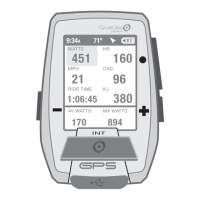
INT
[INTRO]
CAPÍTULO 2: NAVEGACIÓN: MAPA GPS
NAVEGACIÓN: RUTAS
Paoli Loop
N
O
O
NO
O
S
0,00 km
1,00 km
6,18 km
0,39 km
0,47 km
2,25 km
9:34A
INT
[INTRO]
Mantener
pulsado
3 segundos
DESDE EL TABLERO
Menú principal
Sesión
Historial
Sensores
Formación
Navegación
Usuario
Disp.
Regr. al Tablero
9:34A 71º
Se muestra una lista con indicaciones
de los momentos en que se debe girar
y la distancia hasta el próximo punto
del mapa.
Rumbo
Distancia hasta el próximo punto
del mapa (giro)
Indicación para el próximo giro
Guide de l'utilisateur du GPS Joule page11
CHAPITRE 2: NAVIGATION: CARTE GPS
NAVIGATION: CARTE GPS
L'écran de navigation affiche une carte GPS comprenant les points de route.
POINTS DE ROUTE
Pour ajouter un point
de route, sélectionnez
«Navigation» dans le
menu principal, puis
sélectionnez l'option
«Points de route» et enfin
«Nv Point De Route».
Points de route
Démarrer
Saris
Sopelana
2,3 mi
0,0 mi
4149 mi
9:34A
Retour Tableau Bord
Nv Point De Route
Appuyez sur • [ENTER]
pour vous déplacer dans
les tableaux de bord
INT
[ENTER]
CHAPITRE 2: NAVIGATION: CARTE GPS
NAVIGATION: ROUTES
Boucle de Paoli
N
O
O
NO
O
S
0,00 mi
0,62 mi
3,84 mi
0,24 mi
0,29 mi
1,40 mi
9:34A
INT
[ENTER]
Maintenez
enfoncé
3 secondes
À PARTIR DU TABLE
AU DE BORD
Menu principal
Tour
Historique
Capteurs
Entraînement
Navigation
Utilisateur
Appareil
Retour Tableau Bord
9:34A 71º
Les directions et les distances
jusqu'au prochain point de la
carte s'affichent tour à tour.
Cap
Distance jusqu'au prochain point
de la carte (virage)
Direction du prochain virage
Joule GPS Benutzerhandbuch Seite 11
KAPITEL 2: NAVIGATION: GPS-KARTE
NAVIGATION: GPS-KARTE
Der Navigationsbildschirm ist eine GPS-Karte mit Wegmarken.
WEGMARKEN
Um Wegmarken
hinzuzufügen, wählen
Sie im Hauptmenü
„Navigation“,
„Wegmarken“ und
dann „Neue
Wegmarke“.
Wegmarken
Start
Saris
Sopelana
2,3 mi
0,0 mi
4149 mi
9:34A
Zurück zur Anzeige
Neue Wegmarke
• [ENTER] drücken, um
durch die Anzeigen zu
blättern
INT
[ENTER]
KAPITEL 2: NAVIGATION: GPS-KARTE
NAVIGATION: ROUTEN
Paoli Loop
N
W
W
NW
W
S
0,00 mi
0,62 mi
3,84 mi
0,24 mi
0,29 mi
1,40 mi
9:34A
INT
[ENTER]
Drücken
und 3 Sek.
gedrückt halten
VON DER ANZEIGE
Hauptmenü
Fahrt
Verlauf
Sensoren
Training
Navigation
Benutzer
Gerät
Zurück zur Anzeige
9:34A 71º
9:34A
Genaue Wegbeschreibungen
und Strecke zum nächsten
Kartenpunkt sind aufgeführt.
Kurs
Strecke zum nächsten
Kartenpunkt (Wegbiegung)
Richtung zur nächsten Wegbiegung
Manuale dell’utente Joule GPS pag. 11
CAPITOLO 2: NAVIGAZIONE: MAPPA GPS
NAVIGAZIONE: MAPPA GPS
La schermata di navigazione è una mappa GPS con i punti di riferimento.
PUNTI DI RIFERIMENTO
Per aggiungere un punto
di riferimento, selezionare
la voce Navigazione dal
menu principale, quindi
in sequenza Punti di
riferimento e Nuovo punto
di riferimento.
Punti di riferimento
Avvio
Saris
Sopelana
3,70 km
0,00 km
6.677,17 km
9:34A
Torna a Cruscotto
Nuovo Punto
di riferimento
Premere • [INVIO]
per spostarsi
tra i cruscotti
INT
[INVIO]
CAPITOLO 2: NAVIGAZIONE: MAPPA GPS
NAVIGAZIONE: PERCORSI
Paoli Loop
N
W
W
NW
W
S
0,00 km
1,00 km
6,18 km
0,39 km
0,47 km
2,25 km
9:34A
INT
[INVIO]
Premere
e mantenere
premuto
per 3 sec.
DA CRUSCOTTO
Menu principale
Corsa
Dati storici
Sensori
Allenamento
Navigazione
Utente
Dispositivo
Torna a Cruscotto
9:34A 71º
9:34A
Svolta dopo svolta sono elencate
le direzioni e la distanza dal
successivo punto di riferimento.
Direzione
Distanza dal successivo punto
di riferimento (svolta)
Direzione della svolta successiva
Gebruikershandleiding Joule GPS pagina 11
HOOFDSTUK 2: DASHBOARDS
NAVIGATIE: GPS-PLATTEGROND
Navigatiescherm is een GPS-plattegrond met routepunten.
ROUTEPUNTEN
Om een routepunt toe te
voegen, selecteert u
Navigation in het Main
Menu, vervolgens
selecteert u Waypoints
en daarna selecteert u
New Waypoint.
Waypoints
Start
Saris
Sopelana
2,3mi
0,0mi
4149mi
9:34 A
Back to Dashboard
Nieuw Waypoint
Druk op de •
[ENTER]-knop om door
de dashboards te
bladeren
INT
[ENTER]
HOOFDSTUK 2: DASHBOARDS
NAVIGATIE: ROUTES
Paoli Loop
N
W
W
NW
W
S
0,00km
0,62mi
3,84mi
0,24mi
0,29mi
1,40mi
9:34 A
INT
[ENTER]
Druk
en houd
3 seconden aan
OP HET DASHBOARD
Main Menu
9:34 A 71º
9:34 A
Turn-by-turn-aanwijzingen en de
afstand tot aan het volgend punt op het
plattegrond, worden weergegeven.
Richting
Afstand tot aan het volgend
punt op het plattegrond (afslag)
Richting van de volgende afslag
Ride
History
Sensors
Training
Navigation
User
Device
Back to Dashboard
Joule GPS User Guide page 19
CHAPTER 4: NAVIGATION
ROUTES
Routes allow you train using the pace of a previous ride as a measurement of your pace during the current ride over
the same course. Routes also allow you to navigate an unfamiliar path.Routes can be created and copied onto the
Joule GPS using the CycleOps PowerAgent software. Routes can also be created using your favorite mapping web
site, exported from the site, imported into PowerAgent and copied to the Joule GPS. For those routes that have
associated turn by turn navigation data, the Joule GPS will display information on the Map dashboard as each turn
approaches. Routes created from a previous ride will have associated pacing data. As you follow a route with
pacing data a small icon
() will appear along the route. This icon represents the pace of the ride from which the
route was created.
INT
[ENTER]
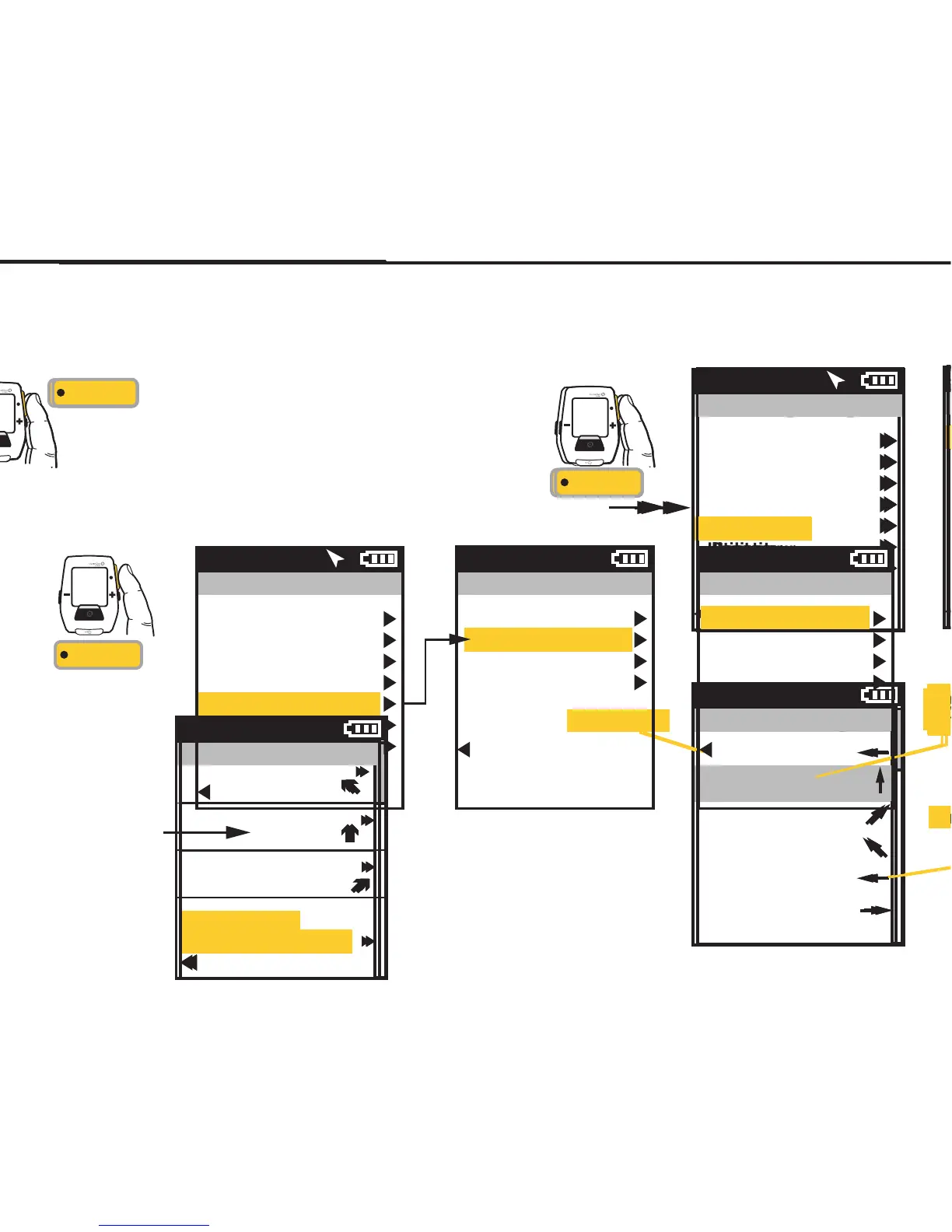
Press & Hold
3 sec. to enter
Menus. Scroll
to Navigation;
Press •[ENTER] ;
Select Routes,
Press •[ENTER]
Scroll to a route,
Press •[ENTER]
FROM DASHBOARD
Main Menu
Ride
History
Sensors
Training
Navigation
User
Device
Back to Dashboard
9:34A 71º
Routes
Paoli Loop
Ironman WI
Belleville Loop
Horribly Hilly 100
Back to Navigation
9:34A
Navigation
Waypoints
Routes
GPS Status
Compass
Back to Main Menu
9:34A


 To Next Page
 Loading...