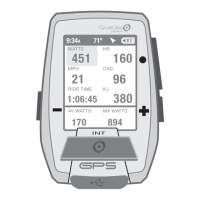
Guía del usuario de Joule GPS, página 12
CAPÍTULO 3: DESCRIPCIÓN GENERAL DEL MENÚ Y EMPAREJAMIENTO
MENÚ
Entre en el menú para revisar el
historial de sesiones, emparejar
sensores, utilizar la función de
formación y configurar el
dispositivo.
Menú principal
Sesión
Historial
Sensores
Formación
Navegación
Usuario
Disp.
Regr. al Tablero
9:34A 71º
SESIÓN
Reanudar Sesión
Parar y Guard.
Últ. Sesión
Selec. Sesión
Informe - Máx
Selec. una Bici
ENTRENAMIENTOS
INTERV. AUTO
PUNTOS DE RUTA
RUTAS
ESTADO GPS
Nueva Bici.
Añadir una Bici
HISTORIAL
SENSOR
FORMACIÓN
NAVEGACIÓN
SELEC. USUARIO
AÑAD. USUARIO
USUARIO
FECHA Y HORA
PANTALLA
MEMORIA
ALTÍMETRO
ACERCA DE JOULE
DISP.
INT
[INTRO]
Mantener
pulsado 3 segundos
DESDE EL TABLERO
CAPÍTULO 2: NAVEGACIÓN: MAPA GPS
RUTAS
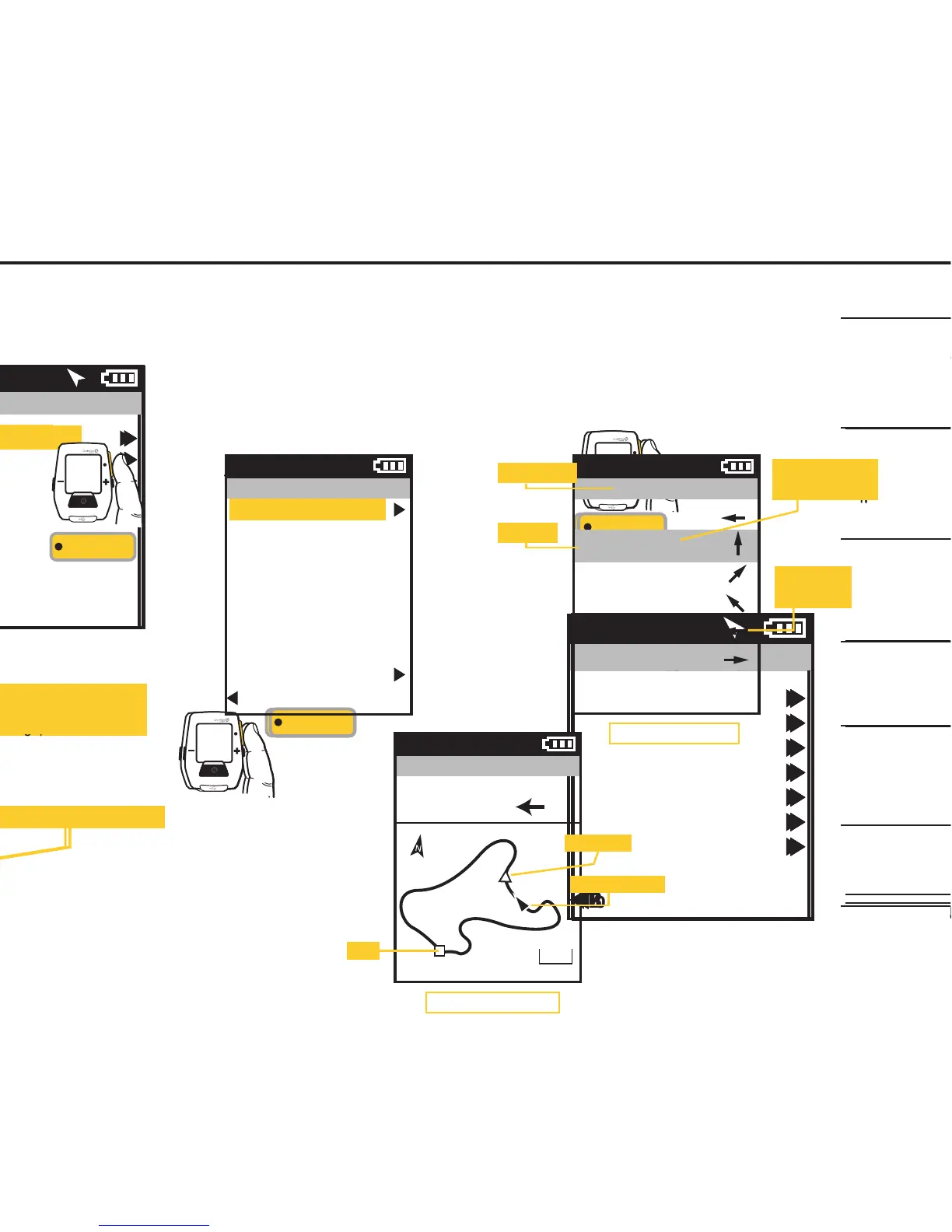
Para elegir una ruta en
la pantalla del menú
principal, seleccione
Navegación, Rutas y, a
continuación, seleccione
la ruta que le gustaría
para la sesión.
Pulse • [INTRO] para
desplazarse por el menú.
INT
[INTRO]
Rutas
Paoli Loop
Ironman WI
Belleville Loop
Horribly Hilly 100
Reg. a Naveg.
71º
Distancia hasta el próximo punto
del mapa (giro)
Indicación para el próximo giro
Guide de l'utilisateur du GPS Joule page12
CHAPITRE 3: PRÉSENTATION DES MENUS & ASSOCIATION
MENU
Entrez dans le menu pour
consulter l’historique des tours et
les capteurs associés, pour
utiliser la fonction d'entraînement
et pour configurer l'appareil.
Menu principal
Tour
Historique
Capteurs
Entraînement
Navigation
Utilisateur
Appareil
Retour Tableau Bord
9:34A 71º
TOUR
Reprise Tour
Arrêter et Sauver
Dernier Tour
Sélectionner un tour
Rapport - Max
Sélectionner un vélo
ENTRAÎNEMENTS
INTERVALLE AUTO
POINTS DE ROUTE
ROUTES
STATUT GPS
Nouveau vélo
Ajouter un vélo
HISTORIQUE
CAPTEUR
ENTRAÎNEMENT
NAVIGATION
SÉLECTIONNER UN UTILISATEUR
AJOUTER UN
UTILISATEUR
UTILISATEUR
DATE ET HEURE
AFFICHAGE
MÉMOIRE
ALTIMÈTRE
À PROPOS DE JOULE
APPAREIL
INT
[ENTER]
Maintenez
enfoncé 3 secondes
À PARTIR DU TABLEAU DE BORD
CHAPITRE 2: NAVIGATION: CARTE GPS
ROUTES
Pour sélectionner une
route dans l'écran
du menu principal,
sélectionnez l'option
«Naviguation», puis
l'option «Routes».
Sélectionnez ensuite
la route que vous
souhaitez parcourir.
Appuyez sur • [ENTER]
pour vous déplacer dans
le menu
INT
[ENTER]
Itinéraires
Boucle de Paoli
Ironman WI
Boucle de Belleville
Horribly Hilly 100
Retour Navigation
71º
Distance jusqu'au prochain point
de la carte (virage)
Direction du prochain virage
Joule GPS Benutzerhandbuch Seite 12
KAPITEL 3: MENÜÜBERSICHT & KOPPLUNG
MENÜ
Rufen Sie das Menü auf, um
den Fahrtenverlauf zu sehen,
Sensoren zu koppeln, die
Trainingsfunktion zu nutzen
und das Gerät zu konfigurieren.
Hauptmenü
Fahrt
Verlauf
Sensoren
Training
Navigation
Benutzer
Gerät
Zurück zur Anzeige
9:34A 71º
FAHRT
Fahrt fortsetzen
Stoppen und
speichern
Letzte Fahrt
Fahrt auswählen
Bericht max.
Rad auswählen
WORKOUTS
AUTO-INTERVALL
WEGMARKEN
ROUTEN
GPS-STATUS
Neues Rad
Rad hinzufügen
VERLAUF
SENSOR
TRAINING
NAVIGATION
EINEN BENUTZER AUSWÄHLEN
EINEN BENUTZER
HINZUFÜGEN
BENUTZER
DATUM UND UHRZEIT
ANZEIGE
SPEICHER
HÖHENMESSER
ÜBER JOULE
DEVICE
INT
[ENTER]
Drücken
und 3 Sek. gedrückt halten
VON DER ANZEIGE
KAPITEL 2: NAVIGATION: GPS-KARTE
ROUTEN
Um eine Route aus dem
Hauptmenübildschirm
auszuwählen, wählen
Sie „Navigation“,
„Routen“ und dann die
Route, die Sie fahren
möchten.
• [ENTER] drücken, um
durch das Menü zu
blättern
INT
[ENTER]
Routen
Paoli Loop
Ironman WI
Belleville Loop
Horribly Hilly 100
Zurück zur Navigation
71º
Strecke zum nächsten
Kartenpunkt (Wegbiegung)
Richtung zur nächsten Wegbiegung
Manuale dell’utente Joule GPS pag. 12
CAPITOLO 3: PANORAMICA DEI MENU & COLLEGAMENTO
MENU
Accedere al Menu per esaminare
lo storico della corsa, collegare
i sensori, utilizzare la funzione
allenamento e configurare il
dispositivo.
Menu principale
Corsa
Dati storici
Sensori
Allenamento
Navigazione
Utente
Dispositivo
Torna a Cruscotto
9:34A 71º
CORSA
Riprendi corsa
Interrompi e salva
Ultima corsa
Seleziona una corsa
Report-max
Seleziona una bici
ALLENAMENTI
INTERVALLO AUTOM.
PUNTI DI RIFERIMENTO
PERCORSI
STATO GPS
Nuova bici
Aggiungi bici
DATI STORICI
SENSORE
ALLENAMENTO
NAVIGAZIONE
SELEZIONA UN UTENTE
AGGIUNGI UN
UTENTE
UTENTE
DATA E ORA
DISPLAY
MEMORIA
ALTIMETRO
INFORMAZIONI SU JOULE
DISPOSITIVO
INT
[INVIO]
Premere
e mantenere premuto per 3 sec.
DA CRUSCOTTO
CAPITOLO 2: NAVIGAZIONE: MAPPA GPS
PERCORSI
Per selezionare un
percorso dalla schermata
del menu princiaple,
selezionare la
navigazione, i percorsi,
quindi il percorso
desiderato.
Premere • [INVIO]
per avanzare
nel menu
INT
[INVIO]
Percorsi
Paoli Loop
Ironman WI
Belleville Loop
Horribly Hilly 100
Torna a Navigazione
71º
Distanza dal successivo punto
di riferimento (svolta)
Direzione della svolta successiva
Gebruikershandleiding Joule GPS pagina 12
HOOFDSTUK 3: MENU-OVERZICHT & KOPPELEN
MENU
Open het Menu om historische
ritgegevens of gekoppelde
sensoren te bekijken, om de
trainingsfunctie te gebruiken en
om het apparaat te configureren.
Main Menu
9:34A 71º
RIDE
Rit hervatten
Stoppen en opslaan
Laatste rit
Selecteer een rit
Rapport-max
Selecteer een ets
TRAININGEN
AUTO INTERVAL
ROUTEPUNTEN
ROUTES
GPS-STATUS
Nieuwe ets
Fiets toevoegen
HISTORY
SENSOR
TRAINING
NAVIGATION
KIES EEN GEBRUIKER
VOEG EEN
GEBRUIKER TOE
USER
DATUM EN TIJD
DISPLAY
GEHEUGEN
ALTIMETER
ABOUT JOULE
DEVICE
INT
[ENTER]
Druk
en houd 3 seconden aan
OP HET DASHBOARD
HOOFDSTUK 2: DASHBOARDS
ROUTES
Om een route te kiezen,
selecteert u Navigation in
het Main Menu, vervolgens
selecteert u Routes en
daarna selecteert u de
route die u wenst.
Druk op de •
[ENTER]-knop om door
de het Menu te bladeren
INT
[ENTER]
Routes
Paoli Loop
Ironman WI
Belleville Loop
Horribly Hilly 100
Back to Navigation
9:34 A 71º
Turn-by-turn-aanwijzingen en de
afstand tot aan het volgend punt op het
plattegrond, worden weergegeven.
Afstand tot aan het volgend
punt op het plattegrond (afslag)
Richting van de volgende afslag
Ride
History
Sensors
Training
Navigation
User
Device
Back to Dashboard
Press • [ENTER] to
advance through the
Menus. Once Ride Route
is selected the Turn by
Turn Route Dashboard
will be displayed.
Pressing • [ENTER] again
will display the Route on
the GPS map screen.
INT
[ENTER]
Route
Ride Route
Name
Paoli Loop
Length
24.45 mi
Location
1.2 mi NE
Delete Route
Back to Routes
9:34A
Paoli Loop
N
W
W
NW
W
S
0.00 mi
0.62 mi
3.84 mi
0.24 mi
0.29 mi
1.40 mi
9:34A
Route Name
Heading
Distance to next
map point (turn)
Direction of
next turn
Route Dashboard
Joule GPS User Guide page 20
CHAPTER 4: NAVIGATION
ROUTES, continued
Select a Route to ride or delete from your list of routes. If the route you select to ride has associated Turn by Turn
directions, a Route dashboard will appear in your list of dashboards. The Route dashboard will display the heading,
the distance, and direction to the next map point. The route is also displayed on Map Dashboard. If the route does
not have turn by turn directions associated with it, the route will appear on the Map dashboard but the Route
dashboard will not appear in the list of dashboards.
Paoli Loop
GPS Map Dashboard
9:34A
DIST TO
12
HDG TO
0
10 mi
Position indicator
Start
Pacing icon


 To Next Page
 Loading...