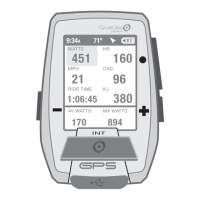
Guía del usuario de Joule GPS, página 18
DESCARGAR
Para seguir configurando el Joule GPS y personalizar los tableros, se debe instalar el
software PowerAgent, que se puede descargar en www.cycleops.com/poweragent.
PowerAgent también permite descargar y analizar los datos de sus sesiones.
CAPÍTULO 6: DATOS Y DESCARGAS
CAPÍTULO 7: PREGUNTAS FRECUENTES Y SOLUCIÓN DE PROBLEMAS
PREGUNTAS FRECUENTES
Para ver las preguntas frecuentes y la solución de problemas actualizadas, puede visitar la sección de atención al cliente de
nuestro sitio web: www.cycleops.com.
DISP.
FECHA Y HORA
PANTALLA
MEMORIA
ALTÍMETRO
ACERCA DE JOULE
CAPÍTULO 5: MENÚ DEL DISPOSITIVO
Velocidad/FC
15, 30, 60, 90 min, Nunca
Establecer en cualquier número
Restablece el odómetro, el tiempo de funcionamiento y los kilojulios a cero.
Muestra la cantidad de memoria libre en el dispositivo.
Borra las sesiones guardadas en el dispositivo desde la última descarga. No afecta a
los informes del historial.
Borra todos los datos de las sesiones registradas del dispositivo.
OPCIÓN EN LA ENTRADA
Acerca de Joule
Versión del Firmware
17.023
Diseñado en
Madison, WI by
Saris Cycling Group
800-783-7257
Reg. a Dispos.
9:34A 71º
Versión del
firmware
Guide de l'utilisateur du GPS Joule page18
TÉLÉCHARGEMENT
Pour configurer le GPS Joule plus en détail et personnaliser les tableaux de bord, installez
le logiciel PowerAgent à partir de www.cycleops.com/poweragent. Le logiciel PowerAgent
vous permet également de télécharger et d'analyser les données de vos tours.
CHAPITRE 6: DONNÉES & TÉLÉCHARGEMENTS
CHAPITRE 7: FAQ & DÉPANNAGE
FOIRE AUX QUESTIONS
Pour consulter la foire aux questions et les dépannages les plus récents, visitez la section service clientèle de notre site web,
www.cycleops.com.
APPAREIL
DATE ET HEURE
AFFICHAGE
MÉMOIRE
ALTIMÈTRE
À PROPOS DE JOULE
CHAPITRE 5: MENU APPAREIL
Vitesse/H
15, 30, 60, 90 min, Jamais
Défini sur n'importe quel chiffre
Réinitialise l'odomètre, la durée de la course et les kilojoules
Affiche la mémoire restante sur l'appareil
Efface les tours enregistrés sur l'appareil depuis le dernier téléchargement. Ne modifie pas
les rapports Historique
Efface toutes les données de tour de l'historique de l'appareil
FONCTION
À propos de Joule
Version du firmware
17.023
Conçu à
Madison, WI par
Saris Cycling Group
800-783-7257
Retour Appareil
9:34A 71º
Version du
firmware
Joule GPS Benutzerhandbuch Seite 18
DOWNLOAD
Um den Joule GPS weiter zu konfigurieren und die Anzeigen individuell anzupassen,
installieren Sie die PowerAgent-Software von www.cycleops.com/poweragent. Mit
PowerAgent können Sie außerdem Ihre Fahrtdaten herunterladen und analysieren.
KAPITEL 6: DATEN & DOWNLOADS
KAPITEL 7: FAQ & FEHLERBEHEBUNG
HÄUFIG GESTELLTE FRAGEN
Die neuesten FAQ und Fehlerbehebungstipps finden Sie im Kundensupportabschnitt auf unserer Website
www.cycleops.com.
DEVICE
DATUM UND UHRZEIT
ANZEIGE
SPEICHER
HÖHENMESSER
ÜBER JOULE
KAPITEL 5: GERÄTEMENÜ
Geschwindigkeit/HR
15, 30, 60, 90 Min., Nie
Beliebige Zahl einstellen
Setzt den Kilometerzähler, die Betriebszeit und die Kilojoule auf Null zurück
Zeit den restlichen Speicherplatz auf dem Gerät an
Löscht die seit dem letzten Download auf dem Gerät gespeicherten Fahrten. Beeinflusst die
Verlaufsberichte nicht
Löscht alle Verlaufsdaten vom Gerät
EINGABEOPTION
Über Joule
Firmware-Version
17.023
Entwickelt in
Madison, WI by
Saris Cycling Group
800-783-7257
Zurück zum Gerät
9:34A 71º
Firmware
Version
Manuale dell’utente Joule GPS pag. 18
DOWNLOAD
Per proseguire con la configurazione di Joule GPS e personalizzare i cruscotti, installare il
software PowerAgent software da www.cycleops.com/poweragent. PowerAgent consente
di scaricare e analizzare i dati della corsa.
CAPITOLO 6: DATI & DOWNLOAD
CAPITOLO 7: FAQ & RISOLUZIONE DEI PROBLEMI
DOMANDE FREQUENTI
Per le FAQ e la Risoluzione dei problemi, visitare la sezione di Assistenza Clienti del nostro sito, www.cycleops.com.
DISPOSITIVO
DATA E ORA
DISPLAY
MEMORIA
ALTIMETRO
INFORMAZIONI SU JOULE
CAPITOLO 5: MENU DEL DISPOSITIVO
Velocità/FC
15, 30, 60, 90 min, Mai
Impostare su qualsiasi numero
Riporta il contachilometri, il tempo di corsa e kj a 0
Mostra la quantità di memoria residua del dispositivo
Cancella le corse salvate sul dispositivo dall’ultimo download. Non influenza i report sui
dati storici
Cancella tutti i dati storici delle corse dal dispositivo
OPZIONE INPUT
Informazioni su Joule
Firmware Version
17.023
Progettato in
Madison, WI da
Saris Cycling Group
800-783-7257
Torna a Dispositivo
9:34A 71º
Firmware
Version
Gebruikershandleiding Joule GPS pagina 18
DOWNLOADEN
Installeer de PowerAgent-software die u kan vinden op "www.cycleops.com/poweragent"
om om uw Joule GPS te configureren en de dashboards aan te passen aan uw voorkeur.
Met de PowerAgent-software kunt u uw gegevens downloaden en analyseren.
HOOFDSTUK 6: GEGEVENS & DOWNLOADS
HOOFDSTUK 7: FAQ & PROBLEMEN OPLOSSEN
VAAK GESTELDE VRAGEN
Bezoek www.cycleops.com voor de meest recente FAQ's.
HOOFDSTUK 5: DEVICE MENU
Snelheid/HR
15, 30, 60, 90min, Nooit
Stel gelijk welk getal in
Odometer resetten, looptijd en kJ terug naar nul
Geeft het beschikbare geheugen op het apparaat weer
Verwijdert de ritten die werden opgeslagen sinds de laatste download Heeft geen invloed
op de Historierapporten
Verwijdert alle historische ritgegevens van het apparaat
INPUT OPTION
9:34A 71º
Firmware-
versie
DEVICE
DATE AND TIME
DISPLAY
MEMORY
ALTIMETER
ABOUT JOULE
About Joule
Firmware Version
17.023
Designed in
Madison, WI by
Saris Cycling Group
800-783-7257
Back to Device
Joule GPS User Guide page 29
CHAPTER 6: TRAINING
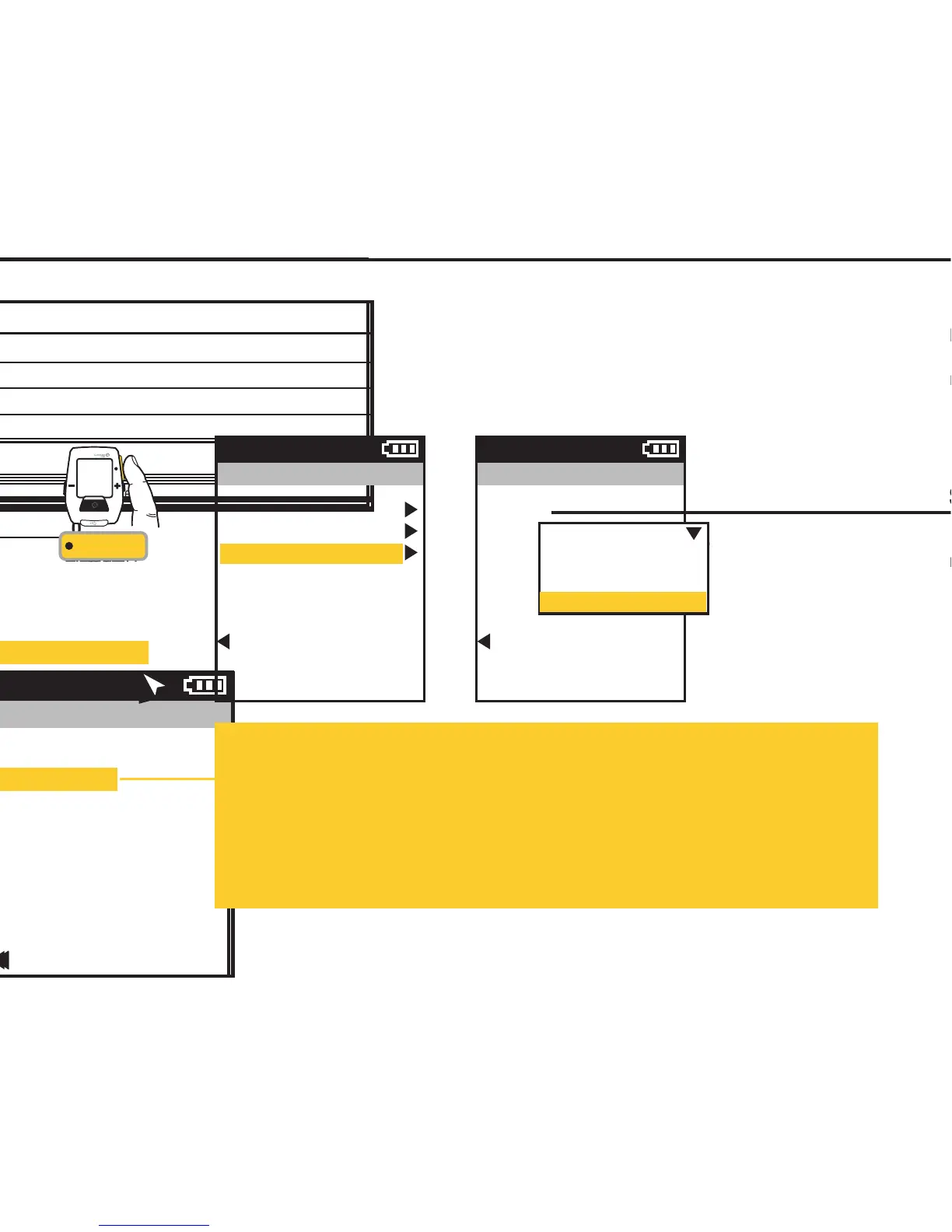
TRAINING using COUNTDOWN
Countdown allows you to set the Joule GPS to notify you when a specific distance has been traveled; a
specific amount of time has passed; or a specific amount of work has been completed (measured in
kilojoules). In order to use the Countdown feature you must select the Countdown metric for display in one
of your Dashboards. See chapters 3 and 7, and Appendix C for more information on setting display metrics.
Training
Workouts
Auto Interval
Countdown
Back to Main Menu
9:34A
Countdown
Mode
Work, kJs
1500
Back to Training
9:34A
Off
Distance
Time
Kilojoules of Work
INT
[ENTER]
Press & Hold
3 sec. to enter
Menus. Scroll
to Training;
Press •[ENTER] ;
Select Countdown,
FROM DASHBOARD
Countdown Mode:
Distance:
Select Distance, scroll to and enter the amount of distance you want to travel before being notified.
Time:
Select Time, scroll to and enter the amount of time that you want to pass before being notified.
Kilojoules:
Select KJs, scroll to and enter the amount of kilojoules of work completed before being notified.
Note: Kilojoules Countdown only applies when power measurement is present.


 To Next Page
 Loading...