How to enter Engineering Mode
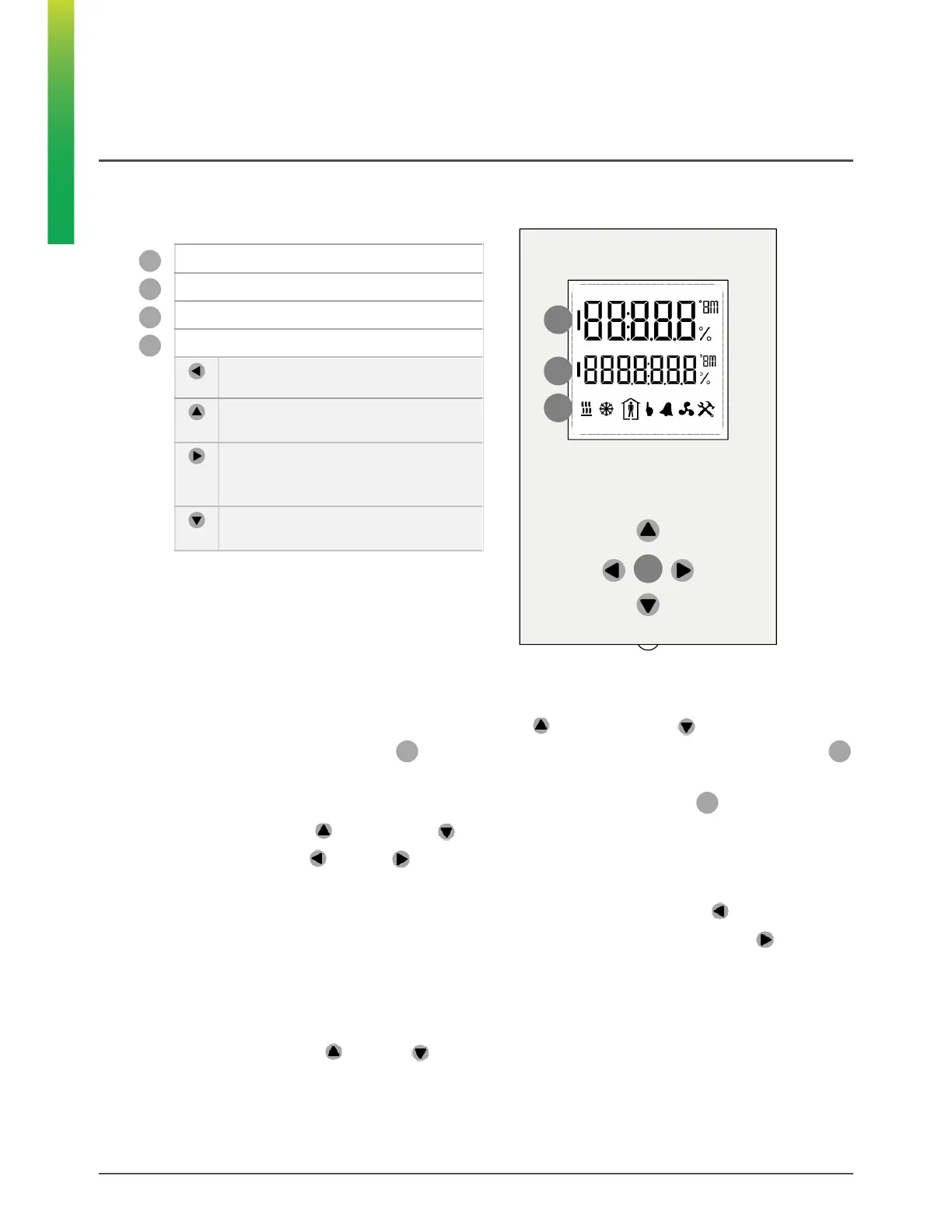
1. Press and hold (“long-press”) both the Up button and Down button together for at least 3
seconds until the 1st line (large digits) displays the text and the 2nd line
displayswith the right-most digit flashing.
2. Enter the Engineering Mode password by changing the number on the 2nd line as follows:
• Press the up button or down button to change the value of the flashing digit.
• Use the left and right buttons to move between digits.
• The default password is which can be changed over the network.
• To reset the entered password to the default, press and hold the left button
3. When the correct password is displayed, press and hold (“long-press”) the right button to accept it
and to open the first menu page.
How to exit the Engineering Mode
• If you wish to exit Engineering mode at any point without entering the password, press and hold (“long-
press”) both the up and down buttons together.


 To Next Page