Need help?
Do you have a question about the CYP AU-D41 and is the answer not in the manual?
Key safety points to consider during handling and installation to prevent hazards.
Description of the top panel, focusing on input LEDs indicating the selected source.
Details regarding the optical input ports located on the left side of the device.
Instructions for connecting the 5V DC power supply to the rear panel.
Guide to operating the device using the included IR remote control buttons.
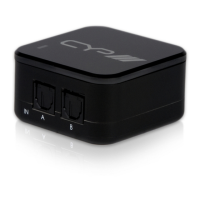
The AU-D41 is a 4-Way Optical Audio Switcher designed to expand the available optical inputs for various audio systems, offering a seamless and user-friendly experience. This device allows users with multiple optical audio sources to easily switch between them without any noticeable delay, making it an ideal solution for enhancing high-performance stereo systems, home theatre setups, audio showrooms, and presentation systems.
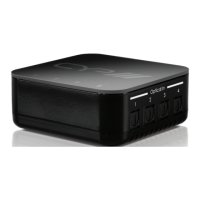
At its core, the AU-D41 functions as a central hub for managing up to four optical audio input sources, routing the selected signal to a single optical output. This capability is particularly beneficial in modern entertainment environments where multiple devices, such as DVD/Blu-ray players, set-top boxes, game consoles, and PCs/laptops, might need to share a single optical input on an amplifier or active speaker. By consolidating these inputs, the switcher simplifies cable management and eliminates the need to manually swap cables when changing audio sources.
One of the key usage features of the AU-D41 is its intuitive control system. The device can be operated directly via its top panel or through the included IR remote control (CR-72). The top panel features four Input LEDs, numbered 1 through 4, which illuminate in blue to clearly indicate the currently selected audio source. This visual feedback ensures that users can quickly identify which input is active at a glance.
The right panel of the device houses several important controls and connectors. A "Power" button allows users to turn the device on or set it to standby mode. When the device is powered on and active, a blue LED on the top panel will illuminate, providing a clear status indicator. An "Input" button enables users to cycle through the four input ports, selecting the desired source. Similar to the top panel LEDs, the corresponding input LED on the top panel will light up to confirm the selection. For audio output, an "Optical Out" port is provided, designed for connection to an amplifier or active speaker using an optical cable. Additionally, an "IR" receiver window is present, which is crucial for receiving signals from the supplied remote control. For optimal performance, it is important to ensure a clear line-of-sight between the IR receiver and the remote.
The rear panel of the AU-D41 is straightforward, featuring a "DC 5V" input. This port is used to connect the included 5V DC power supply to the unit, which then plugs into an AC wall outlet. This simple power connection ensures the device receives the necessary power for operation.
The included IR remote control (CR-72) significantly enhances the user experience by offering convenient control from a distance. The remote features a "POWER" button, allowing users to turn the device on or put it into standby mode. Four dedicated "INPUT" buttons, numbered 1 through 4, enable direct selection of the desired input source, mirroring the functionality of the "Input" button on the device's right panel. This remote functionality provides flexibility, allowing users to manage their audio sources without needing to be in close proximity to the switcher.
A notable usage feature of the AU-D41 is its built-in last memory function. This intelligent feature ensures that the device remembers the last selected input source even after being powered off. When the switcher is turned back on, it will automatically revert to the previously active input, saving users the hassle of re-selecting their preferred source each time. This contributes to a more seamless and user-friendly experience, especially in setups where a particular source is frequently used.
In terms of maintenance features, the AU-D41 is designed for reliability and ease of use, minimizing the need for extensive upkeep. The device's robust construction and straightforward design contribute to its durability. Users should adhere to basic safety precautions outlined in the manual to ensure the longevity of the device. This includes protecting the unit from moisture, avoiding spills, and ensuring proper ventilation to prevent overheating. The use of only the supplied power supply unit (PSU) is also emphasized to prevent damage. Regular cleaning of the device's exterior with a soft, dry cloth can help maintain its appearance. The absence of complex internal components requiring user access means that maintenance is primarily focused on proper handling and environmental considerations. The device's low power consumption also contributes to its overall efficiency and reduced operational costs over time.
The AU-D41 supports optical sampling rates up to 192 kHz and offers up to 24-bit resolution, ensuring high-quality audio transmission. It is compatible with various audio formats, including PCM2, Dolby 5.1, and DTS 5.1 (pass-through), making it versatile for different audio setups. These capabilities, combined with its user-friendly controls and last memory function, position the AU-D41 as a practical and efficient solution for managing multiple optical audio sources in a modern audio environment.
 General
| HDMI Version | 1.4 |
|---|---|
| HDCP Support | 1.4 |
| Control | IR Remote |
| Weight | 200g |
| Audio Support | LPCM 2.0 |
| Sampling Rate | 32kHz, 44.1kHz, 48kHz |
| Power Supply | 5V/1A DC |

 To Next Page